3-6
3
BASIC OPERATIONS
• Setting the programmable tuning step
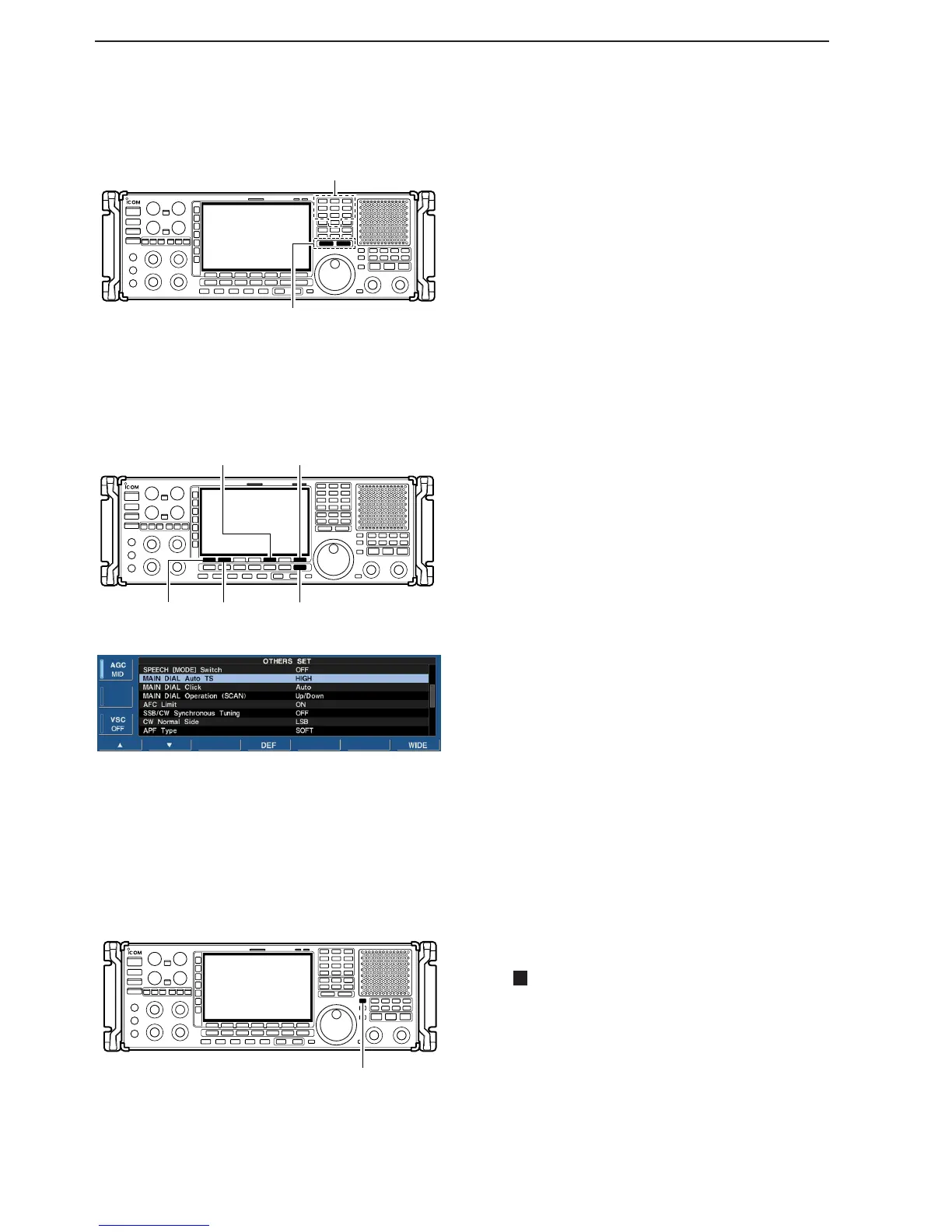
q Push the numeral keys on the keypad that corre-
spond to the tuning step you wish to program.
• Programmable tuning steps can be set between 0.1 and
999.9 kHz in 0.1 kHz steps.
➠ To set programmable tuning steps, enter the desired
steps via the keypad, then push [YUP]or [ZDOWN].
w Push [▲UP] or [▼DOWN] to set the programmable
tuning step.
• Programmable tuning step is automatically selected as
the active tuning step.
DD
Auto tuning step function
When rotating the main dial rapidly, the tuning speed
accelerates automatically.
q Push [EXIT/SET] several times to close a multi-
function screen, if necessary.
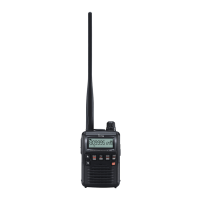
w Push [F-7•SET] to select set mode menu screen.
• Pushing and holding [EXIT/SET] for 1 sec. also selects
set mode menu screen.
e Push [F-5•OTHERS] to enter the others set mode.
r Push [F-1•Y] or [F-2•Z] to select “MAIN DIAL Auto
TS.”
t Rotate main dial to select the desired condition from
HIGH, LOW or OFF.
y Push [EXIT/SET] to exit the set mode.
• HIGN : Approx. 5 times faster
• LOW: Approx. twice faster
• OFF : Auto tuning step is turned OFF.
DD
1
⁄4
tuning step function
When operating in CW or FSK, the
1
⁄4 tuning function
is available. Dial rotation is reduced to
1
⁄4 of normal
speed when the
1
⁄4 tuning function is ON for finer tun-
ing control.
➥ Push [1/4] to toggle the
1
⁄4 tuning function ON or
OFF.
•“ ” appears when the
1
⁄4 tuning function is ON.
1
⁄
4


 To Next Page