62
9
SET MODES
New2001
1
2
3
4
5
6
7
8
9
10
11
12
13
14
15
16
17
18
19
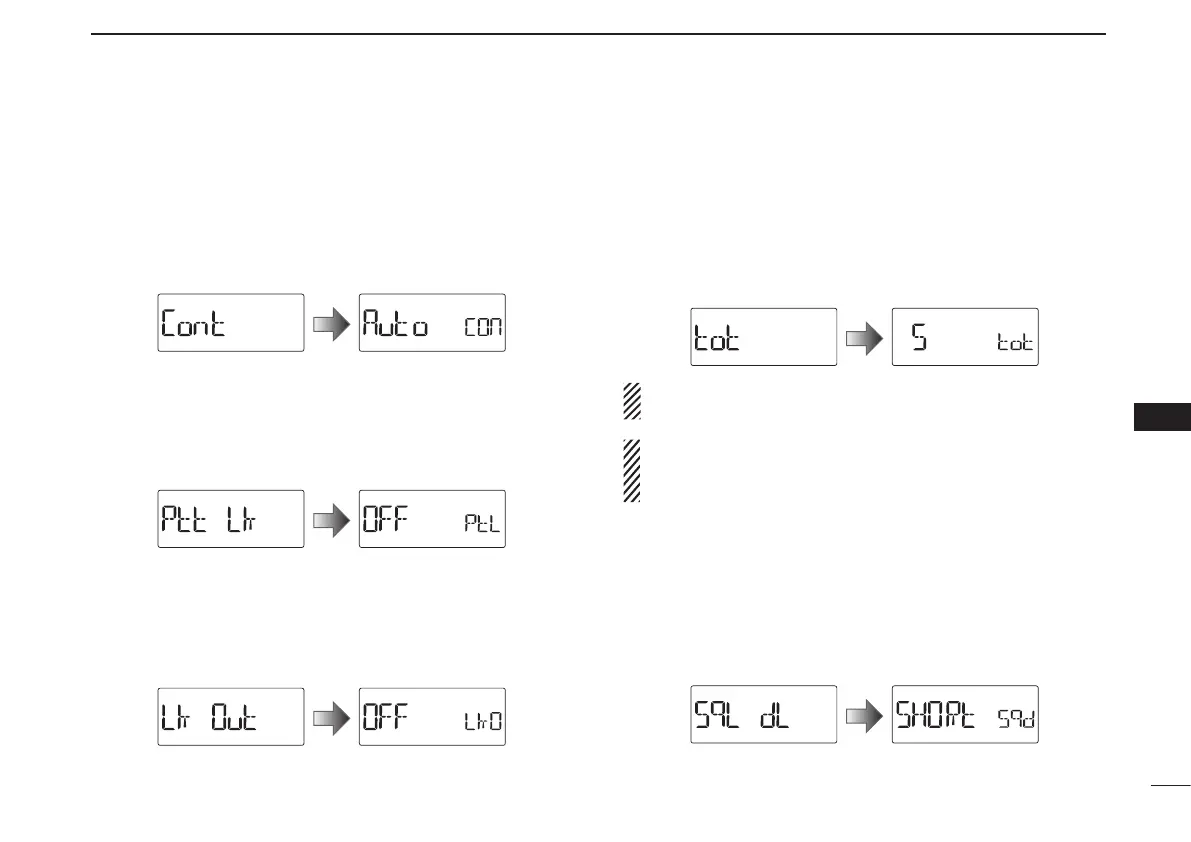
D LCD contrast (CONT)
Selects the LCD contrast. (default: Auto)
•Auto :Setsthecontrasttohigh.However,ifthetransceiveris
exposed to high temperatures, it automatically sets the
contrast to low.
•HI :Setsthecontrasttohigh.
•LO :Setsthecontrasttolow.
D PTT lock (PTT LK)
Turns the PTT lock function ON or OFF.
To prevent accidental transmission, the transceiver has the
PTT lock function. (default: OFF)
D Busy lockout (LK OUT)
Turns the busy lockout function ON or OFF.
This function inhibits transmission while receiving a signal or
when the squelch is open. (default: OFF)
D Time-out timer (TOT)
To prevent accidental prolonged transmission, the transceiver
has a time-out timer. This function cuts transmission OFF
after 1–30 min. of continuous transmission. This timer can be
cancelled. (default: 5)
•OFF :Thetime-outtimeristurnedOFF.
•1to30 :ThetransmissioniscutOFFafter thesetperiod
elapses.
Approx. 10 seconds before the time-out timer is activated,
the transceiver emits a beep tone as a warning.
BE CAREFUL! The transceiver will become hot when this
time-out timer function is turned OFF or set to a long time
period, and transmission is made for long periods.
D Squelch delay (SQL DL)
Sets the squelch delay between short and long. The delay
prevents the squelch from repeatedly opening and closing
while receiving the same signal. (default: SHORt)
•SHORt :Setsthesquelchdelaytoshort.
•LOnG :Setsthesquelchdelaytolong
.



 To Next Page