113
HDK-99 1803 VER1 (E)
6.1 Alarm Lamp on the OCP or MCP Flashes ON and OFF
6
TROUBLE SHOOTING and MAINTENANCE
Refer to this chapter when the alarm lamp lights or when you want to know about the maintenance during the use of this product.
■
Problems
- The alarm lamp on the OCP or on the MCP ashes ON and OFF.
- "TEMP!!" or "FAN!!" appears on the viewnder screen.
■
Questions
- How to reset the settings to default (Return to the factory settings)
■
Maintenance
- Cleaning the camera connectors
- Resetting the breaker
6.1
Alarm Lamp on the OCP or MCP Flashes ON and OFF
The CCU is equipped with a self diagnostic function which monitors whether the CCU and camera are running normal. As soon as
the CCU main power switch is turned ON, the self diagnostic function starts running, and always runs during operation.
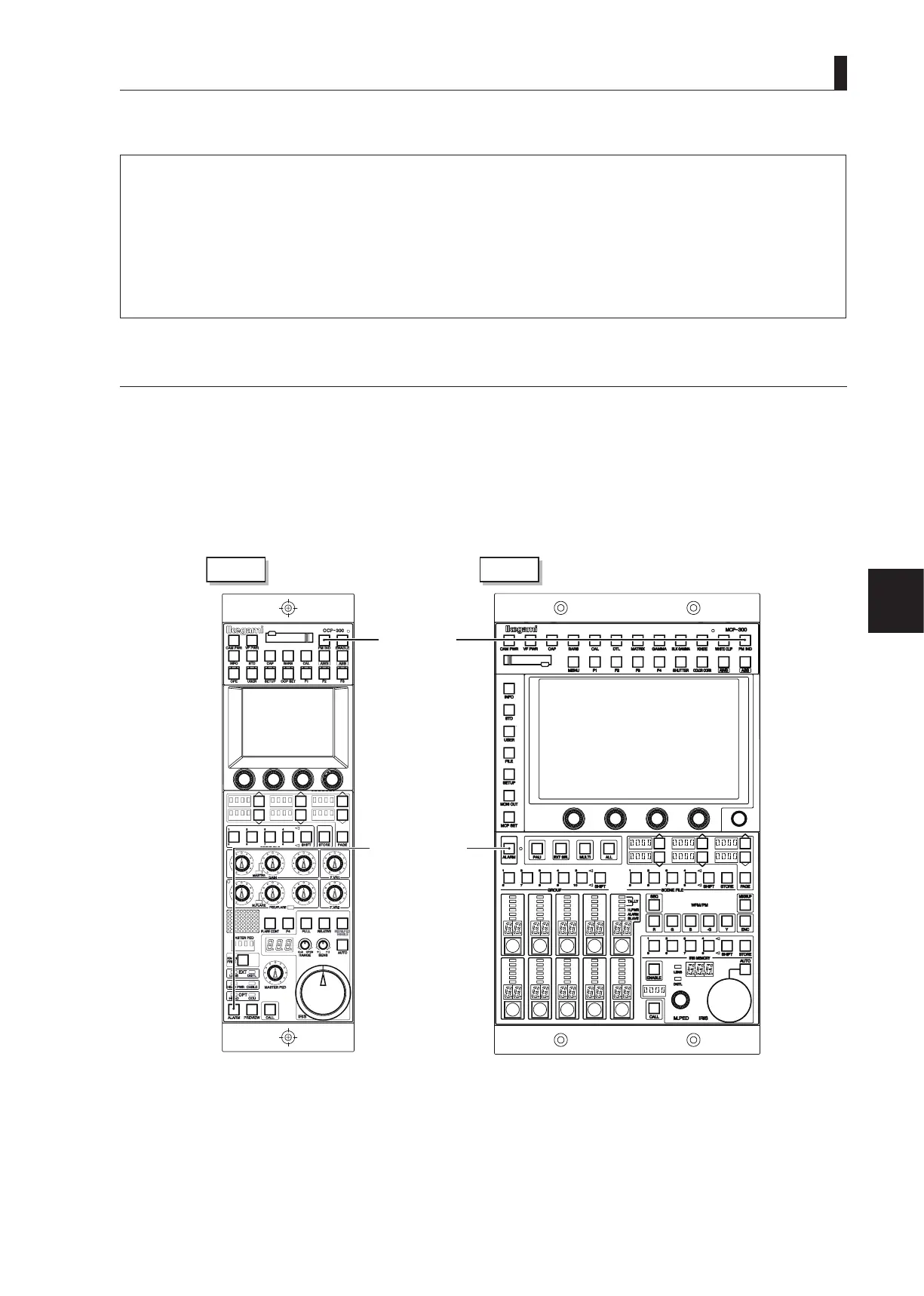
If the CCU or camera becomes abnormal, the diagnostic function immediately detects the abnormality, and the ALARM indicator
on the OCP or MCP ashes ON and OFF. Furthermore, the self diagnostic information screen appears on the PM, so that you can
locate the trouble point.
Note:
Even if the ALARM indicator does not ash, you can check whether
CCU
and camera are running normal by pressing the PM IND/
PAGE button on the OCP or on the MCP to display the self diagnostic screen on the PM.
2
OCP
MCP
PM IND/PAGE
button
ALARM indicator
For the list of self diagnostic information of CCU-980, refer to the relevant operation manual. Perform the appropriate action
referring to the list.



 To Next Page