105
HDK-99 1803 VER1 (E)
5
CAMERA SETTINGS and ADJUSTMENT
5.3 Using the Memory Card
5.3 Using the Memory Card
The memory card can be used to store/read the setting condition of the camera.
For the memory card, it is possible to use an SD/SDHC memory card with the following specications.
-Memory capacity : SD card from 32 MBytes to 2 GBytes.
SDHC card from 4 GBytes to 32 GBytes.
-Format : Format meeting standards of SD/SDHC memory card.
CAUTION:
Market-sold memory cards have undergone sufcient conrmation of operation at this company. However, we cannot assume any
responsibility for guaranteeing operation.
■
Inserting and removing the memory card
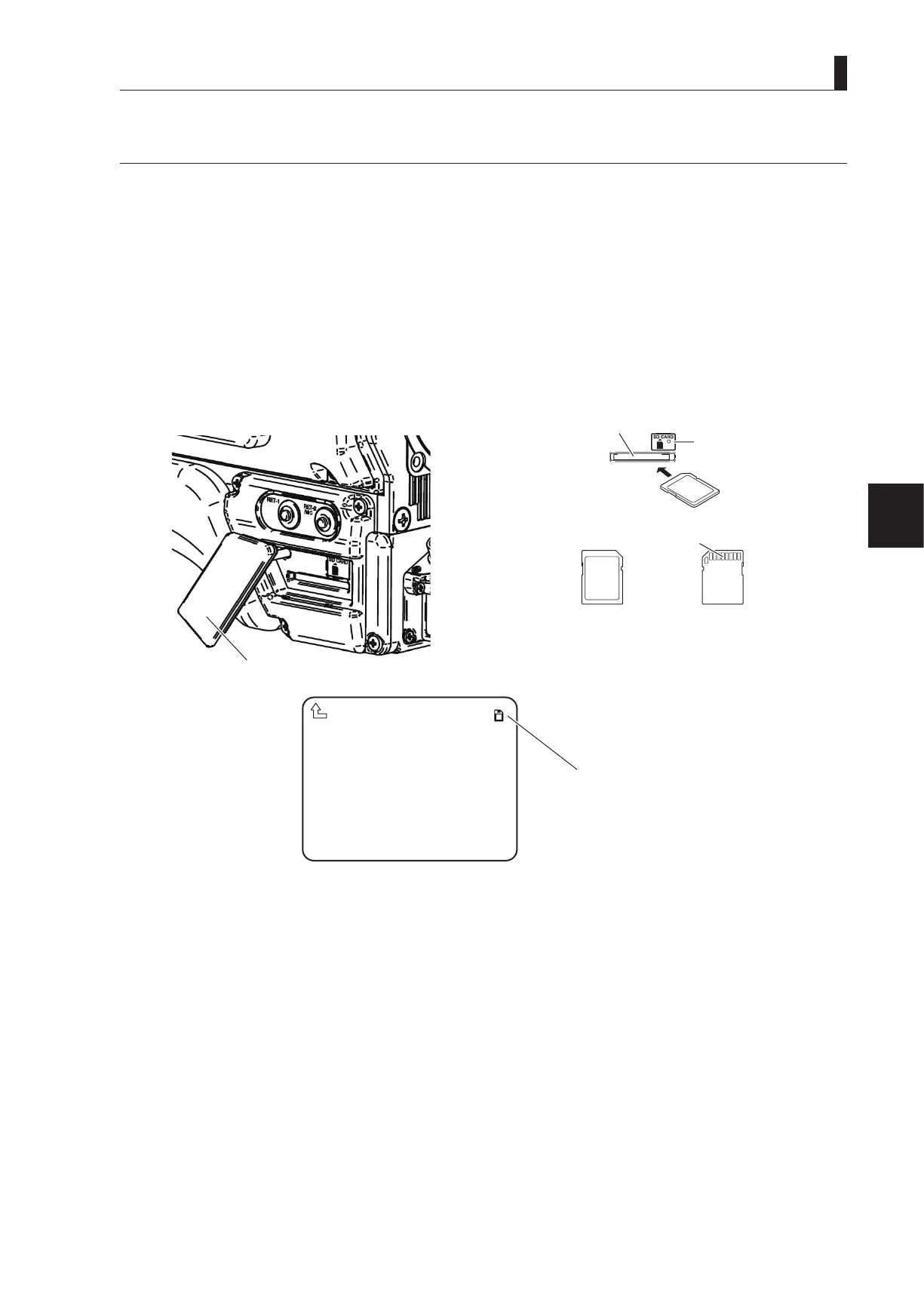
There is a memory card slot as shown in the illustration below on the bottom left side of the camera main unit.
Open the dustproof cover and insert the memory card in the memory card slot.
Dustproof cover
Access indicator
*The metal terminal is facing down.
Metal terminal
Memory card front Memory card back
CAUTION:
When inserting the memory card in the slot, be sure that the
memory card is facing in the correct direction.
VF DISPLAY
VF DTL
VF MODE
FOCUS ASSIST
MIC GAIN CONTROL
RETURN SELECT MODE
FILTER SERVO MODE
SW FUNCTION
INFORMATION
*** MENU (1/4)***
▲
▲
▲
If the camera is recognizing
the memory card normally,
the memory card mark is
displayed in the upper right
of the VF menu screen.
When removing the memory card from the card slot, gently press the memory card until there is a clicking sound and then carefully
remove the card.



 To Next Page