76
HDK-99 1803 VER1 (E)
5.1 Settings Using Switches on the Camera
■
Adjusting Intercom PGM Volume
The intercom PGM volume can be controlled on the rear or right side of the camera. Perform Steps 1 and 2 to control the volume
on the rear of the camera, and Steps 1, 3, and 4 to control on the right side of the camera.
1 Use the INTERCOM-1 PGM-1/2 switch or INTERCOM-2 PGM-1/2 switch on the rear of the camera to select an
intercom PGM line.
2 Turn the INTERCOM-1 PGM-1/2 control knob and INTERCOM-2 PGM-1/2 control knob on the rear of the camera
to adjust the volume.
3 Set the INTERCOM FRONT VR SELECT switch on the rear of the camera to INTERCOM-1/2.
4 Turn the INTERCOM PGM control knob on the right side of the camera to adjust the volume.
CAUTION:
Be sure to adjust the volume to the appropriate level while listening to sound through the headset.
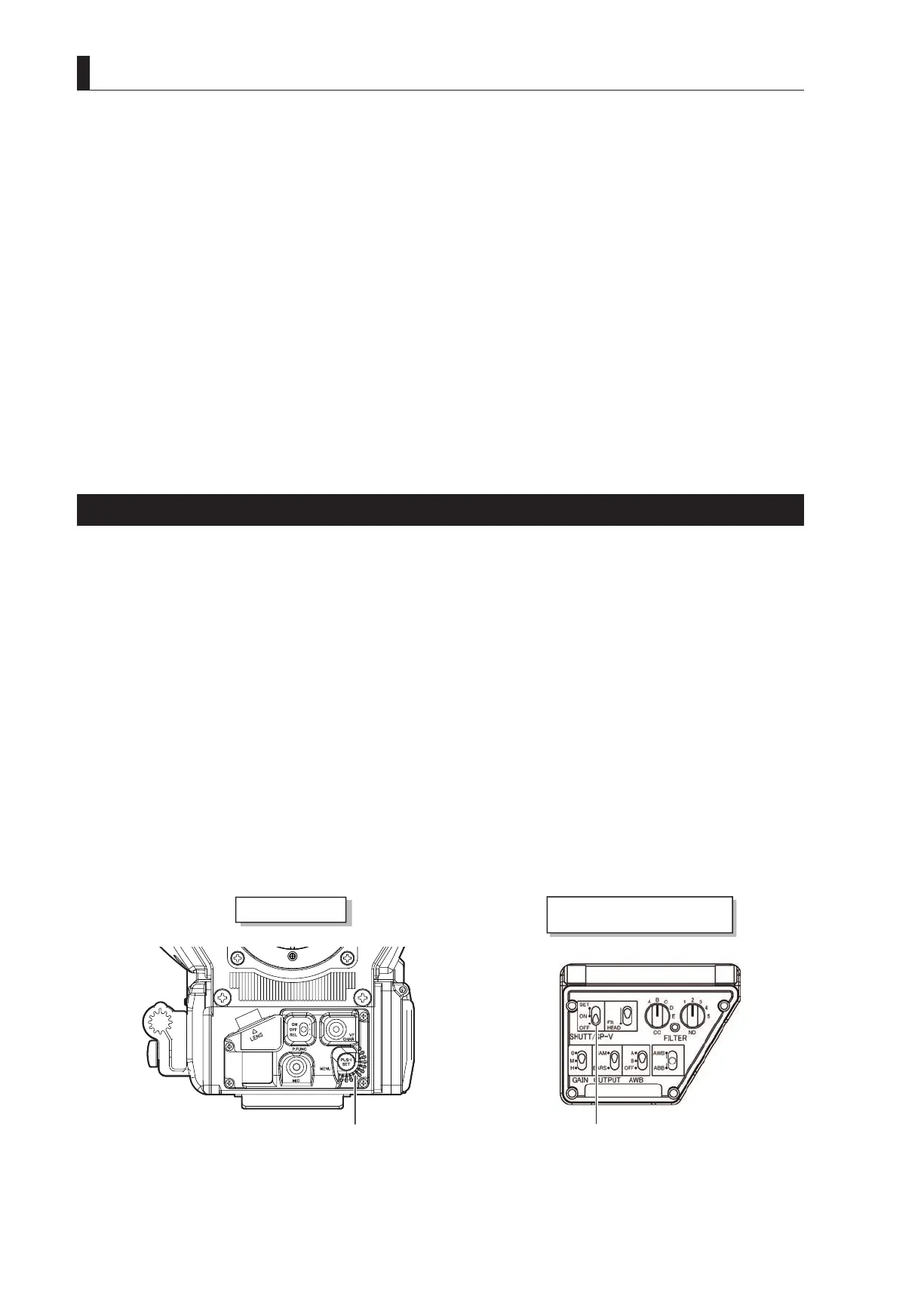
Selecting Shutter Speed
There are two types of shutter: preset shutter with 6 different levels of shutter speed set in advance, and variable shutter which the
user can set the shutter speed to any speed.
- Preset shutter : Select from 6 levels of shutter speed: 1/100, 1/120, 1/250, 1/500, 1/1000 and 1/2000.
- Variable shutter : Set the suitable shutter speed within the following range.
- 1/60.0 to 1/9633 seconds (scanning mode: 59.94Hz)
- 1/50.0 to 1/8036 seconds (scanning mode: 50Hz)
Variable Shutter function is effective when shooting a computer screen that is not synchronized with the normal TV frame rate,
or a subject in quick motion such as the club swing of a golfer in order to playback in slow motion. With a faster shutter speed, a
high-resolution picture can be shot without blur caused by the camera shaking when shooting subjects with vigorous movement, for
example a live coverage of a sporting event.
CAUTION:
Setting from the camera is effective only for the self-contained system operation. When the camera is connected to the CCU, set it
from the control panels attached to the CCU.
Note:
- The sensitivity decreases as the shutter speed increases. Ensure that the lighting condition is sufcient for faster shutter speed
settings.
- When a remote controller is connected, the operation of the remote controller has priority over the operation switches on the camera
(when SEMI REMOTE MODE is set to "OFF"). For details on how to operate the various remote controllers, refer to the instruction
manuals attached to the remote controllers.
Camera right view
(Switch control panel)
Camera front view
SHUTT/SUP-V switchRotary pulse switch



 To Next Page