33
HDK-99 1803 VER1 (E)
3
INSTALLATION and CONNECTION
3.1 Preparation
3.1 Preparation
Precaution on Product Use
Please read "SAFETY PRECAUTIONS" described at the beginning of this manual for precautions on use of this product.
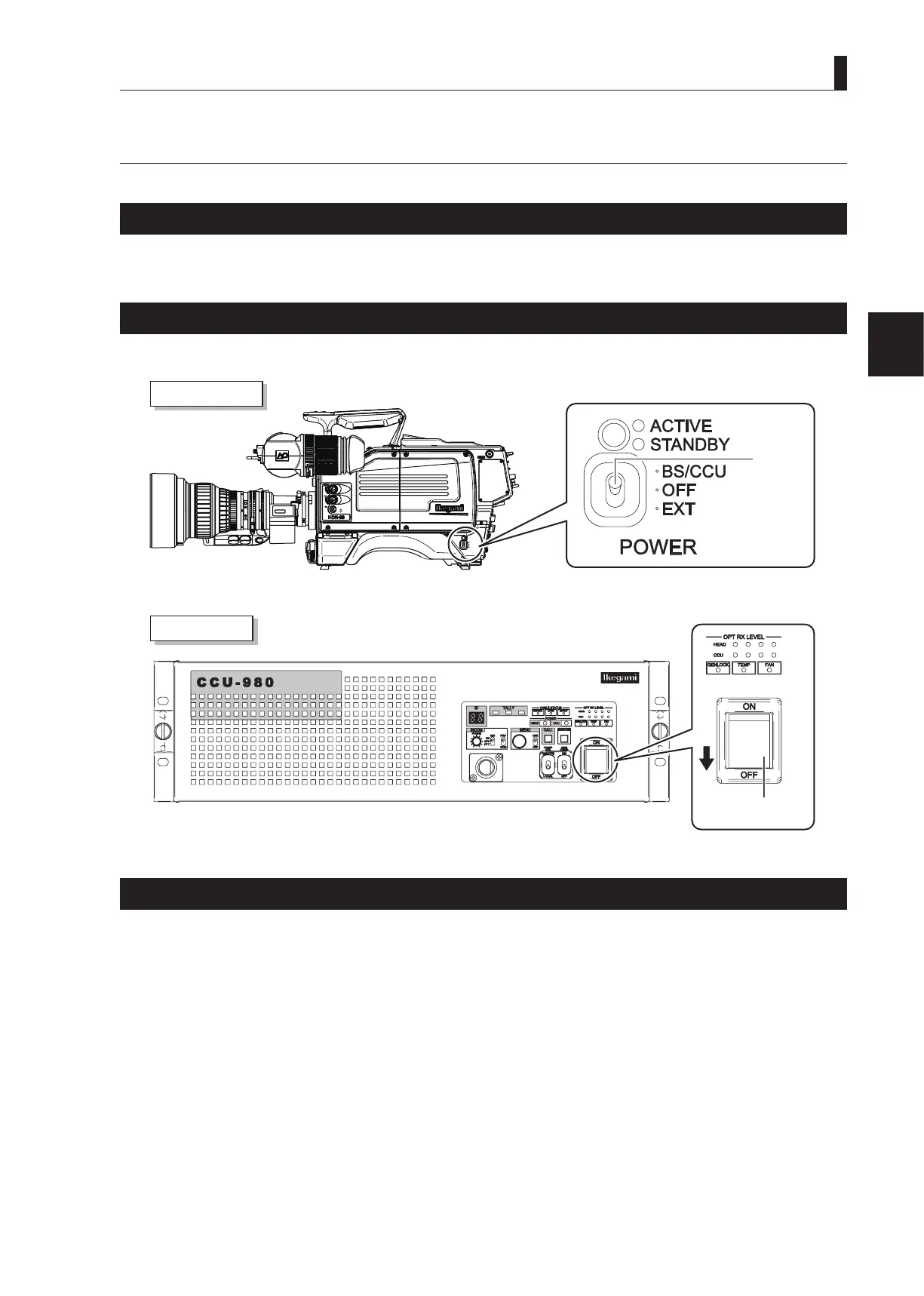
Make sure the Power Switch is OFF
Please make sure that the power switch is "OFF" before connecting the camera and peripheral equipment such as the CCU.
㻻㻲㻲
㻱㼄㼀
㻼㻻㼃㻱㻾
㻭㻯㼀㻵㼂㻱
㻿㼀㻭㻺㻰㻮㼅
㻮㻿㻛㻯㻯㼁
Camera right view
CCU front view
POWER
switch
MAIN POWER
switch
Connection Example for Each Operating System
Not only can the HDK-99 be used stand-alone for video location operation, but it can also be used in various operating systems in
studio and in eld as a system camera in combination with peripheral equipment such as the CCU.
This section shows a connection example of each operating system. Please refer to these examples when you connect the camera,
shooting equipment, and peripheral equipment.



 To Next Page