82
HDK-99 1803 VER1 (E)
5.2 Settings from the Menu
5.2 Settings from the Menu
Basic Operation of the Menu
The menu function can set up the items to display in the viewnder and other various status of the camera to suit the shooting
conditions. The selection and setting of each item are performed by displaying the main menu/submenu in the viewnder or the
monitor.
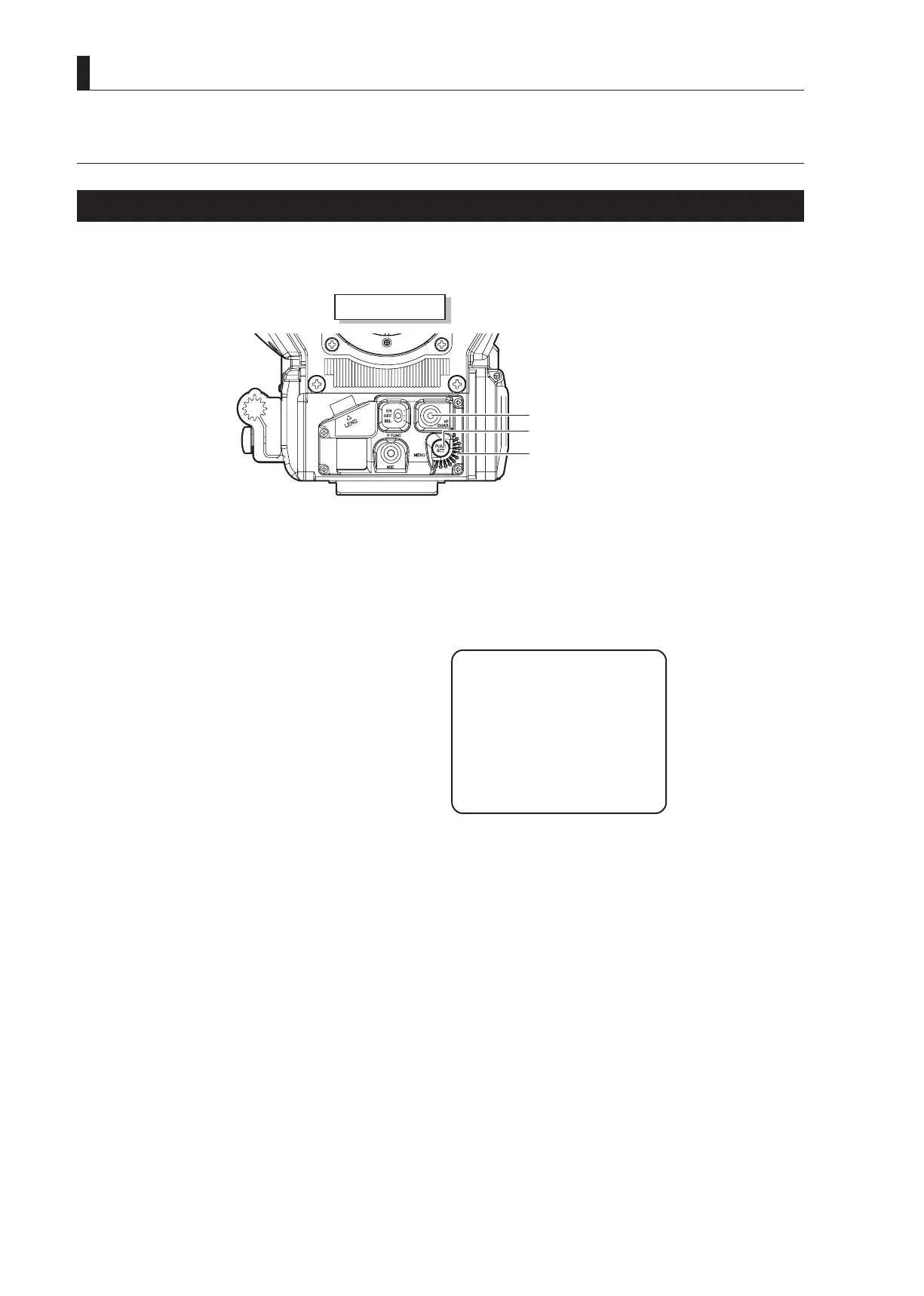
Camera front view
VF CHAR button
SET button
Rotary pulse switch
: Used to select a setting item.
SET button
: Pressed to conrm the selection and setting.
VF CHAR button
: Used with the SET button to switch to the menu mode and display the menu.
■
Displaying the Simple Menu
This section explains how to display the simple menu in the viewnder and monitor.
1 Press the SET button while holding down the VF
CHAR button on the front of the camera.
The main menu appears in the viewnder and monitor.
VF DISPLAY
VF DTL
VF MODE
FOCUS ASSIST
MIC GAIN CONTROL
RETURN SELECT MODE
FILTER SERVO MODE
SW FUNCTION
INFORMATION
*** MENU ***
▲



 To Next Page