52
HDK-99 1803 VER1 (E)
3.5 CCU Connection
3.5 CCU Connection
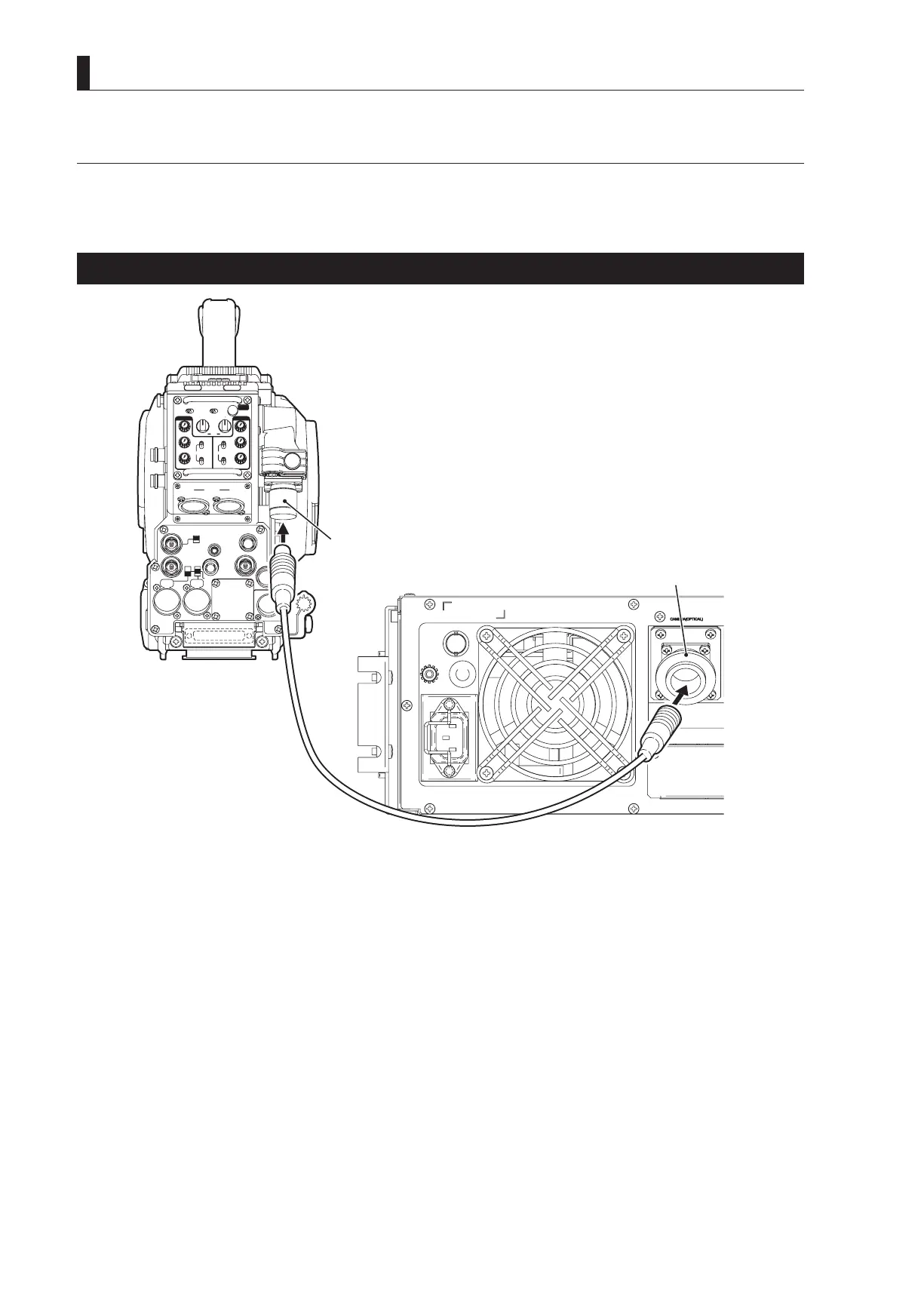
This section explains how to connect the HDK-99 to the BS. CCU-980 as an example.
- Fiber camera cable : Diameter 9.2mm or 16mm, Maximum length 3000m (when CCU-980 is used)
Connecting Camera and CCU
INCOMENG
PROD
INCOMENG
PROD
MIC-1
MIC-2
DC IN
PGM2
PGM1
MIC
ON
OFF
PTT
PROD
BOTH
ENG
MIC
ON
OFF
PTT
PROD
BOTH
ENG
INCOM
PGM2
PGM1
INCOM
REAR TALLYINCOM SEL
CALL
INCOM1 INCOM2
OFF ACT
FRONT
REAR
1 RET 2
FRONT
INC1 INC2
1
2
4
3
1
2
4
3
Q-TV/GL
EARPHONE
+12V
OFF
+48V
MON
MON SDI
SDI OUT
I/O
DC OUT
Fiber cable
Camera rear view
CAMERA connector
CAMERA connector
1 Connect the CAMERA connector on the rear of the CCU-980 to the CAMERA connector on the rear of the
camera via a fiber cable.
CAUTION:
- The ber cable has a plug connector on one end and a socket connector on the other end. Be sure to connect the plug
connector to the camera and the socket connector to the CCU.
- Secure the ber cable with the CAMERA CABLE clamp on the left side of the camera to remove any slack. Refer to
"SAFETY PRECAUTIONS" described at the beginning of this manual for how to secure the cable with the cable clamp and
how to handle the ber cable.



 To Next Page