47
HDK-99 1803 VER1 (E)
3
INSTALLATION and CONNECTION
3.3 Power Connection
3.3 Power Connection
There are two ways to supply power to the camera. Select the power supply according to the system conguration and operating
system.
●
To supply from an AC Adapter (External power)
Directly connect the camera and the AC Adapter via a DC POWER cable. Use the AC Adapter specied as DC11V to 16V (4A or
more).
●
To supply from the CCU
Connect the camera and the CCU via the ber camera cable. The camera cable contains power conductors.
Note:
Make sure that the camera POWER switch is OFF before connecting the power. Refer to
"Make sure the Power Switch is OFF"
(P33)
for how to check the power.
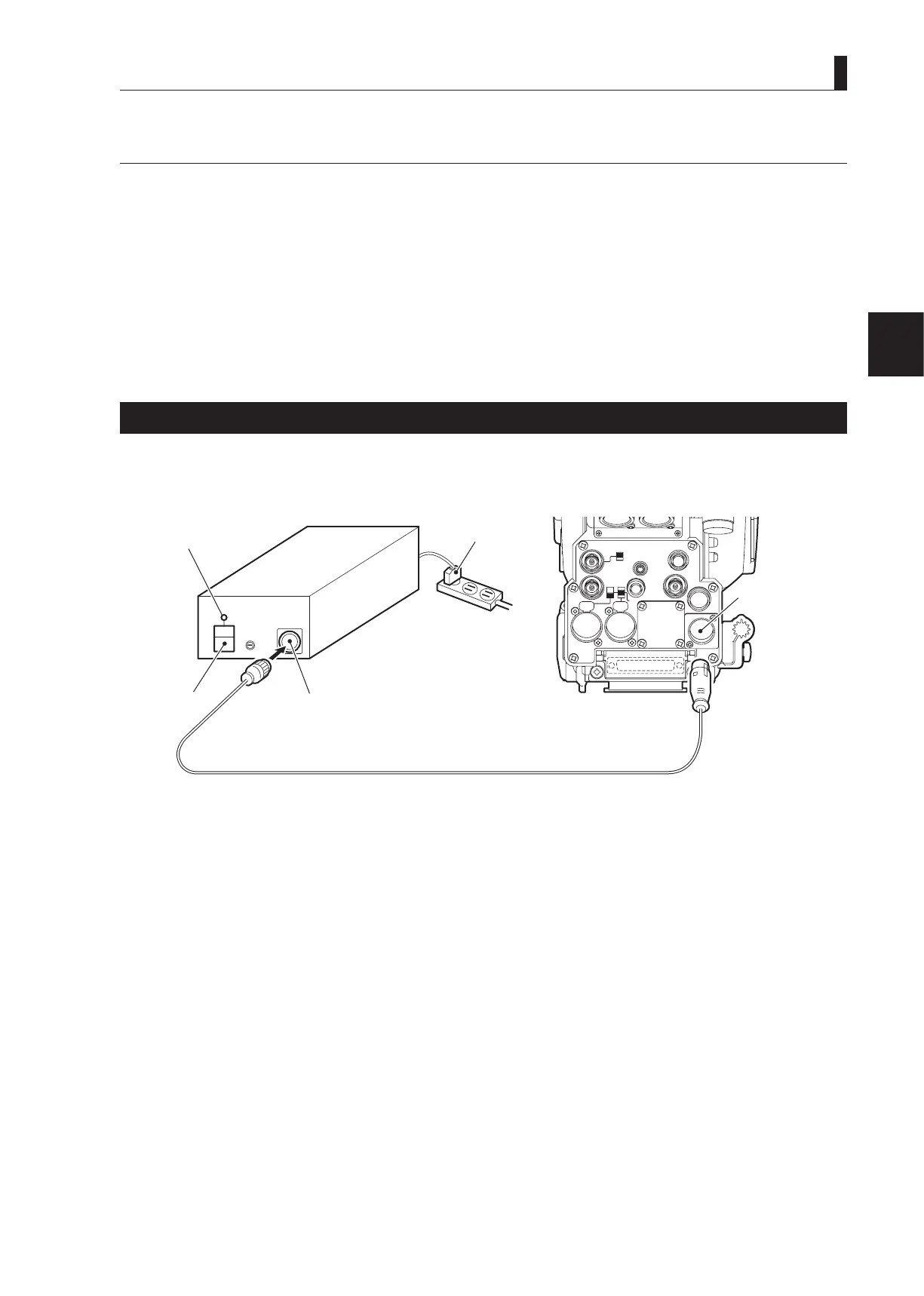
Power Supply from AC Adapter
This section explains how to supply the power from an AC Adapter (external power). For the details on the AC Adapter, refer to the
instruction manual accompanying the AC Adapter to be used. This section describes the AC Adapter which has the form as shown
below.
MIC-1
MIC-2
DC IN
Q-TV/GL
EARPHONE
+12V
OFF
+48V
MON
MON SDI
SDI OUT
I/O
DC OUT
Camera rear view
POWER indicator
AC plug
Power outlet
DC IN connector
POWER switch
DC OUT connector
DC POWER cable
1 Make sure the POWER switch on the AC Adapter is OFF.
2 Insert the AC plug of the AC Adapter into the power outlet.
3 Connect the DC OUT connector on the AC Adapter and the DC IN connector on the camera via the DC POWER
cable.
4 Turn the POWER switch on the AC Adapter ON.
The POWER indicator on the AC Adapter will light.



 To Next Page