115
HDK-99 1803 VER1 (E)
6.3 Initializing the Settings of this Product
6
TROUBLE SHOOTING and MAINTENANCE
6.3 Initializing the Settings of this Product
The following two cases are available for initializing the setting of this product.
1. Initializes the camera back to the user setting (ENGINEER SET FILE).
This initializes the camera back to the state set by user engineer in advance in response to the environment and the shooting
conditions.
2. Initializes the camera back to the initial factory setting (FACTORY SET FILE)
This initializes the camera back to the initial factory setting.
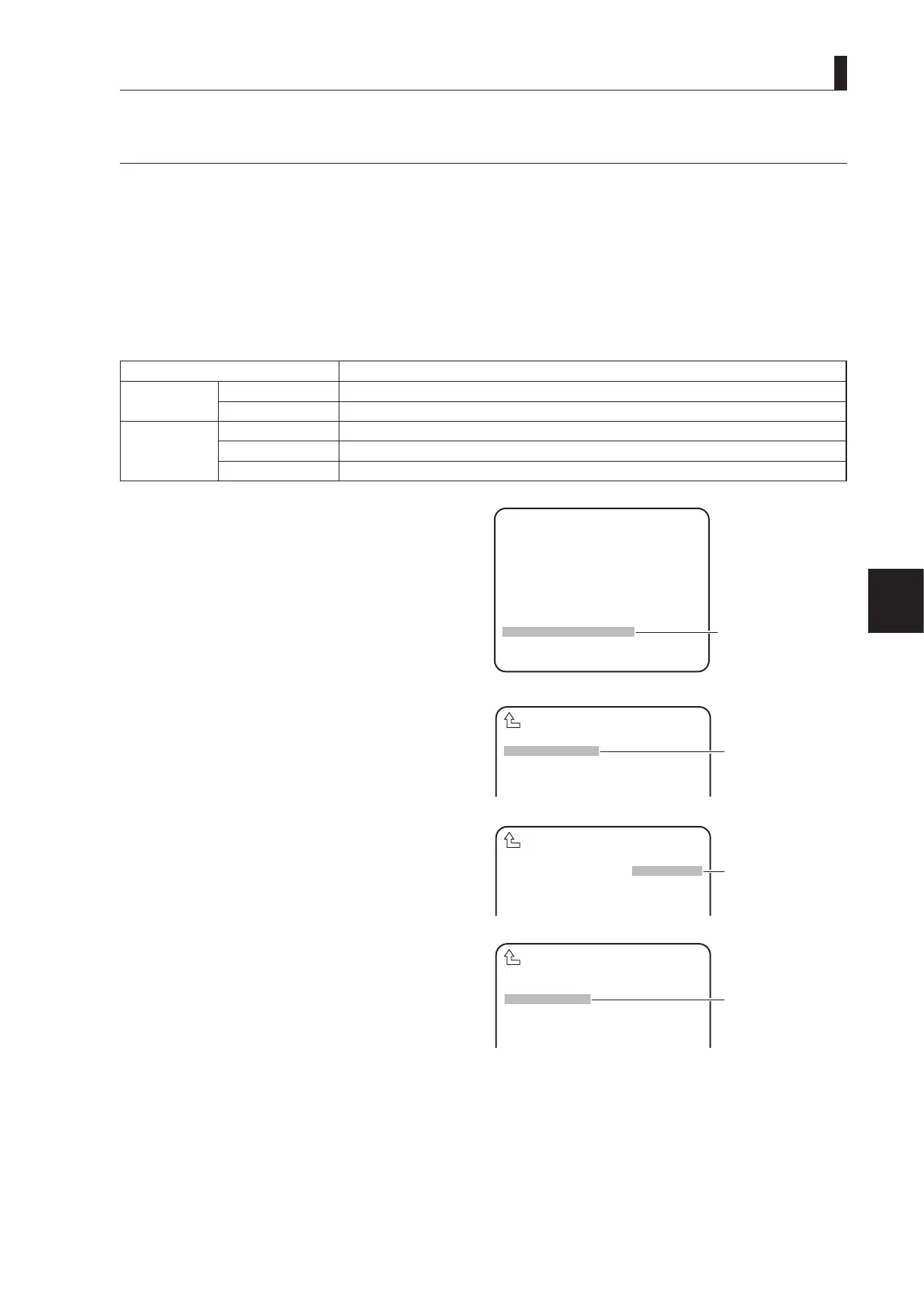
To change the settings, select "PRESET FILE LOAD" on MENU (3/4), then "FILE SELECT" and "LOAD START."
The following explains the set values, descriptions, and setting procedures.
Set Value Description
FILE SELECT ENGINEER (default) Initializes the state back to the user setting.
FACTORY Initializes the state back to the initial factory setting.
LOAD START READY (default) The state before initialization
START Starts initialization.
CANCEL Cancels initialization.
1 On MENU (3/4), turn the rotary pulse switch to
position the cursor on "PRESET FILE LOAD", and
press the SET button.
The submenu is displayed.
2 Turn the rotary pulse switch to position the cursor
on "FILE SELECT", and press the SET button.
The cursor moves to the mode selection column.
3 Turn the rotary pulse switch to select the value to
be set, and press the SET button.
The value is conrmed.
4 Press the SET button when the cursor
automatically moves to "LOAD START".
The cursor moves to the mode selection column and its
display changes from "READY" to "START".
SCAN FORMAT SELECT
CPU SYSTEM CONTROL
AUTO IRIS SET
AUTO SETUP MODE
LENS SELECT
LEVEL ADJUST
PROCESS MODE
PRESET FILE LOAD
*** MENU (3/4) ***
▲
▲
▲
①
Position the cursor on
"PRESET FILE LOAD"
FILE SELECT ENGINEER
LOAD START READY
PRESET FILE LOAD
▲
②
Position the cursor on
"FILE SELECT" and
confirm.
FILE SELECT ENGINEER
LOAD START READY
PRESET FILE LOAD
▲
③
Select "ENGINEER"
or "FACTORY" and
FILE SELECT ENGINEER
LOAD START READY
PRESET FILE LOAD
▲
④
Position the cursor on
"LOAD START" and



 To Next Page