117
HDK-99 1803 VER1 (E)
6.4 Cleaning Camera Connectors
6
TROUBLE SHOOTING and MAINTENANCE
6.4 Cleaning Camera Connectors
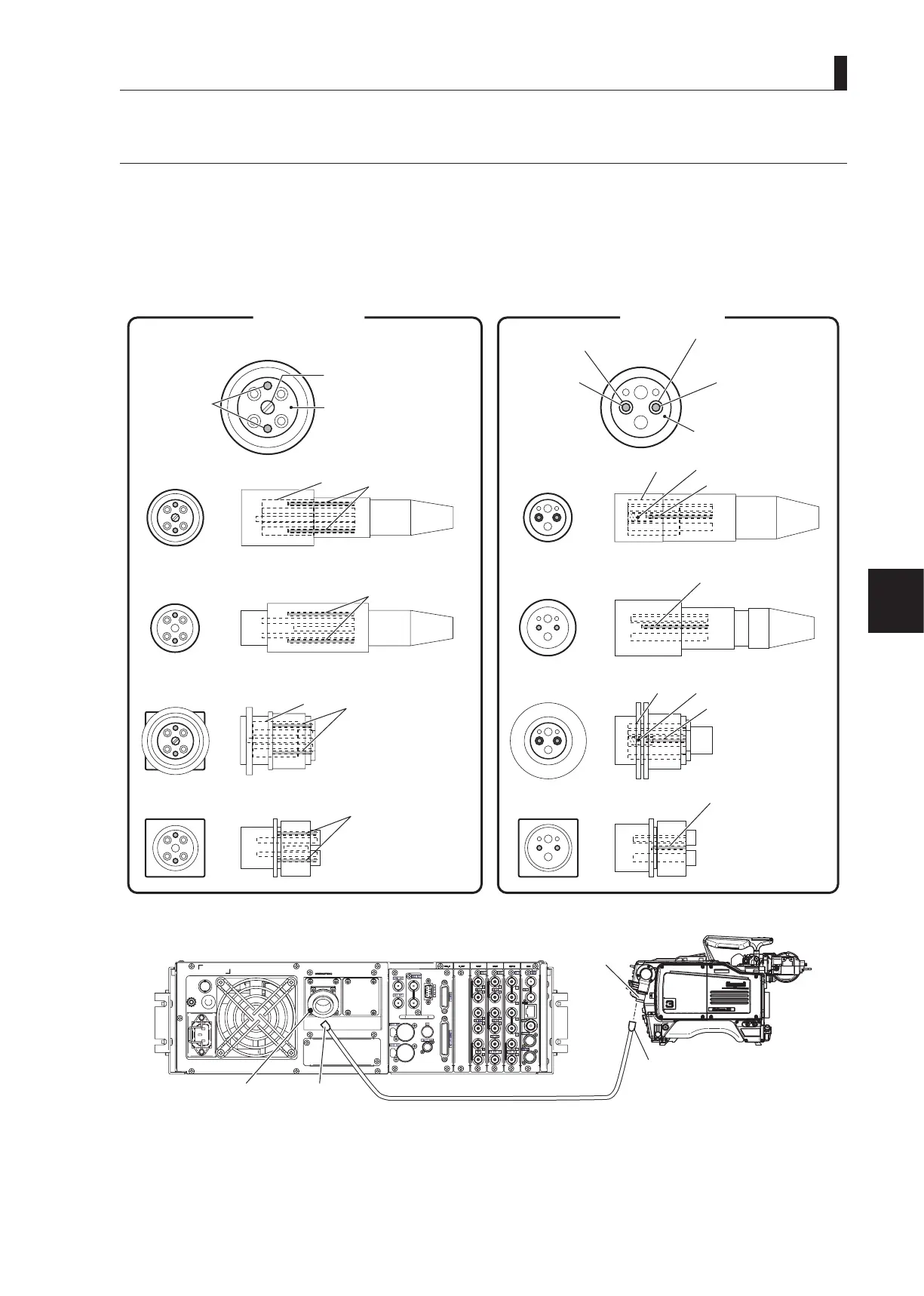
The ber cable connecting the camera and the CCU transmits optical signals through 10μm core glass bers. If Ferrules, which
secure glass bers, are dirty or have dust on them, transmission loss (optical signal attenuation) occurs. If Ferrules are extremely
dirty, optical signals are interrupted and the ber cable may not work properly. Regular cleaning of Ferrules is suggested if the
camera connector is frequently removed and inserted. The gures below show the shape of the camera connector joint section,
location of the Ferrules, and how to clean the Ferrules:
●
Camera Connector Joint Section
OPS Series
Ferrules
Screw: Hole only for male
connectors
Top: Present only in
female connectors
Plug
Top
Ferrule
Ferrule
Ferrule
Ferrule
Ferrule
Ferrule
Ferrules
Socket
Plug (panel type)
Socket (panel type)
SMPTE type
Top
Top
Top
Plug
Socket
Plug (panel type)
Socket (panel type)
Ferrule
Ferrule
Ferrules
Top: Present only in
female connectors
Alignment sleeve
Alignment sleeve:
Present only in female
connectors
Alignment sleeve
Alignment sleeve
●
Camera Connectors
Plug
Plug
CCU-980 rear
Socket
Socket



 To Next Page