62
HDK-99 1803 VER1 (E)
4.4 Viewfinder Adjustment
4.4 Viewfinder Adjustment
When you want to obtain a sharp image or enhance the edge of the image in the viewnder, adjust the viewnder to suit the
environment in which the camera is used.
Reference:
Refer to
"3. INSTALLATION and CONNECTION : Mounting and Removing the Viewfinder" (P43)
for how to adjust the
position and angle of the viewnder.
Diopter Adjustment and Screen Adjustment
■
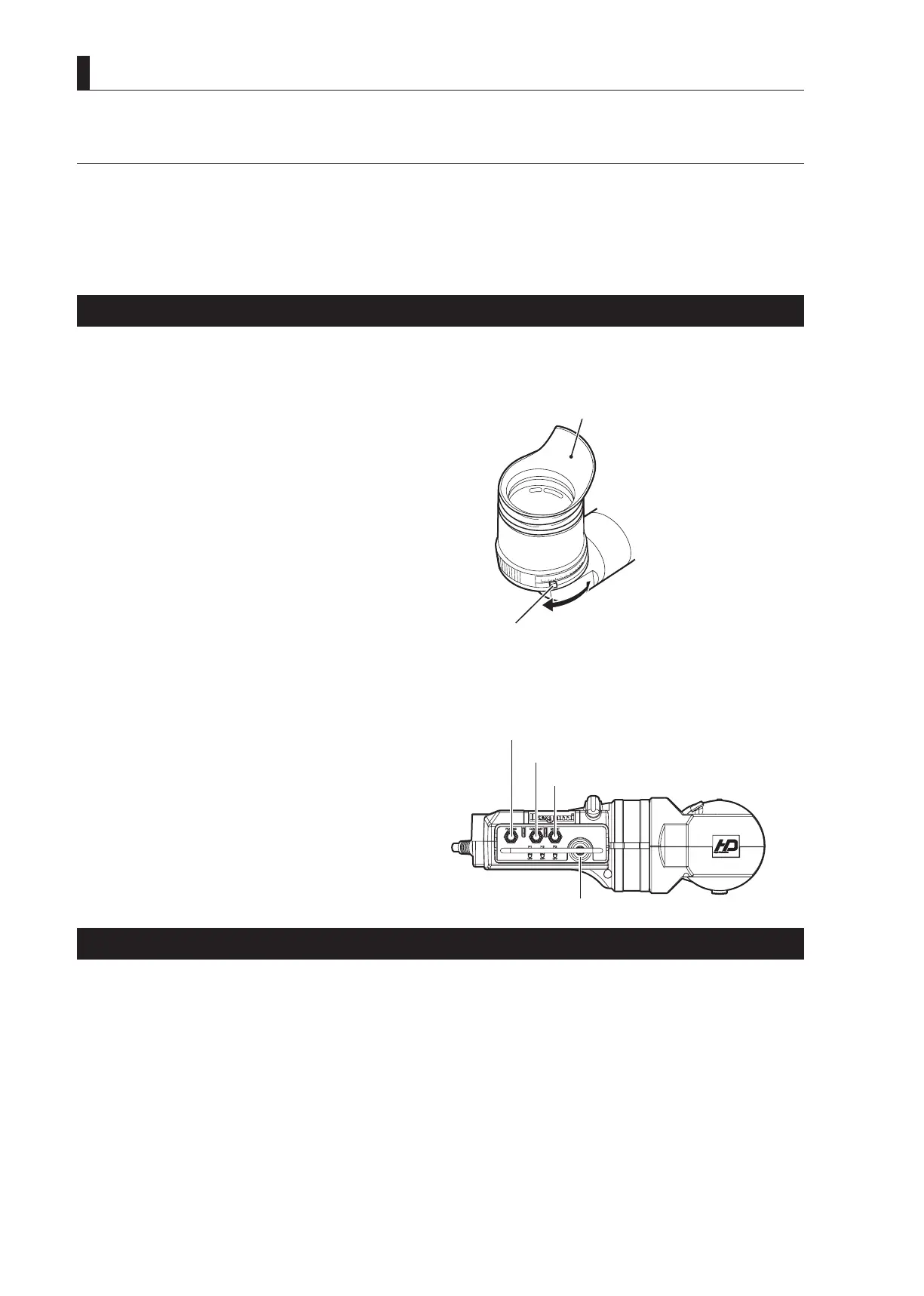
Diopter Adjustment
Adjust the focus of the image in the viewnder to suit the eyesight of the camera operator.
1 While pressing the Diopter Adjustment lever, slide
in either direction for the best focus.
■
Screen Adjustment
Adjust when the viewnder image is not clearly viewable or if you want to enhance the edge of the image.
1 Adjust the knobs on the viewfinder.
PEAKING knob : Adjust the sharpness of the edge
of the image.
CONTRAST knob : Adjusts the contrast of the
image.
BRIGHTNESS knob : Adjusts the brightness of the
image.
MENU knob : Used to navigate the menu.
Display Mode Check
You can select the display mode for various markers and characters displayed in the viewnder. Set the display mode suitable for
the conditions in which the camera is used.
Reference:
The display mode is set by the menu. Refer to
"5. CAMERA SETTINGS and ADJUSTMENT : Menu Configuration and content"
(P85)
.
Eyepiece
Diopter Adjustment lever
BRIGHTNESS
knob
CONTRAST
knob



 To Next Page