30
HDK-99 1803 VER1 (E)
2.2 Displays in the Viewfinder
①
Memory backup battery voltage
The warning message is displayed until the power is turned off
when the voltage of the backup battery in the MPU_MULTI_B
module has dropped.
②
Auto setup function
Executing auto setup function is displayed.
"AWB"
"ABB"
"FULL SETUP"
"LEVEL SETUP" etc.
③
P. FU NC di sp lay
Function assigned to the P.FUNC switch is displayed with its
ON/OFF status
"IRIS+ CORR OFF"
"AUTO KNEE ON"
"SCENE-1 ON" etc.
④
Battery voltage
The present voltage is displayed ashing when the battery
voltage has dropped below the set value. Battery voltage is set
from the menu "BATTERY WARNING."
⑤
Execution result of auto setup
Execution result of auto setup (AWB and ABB, etc.) is
displayed.
OK : Auto setup has been completed.
NG : Auto setup was not completed.
STOP : Auto setup was discontinued.
LEVEL OVER : Input signal level is too high.
LEVEL UNDER : Input signal level is too low.
CHG FILTER : Optical lter is not appropriate.
⑥
Adjustment item of auto setup
The item to which adjustment is being made is displayed during
auto setup.
"FLARE GAMMA GAIN"
"PED"
"IRIS" etc.
⑦
Fan status
The fan status is displayed.
AUTO : Fan is in the AUTO mode.
Displayed when the VF CHAR button is pressed.
SLOW : Fan is in the SLOW mode.
Displayed when the VF CHAR button is pressed.
QUIET : Fan is in the QUIET mode.
Displayed when the VF CHAR button is pressed.
STOP : Fan is in the STOP mode.
Displayed when the VF CHAR button is pressed.
FAN!! : Displayed ashing when the fan has stopped
abnormally.
⑧
AWB color temperature
The color temperature stored in A-ch or B-ch memory is
displayed for 2 seconds when the AWB/ABB switch is operated.
(Selection between A-ch and B-ch is made by the AWB
SELECT switch.) The AWB color temperature is also displayed
when the FILTER switch is operated.
⑨
SKIN DTL ON/OFF
"SK" is displayed when the SKIN DTL function is ON.
⑩
OPT level
Optical signal level of the ber cable is displayed when the
CCU is connected to the camera. When the optical signal level
is normal, "OPT OK" is displayed for 2 seconds.
⑪
BARS TITLE
The bar title is displayed when the color bar is output.
⑫
GAIN UP value
The set Gain is displayed. "0dB" is displayed only when the
GAIN SELECT switch is operated.
⑬
Temperature warning
This warning is displayed when the temperature of the inside of
the camera is high.
⑭
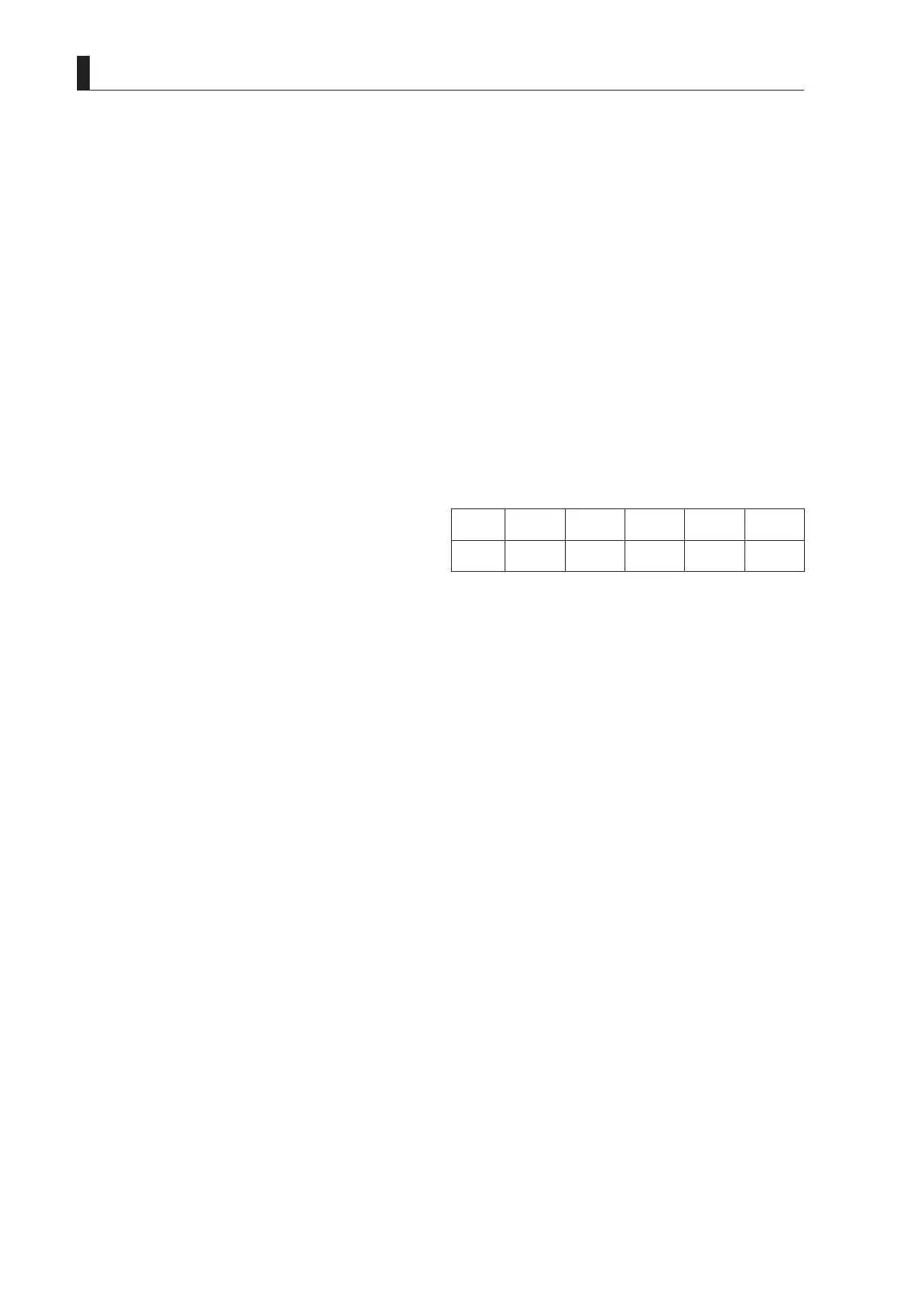
ND and CC filter numbers
ND
1
CAP
2
CLEAR
3
1/4
4
1/16
5
1/64
CC
A
CROSS
B
3200K
C
4300K
D
6300K
E
8000K
⑮
Operational priority for filter control
"*" is displayed when the camera has the operational priority
for the lter control.
⑯
AWB memory channel
The memory selected by the AWB SELECT switch is displayed.
A : A-ch memory
B : B-ch memory
O : White balance adjustment is in the preset condition
(3200K).
⑰
Shutter speed/focus indicator/zoom indicator
The shutter speed, focus, zoom position is displayed.
⑱
Return video input channel
Input channel for return video is displayed.
RET-1 : Return video 1 is selected.
RET-2 : Return video 2 is selected.
RET-3 : Return video 3 is selected.
RET-4 : Return video 4 is selected.
⑲
Electronic color temperature filter
This is displayed when the electronic color temperature lter is
ON.
⑳
INTERCOM MIC (USA version)
This is displayed when "MIC" is selected using the RET-2/MIC
button.



 To Next Page