42
HDK-99 1803 VER1 (E)
3.2 Camera and Peripheral Installation and Connection
■
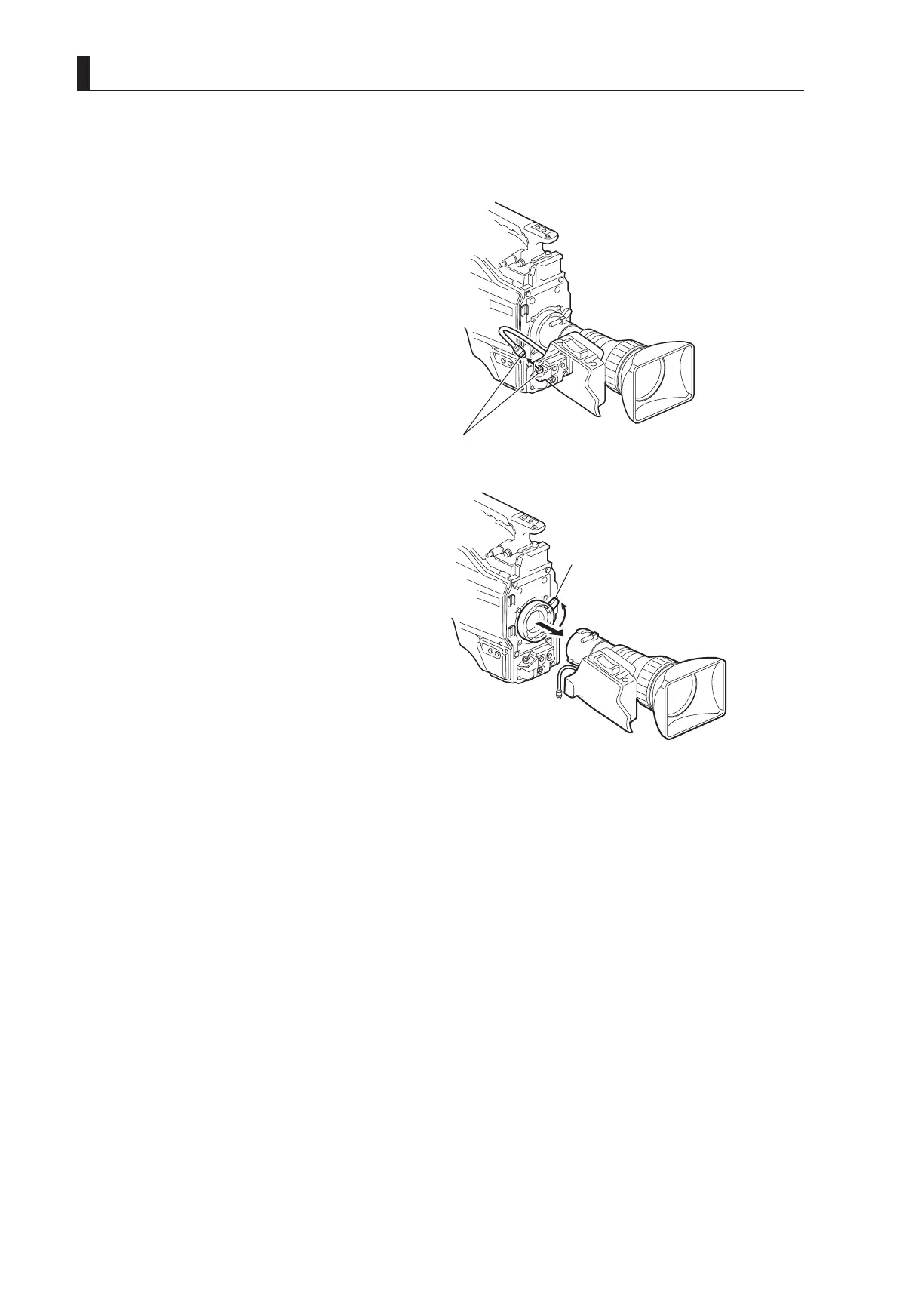
Removing the Lens
This section explains how to remove the lens.
Be sure to place the camera on a tripod or on a at, level, stable surface when you remove the lens.
1 Disconnect the pigtail cable from the lens
connector.
Hold the connector of the pigtail cable and pull at the
locking ring to unlock and release it from the lens
connector.
2 Remove the lens from the camera.
Rotate the lens lock lever Counter-clockwise to the end
stop and remove the lens from the camera horizontally.
Support the lens with your hand to prevent it from
falling.
3 Remove the pigtail cable from the cable clamps.
4 Put the lens cap on the lens to protect the lens from dirt and scratches.
Put the lens cap on the camera if no other lens is to be mounted at this time.
①
Disconnect the pigtail cable.
②
Rotate the lens lock lever
Counter-clockwise to the end
stop and remove the lens.



 To Next Page