44
HDK-99 1803 VER1 (E)
3.2 Camera and Peripheral Installation and Connection
5 Adjust the viewfinder position.
●
Adjust the left and right positions of the
viewfinder
Turn the left-right lock lever on the camera
counterclockwise to unlock the viewnder. Move the
viewnder left and right to the desired position and
lock.
●
Adjust the front and back positions of the
viewfinder
Loosen the front-back lock lever on the camera to
unlock the viewnder. Move the viewnder back and
forth to the desired position and lock.
●
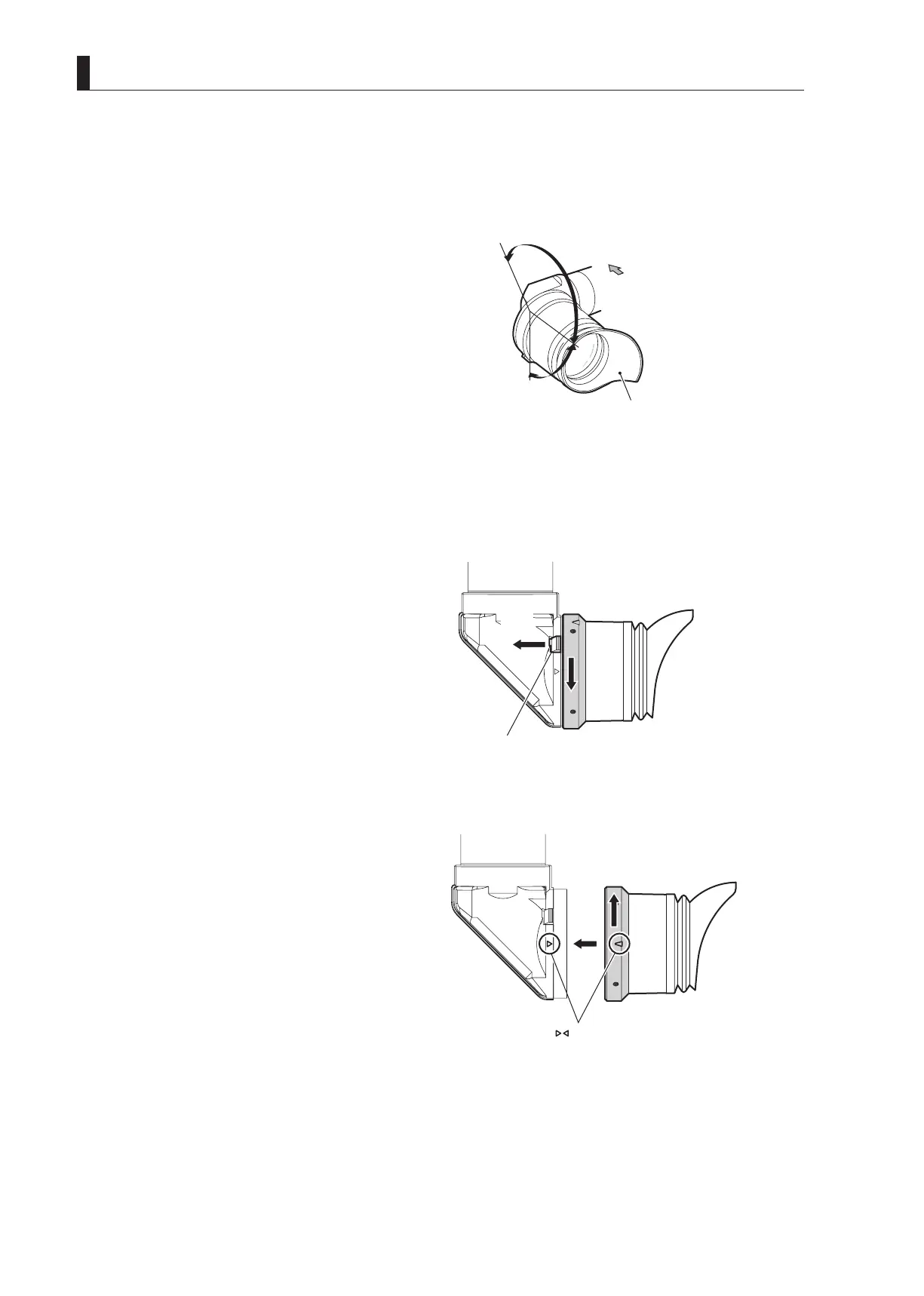
Adjust the eyepiece angle
Move the eyepiece to a proper position so that the
image on the viewnder is visible. The eyepiece can be
rotated 160 degrees upward and 90 degrees downward.
Adjust the eyepiece angle in accordance with the
camera angle.
■
Removing the Eyepiece
This section explains how to remove the eyepiece from the viewnder.
1 Pull the eyepiece release lever and rotate the
eyepiece in the direction shown in the figure.
The eyepiece will be unlocked.
2 Pull out the eyepiece.
■
Attaching the Eyepiece
This section explains how to attach the eyepiece to the viewnder.
1 Align △ mark on the viewfinder with △ mark on
the eyepiece and insert the eyepiece into the
viewfinder.
2 Rotate the eyepiece in the direction shown in the
figure.
Rotate the eyepiece until it clicks. You will hear a click
sound when the eyepiece is locked to the viewnder.
Adjusting the eyepiece angle
Eyepiece
Front
0 to 250゚
(Up:160゚, Down:90゚)
Pull



 To Next Page