66
HDK-99 1803 VER1 (E)
4.6 Auto Setup
■
Auto Setup Function List
Control Item
Auto Setup Function
OCP MCP Camera
FULL
*1
LEVEL
FULL
*1
QUICK
QUICK
AWB ABB FULL
LEVEL
FULL
QUICK
QUICK
AWB ABB FULL
LEVEL
FULL
QUICK
QUICK
AWB ABB
REF
INT/EXT
EXT
INT/EXT
EXT EXT EXT
INT/EXT
EXT
INT/EXT
EXT EXT EXT
INT/EXT
EXT
INT/EXT
EXT EXT EXT
LEVEL
BLK SET R, G, B R, G, B R, G, B R, G, B R, G, B R, G, B R, G, B R, G, B R, G, B R, G, B R, G, B R, G, B R, G, B R, G, B R, G, B
PED R, G, B R, G, B R, G, B R, G, B R, G, B R, G, B R, G, B R, G, B R, G, B R, G, B R, G, B R, G, B R, G, B R, G, B R, G, B
GAIN
R,
, B R, , B
R, G, B R, G, B R, B
R,
, B R, , B
R, G, B R, G, B R, B
R,
, B R, , B
R, G, B R, G, B R, B
GAMMA R, G, B R, G, B R, G, B R, G, B R, G, B R, G, B R, G, B R, G, B R, G, B R, G, B R, G, B R, G, B
FLARE R, G, B R, G, B R, G, B R, G, B R, G, B R, G, B R, G, B R, G, B R, G, B R, G, B R, G, B R, G, B
WHITE CLIP R, G, B R, G, B R, G, B R, G, B R, G, B R, G, B R, G, B R, G, B R, G, B R, G, B R, G, B R, G, B
AUTO KNEE
SLOPE R, G, B R, G, B R, G, B R, G, B R, G, B R, G, B R, G, B R, G, B R, G, B R, G, B R, G, B R, G, B
POINT R, G, B R, G, B R, G, B R, G, B R, G, B R, G, B R, G, B R, G, B R, G, B R, G, B R, G, B R, G, B
MANU KNEE
SLOPE R, G, B R, G, B R, G, B R, G, B R, G, B R, G, B R, G, B R, G, B R, G, B R, G, B R, G, B R, G, B
POINT R, G, B R, G, B R, G, B R, G, B R, G, B R, G, B R, G, B R, G, B R, G, B R, G, B R, G, B R, G, B
CAL × 100 R, G, B R, G, B R, G, B R, G, B R, G, B R, G, B
(GAIN, PED)
*1: FULL Auto Setup and FULL QUICK Auto Setup of OCP are available with OCP-300 only.
Note:
- INT (internal reference) of REF is the factory setting value by software.
- EXT (external reference) of REF is the value set by the reference set function.
- The item for G channel with a circle only works when it is set with the diascope (internal chart). When you use the external chart, set
G channel to 100% level by IRIS.
■
Auto Setup Screen
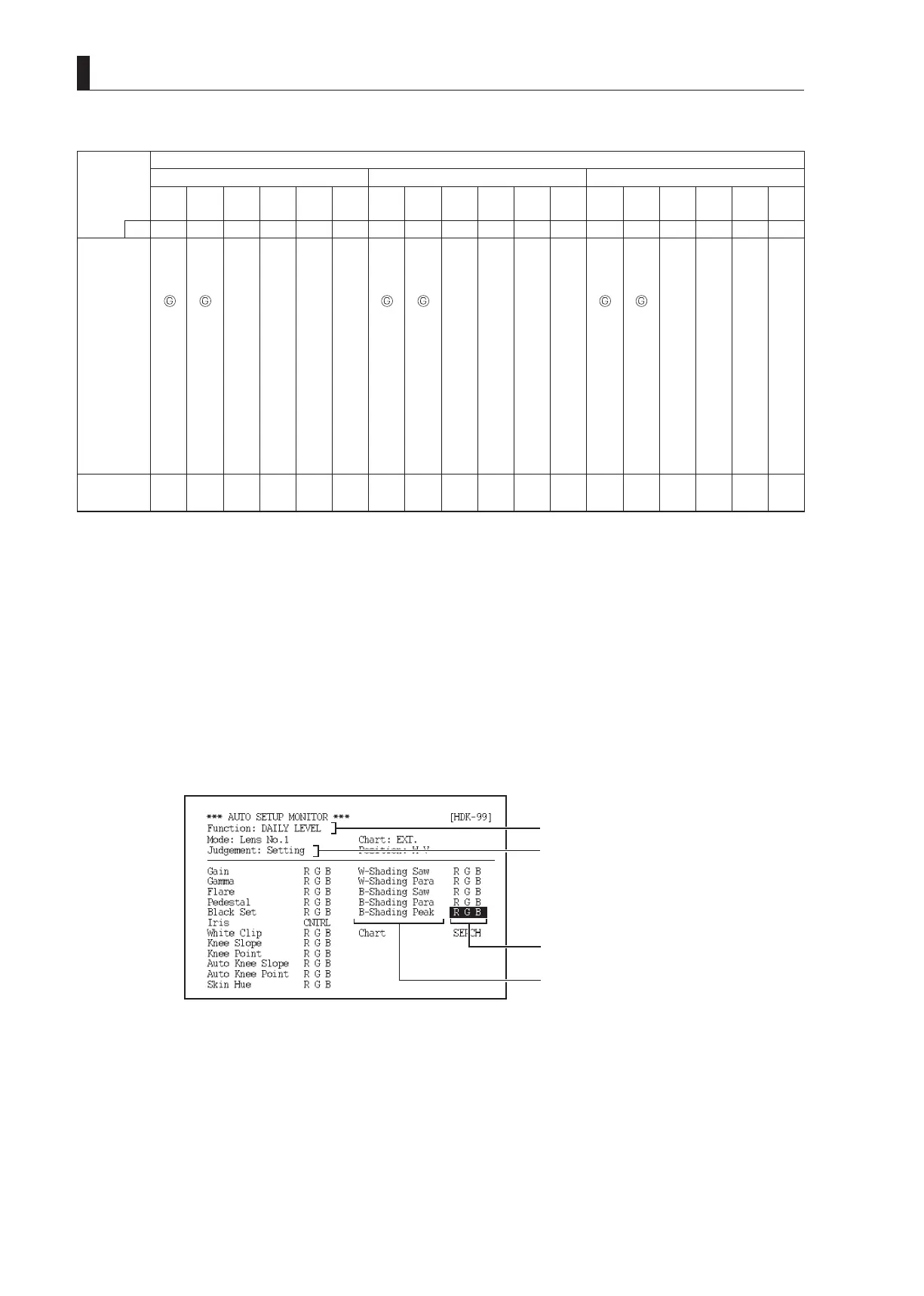
When various auto setup functions execute, the execution status is displayed in the viewnder or on the PM. A currently executing
item is indicated by the cursor.
When auto setup successfully completes, "OK" appears beside "Judgement". When it fails, "NG" appears beside "Judgement" with
the cursor on the failed item.
[Auto Setup Monitor Execution Display Screen]
Executing auto setup type
Setup result
Executing auto setup
Auto setup item



 To Next Page