EasyManua.ls Logo

Image Access Bookeye 4 - Document Position; Minimum Document Size; Table of Pictures, Part 2; Picture 36: Document Placed Correctly; Picture 37: Document Placed Incorrectly

Image Access Bookeye 4
122 pages
Print Icon
To Next Page IconTo Next Page
To Previous Page IconTo Previous Page
Loading...
Operation Manual Page 63
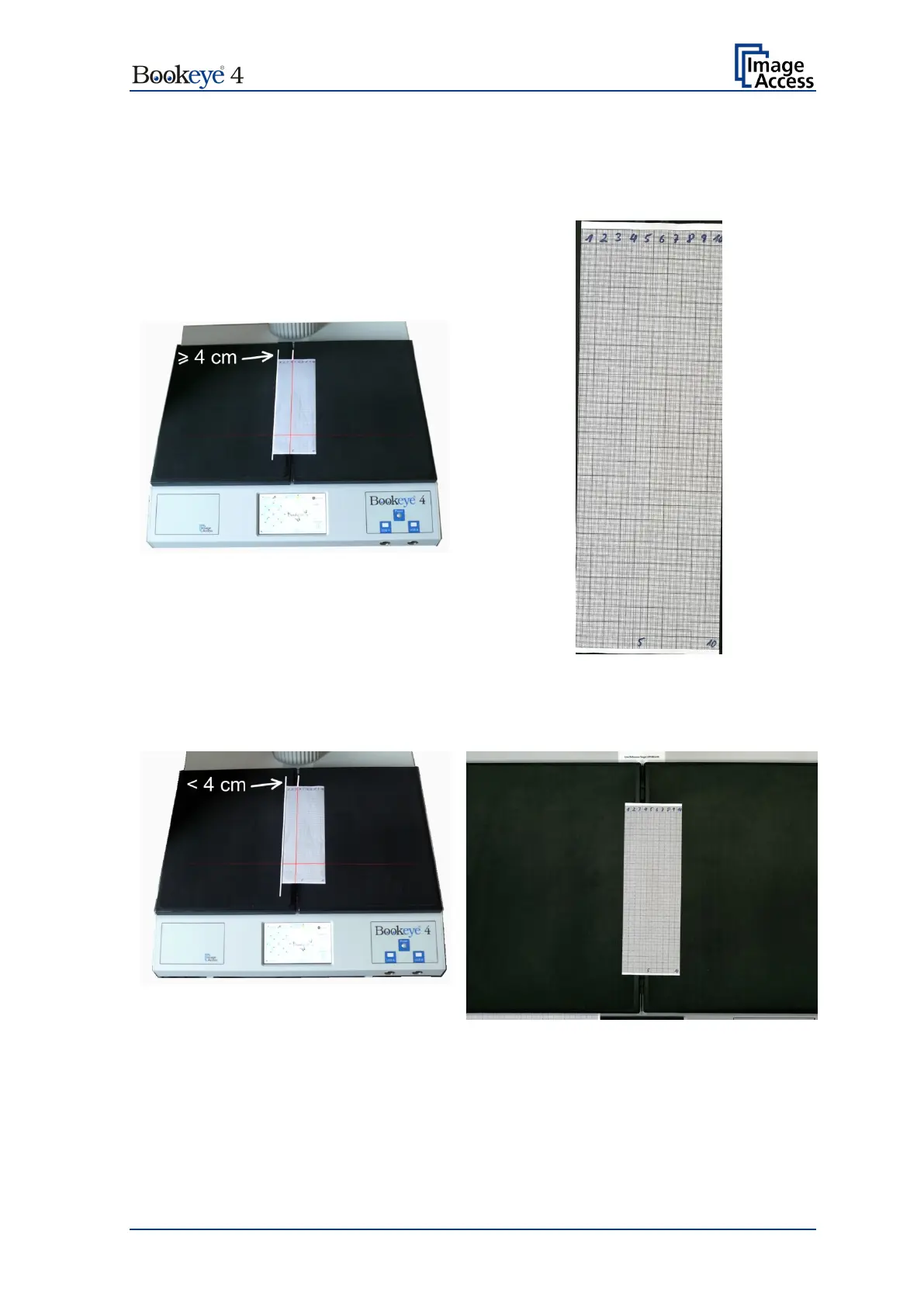
B.3.1.1.1 Document Position / Minimum Document Size
Please note: The following pictures show a former version of the Bookeye 4 scanner.
Example for correct document position …
…and image result
Picture 37: Document placed correctly
Image shows only the document
Example for false document position …
…and image result
Picture 38: Document placed incorrectly
Image shows both book cradles

Table of Contents

Other manuals for Image Access Bookeye 4

Related product manuals