Page 26 Manual
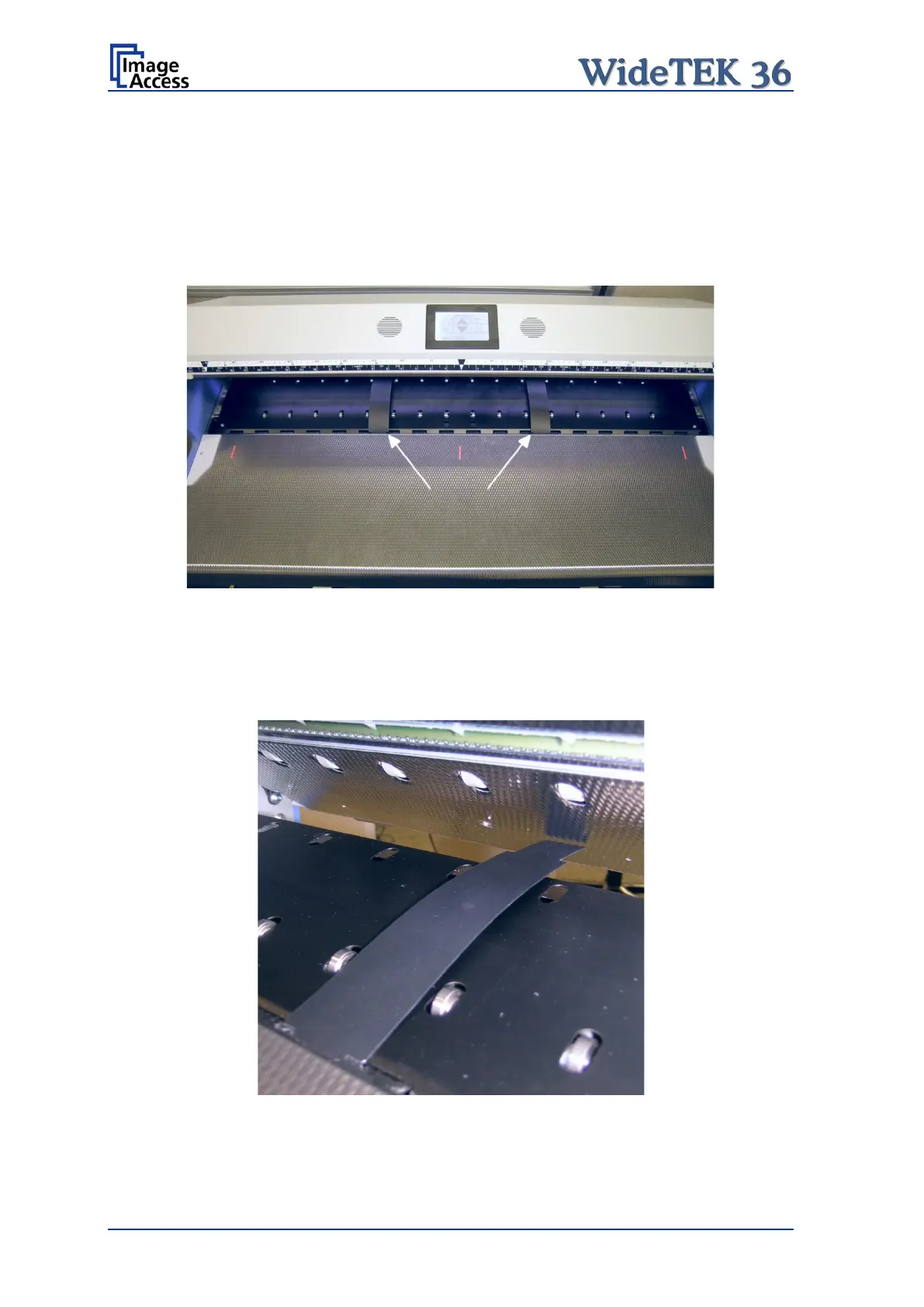
A.12.2 Position of the Paper Transport Wings
For best results the paper transport wings should be inserted at the guide plate at a
position between six and seven inches (approx. 15 to 19 cm) from the center position of
the document input.
Picture 12 shows the position where the paper transport wings have to be inserted on the
guide plate. In this picture the upper unit is opened to show more details.
Picture 12: Position of paper transport wings
A.12.3 Scanning documents on light, thin paper material
When scanning documents of light paper weight, the paper transport wings will not be
inserted in the notches at the backside of the paper guide plate.
Picture 13: Position for light paper weights










 To Next Page