SD1 Series Inverters Keypad Operation
-31-
display interface. On the function parameter display interface, you can press the DATA/ENT
key to save parameter settings or press the PRG/ESC key to exit the parameter display
interface.
RUN/TUNE FWD/REV LOCAL/REMOT
Hz
TRIP
A
V
RPM
%
RUN/TUNE FWD/REV LOCAL/REMOT TRIP
Hz
A
V
RUN/TUNE FWD/REV LOCAL/REMOT TRIP
Hz
A
V
RPM
%
RPM
%
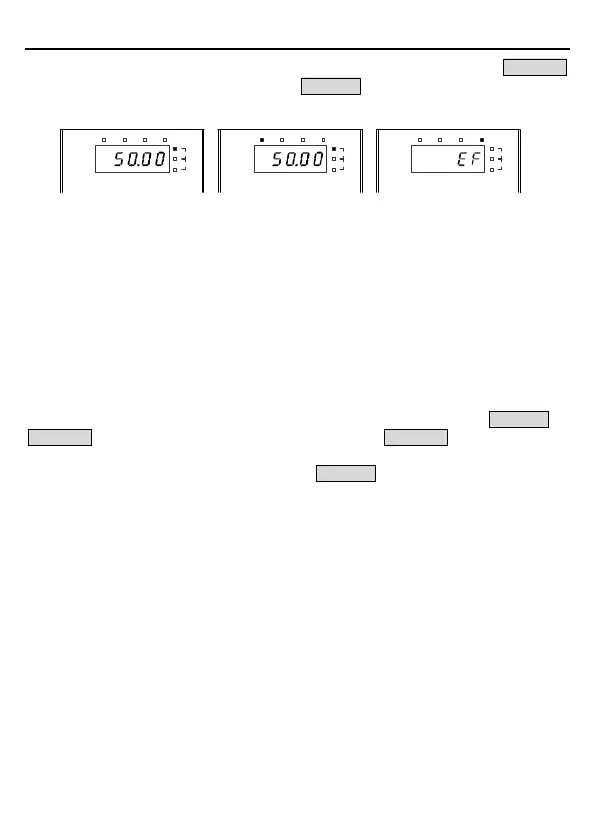
Figure 4-3 Status display
4.3 Operations on the Keypad
You can operate the inverter by using the keypad. For details about function code descriptions,
see the function code list.
4.3.1 Modifying inverter function codes
The inverter provides three levels of menus, including:
1. Function code group number (level-1 menu)
2. Function code number (level-2 menu)
3. Function code setting (level-3 menu)
Note: When performing operations on the level-3 menu, you can press the PRG/ESC or
DATA/ENT key to return to the level-2 menu. If you press the DATA/ENT key, the set value of
the parameter is saved to the control board first, and then the level-2 menu is returned,
displaying the next function code. If you press the PRG/ESC key, the level-2 menu is returned
directly, without saving the set value of the parameter, and the current function code is
displayed.
If you enter the level-3 m
enu but the parameter does not have a digit blinking, the parameter
cannot be modified due to either of the following reasons:
1) It is read only. Read-only parameters include actual detection parameters and running
record parameters.
2) It cannot be modified in running state and can be modified only in stopped state.
Example: Change the value of P00.01 from 0 to 1.



 To Next Page