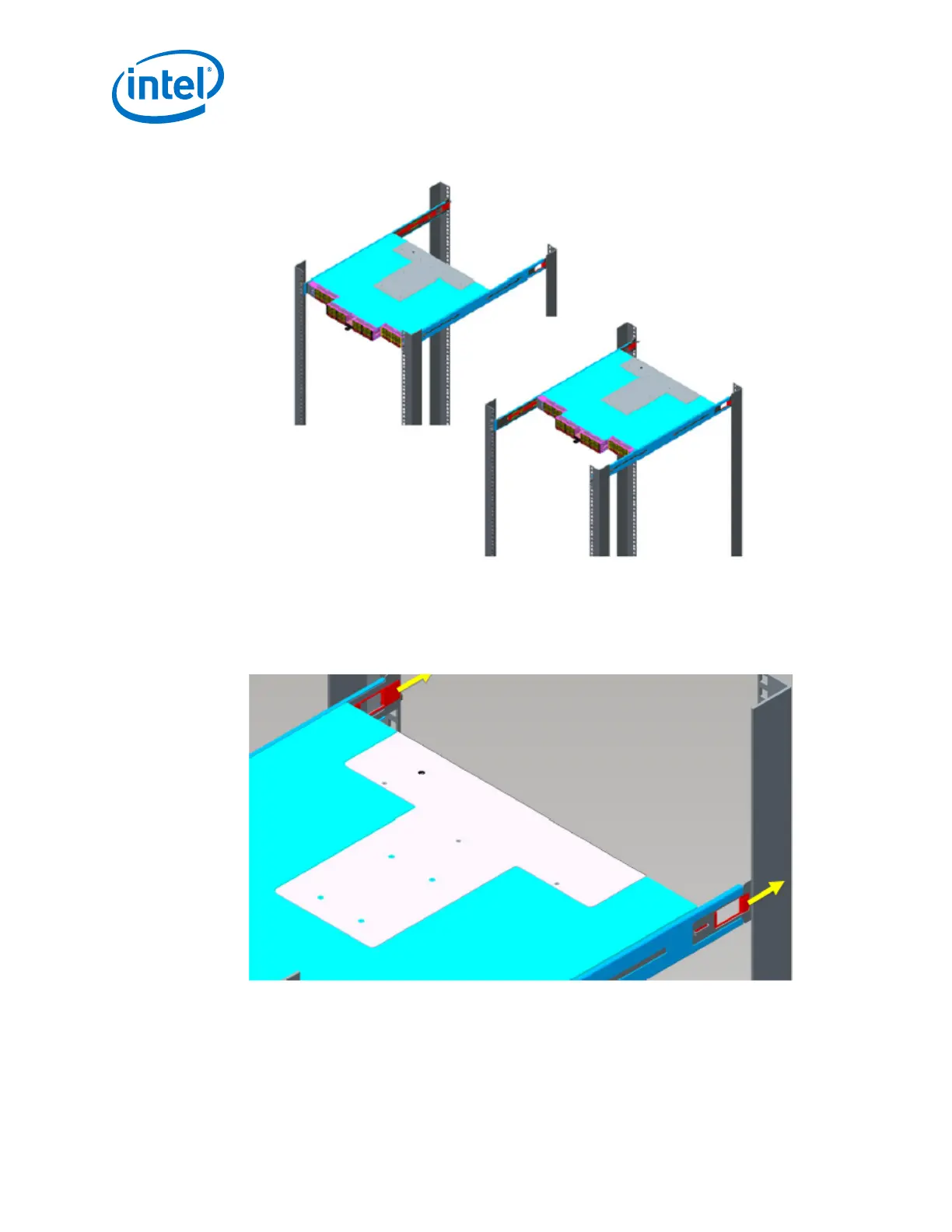
Figure 9. Switch Rail Adjustments
4. To change the depth of the switch, insert your fingers into the rail adjustment
notches and pull away from the switch as shown in the following figure.
This disengages the rail latches from the switch hat section.
Figure 10. Rail Adjustment Notches
5. Slide the switch to the desired depth in the rack.
The switch is adjustable in increments of 1 inch. When the switch is at the proper
depth, push the rail adjustment notches back to their original position to secure in
place.
Intel
®
Omni-Path Fabric—Installation
Intel
®
Omni-Path Fabric Switches Hardware
Installation Guide June 2019
36 Doc. No.: H76456, Rev.: 10.0



 To Next Page