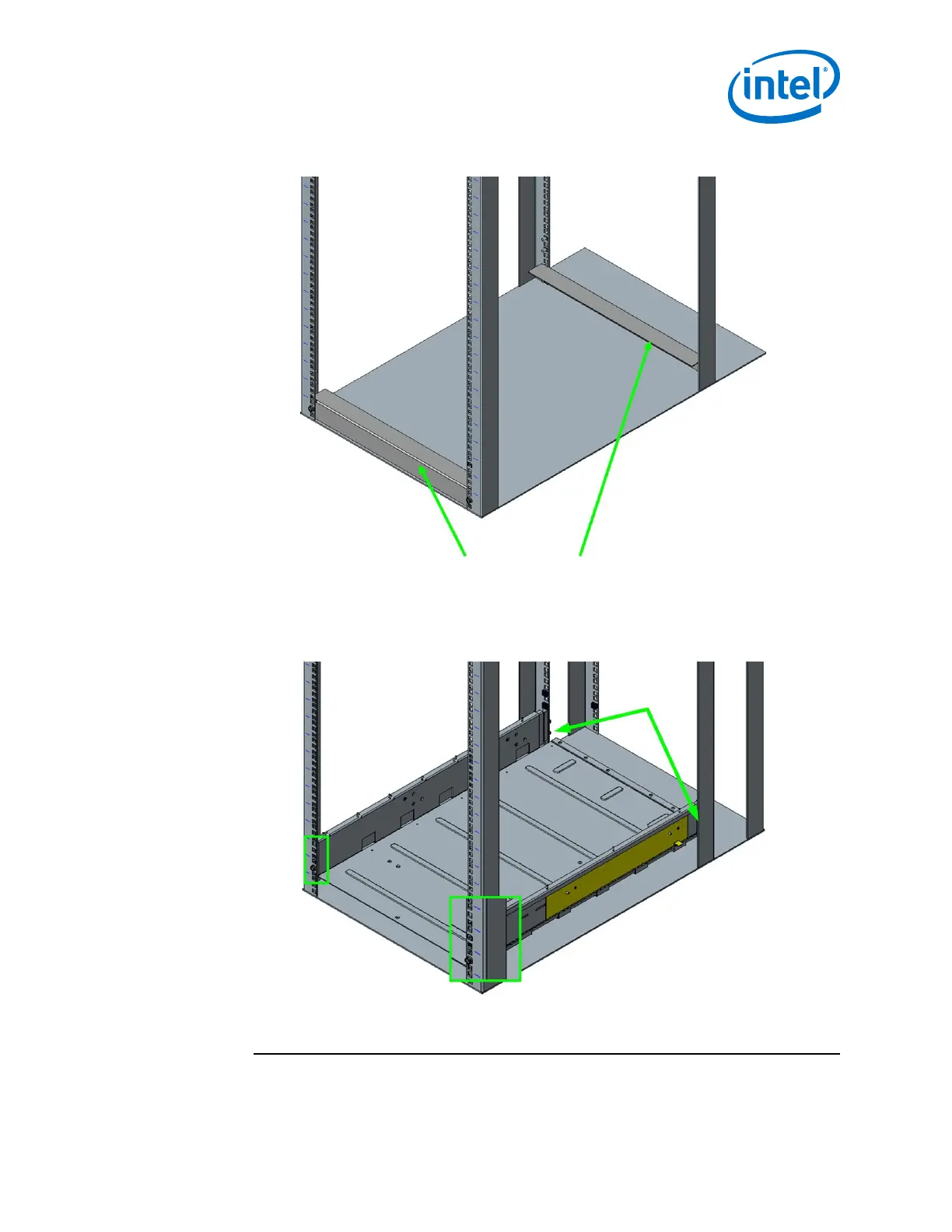
Figure 35. Install Fixture Brackets
4. Secure the shelf to the rack using M6 mounting screws, 3 per shelf rail (1 in the
front and 2 in the back) as displayed in the following figure. Torque screws to 30
in-lb.
Figure 36. Secure Shelf to Rack
5. Attach the baffles to the top of each shelf rail using 10 mounting nuts, 5 per shelf
rail as displayed in the following figure. Torque nuts to 30 in-lb.
NOTE
Make certain to tighten the adjustable rail screws (from Step 2) at this time.
Installation—Intel
®
Omni-Path Fabric
Intel
®
Omni-Path Fabric Switches Hardware
June 2019 Installation Guide
Doc. No.: H76456, Rev.: 10.0 53



 To Next Page