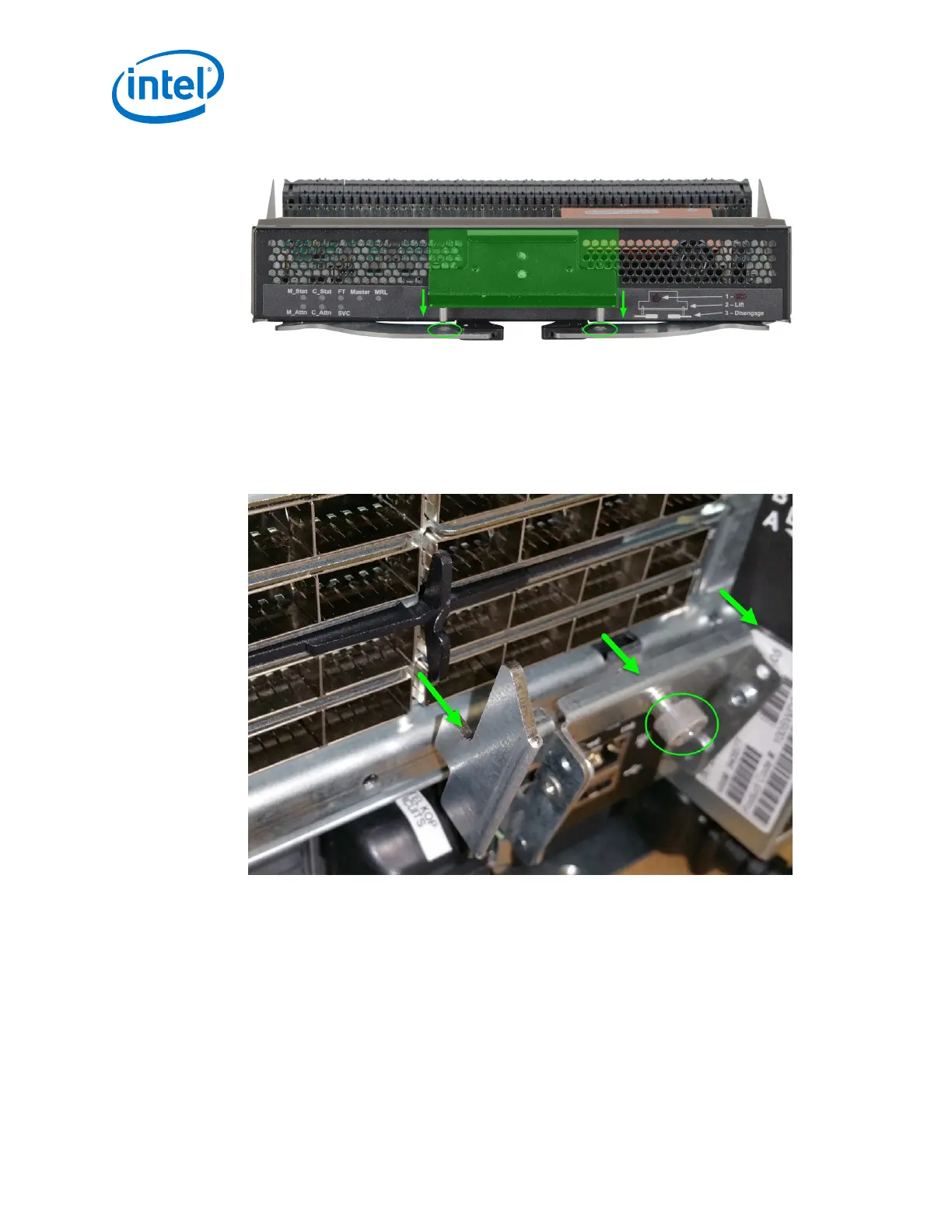
Figure 47. Module Installation 4
5. Chassis management slot leaf only: If the leaf module is in one of the chassis
management slots (i.e., L101 or L102) the mechanical release latch (MRL) must
be moved in order to install the leaf. To move the MRL, loosen the thumbscrew
attached to the Serial, Ethernet, Chassis EEPROM Board (SEEB) module, then pull
down to release the MRL as shown in the following figure. This allows enough
clearance for leaf module to be installed.
Figure 48. Module Installation 5
Intel
®
Omni-Path Fabric—Installation
Intel
®
Omni-Path Fabric Switches Hardware
Installation Guide June 2019
64 Doc. No.: H76456, Rev.: 10.0



 To Next Page