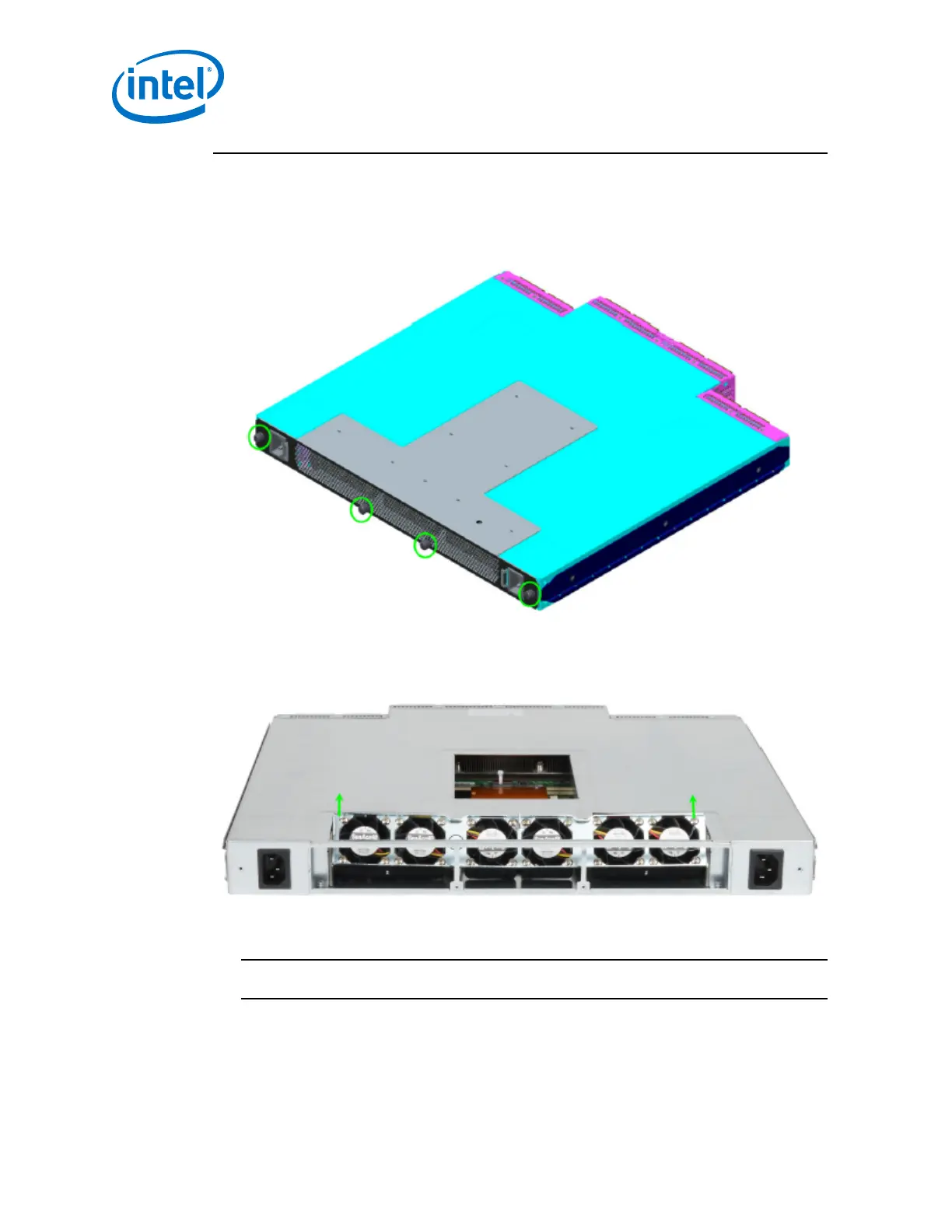
1. Loosen the 4 thumbscrews from the switch cover. There are 3 screws on the top,
and 5 screws on the back. Lift the cover on a 45-degree angle, then pull to
remove.
Figure 19. Switch Cover Thumbscrews (Top View)
2. Holding the fan assembly on the sides lift straight up and rotate the fan assembly
180 degrees as shown in the following figure.
Figure 20. Fan Assembly Rotation
3. Lower the fan assembly straight down. The airflow direction indicators should now
face towards the rear of the chassis as shown in the following figure.
NOTE
Make certain to provide strain relief for the wire assembly.
Intel
®
Omni-Path Fabric—Installation
Intel
®
Omni-Path Fabric Switches Hardware
Installation Guide June 2019
42 Doc. No.: H76456, Rev.: 10.0



 To Next Page