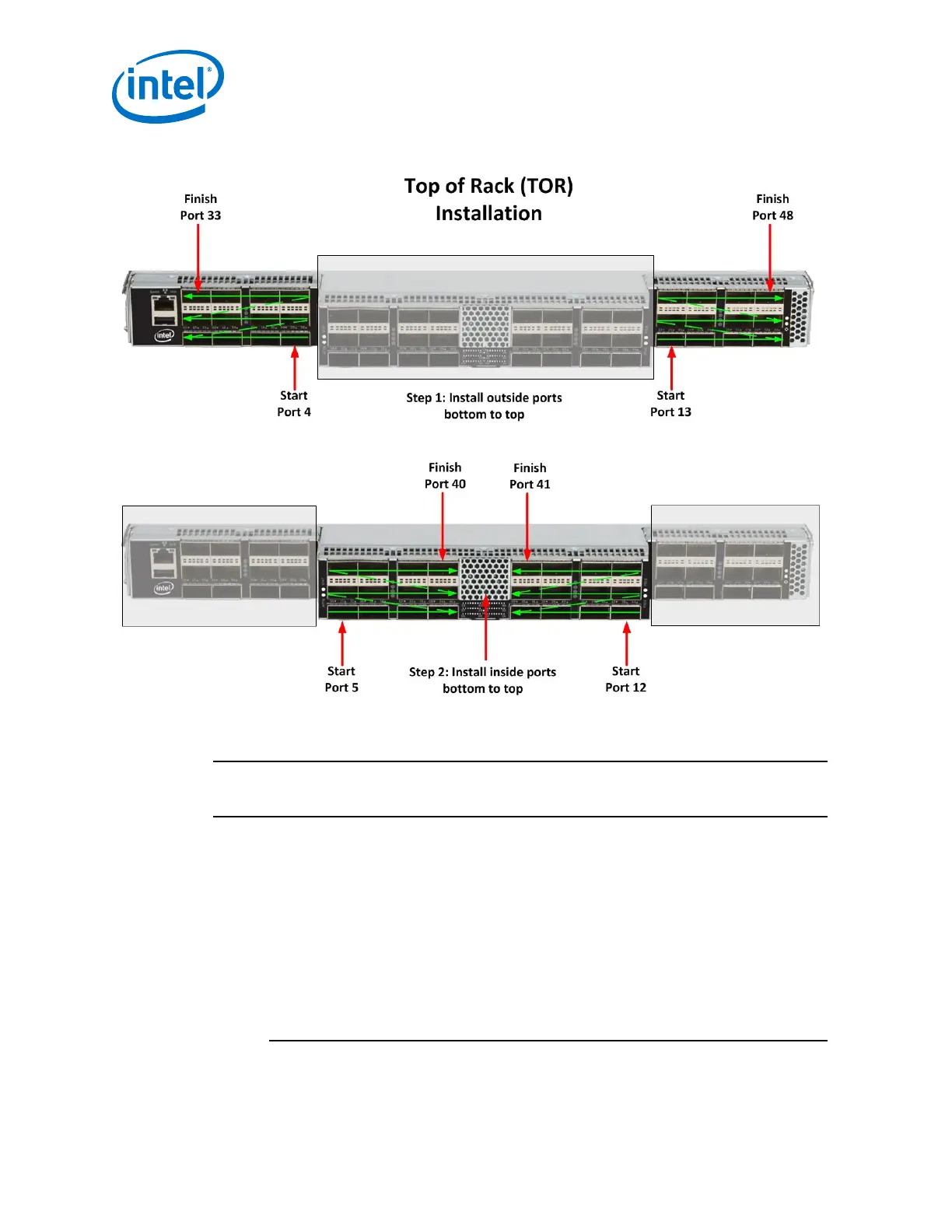
Figure 59. 48-Port Edge Switch Cabling Recommendations
Connecting Power
NOTE
For each power supply installed, a power cord must be installed in corresponding
power inlet.
1. Provide strain relief for the power cable(s).
2. If necessary, replace the closeout over the switch fan side.
3. Connect the power cables to a power distribution unit (PDU) or a proper AC power
outlet.
4. When the switch is plugged into an AC power outlet:
a. The system powers up.
b. The fans start.
c. The system performs a power-on self test.
2.5.3.1
Intel
®
Omni-Path Fabric—Installation
Intel
®
Omni-Path Fabric Switches Hardware
Installation Guide June 2019
72 Doc. No.: H76456, Rev.: 10.0



 To Next Page