Figure 52. Edge Fan Supply Install 2
Connect Equipment to the Ports and Power On the System
NOTE
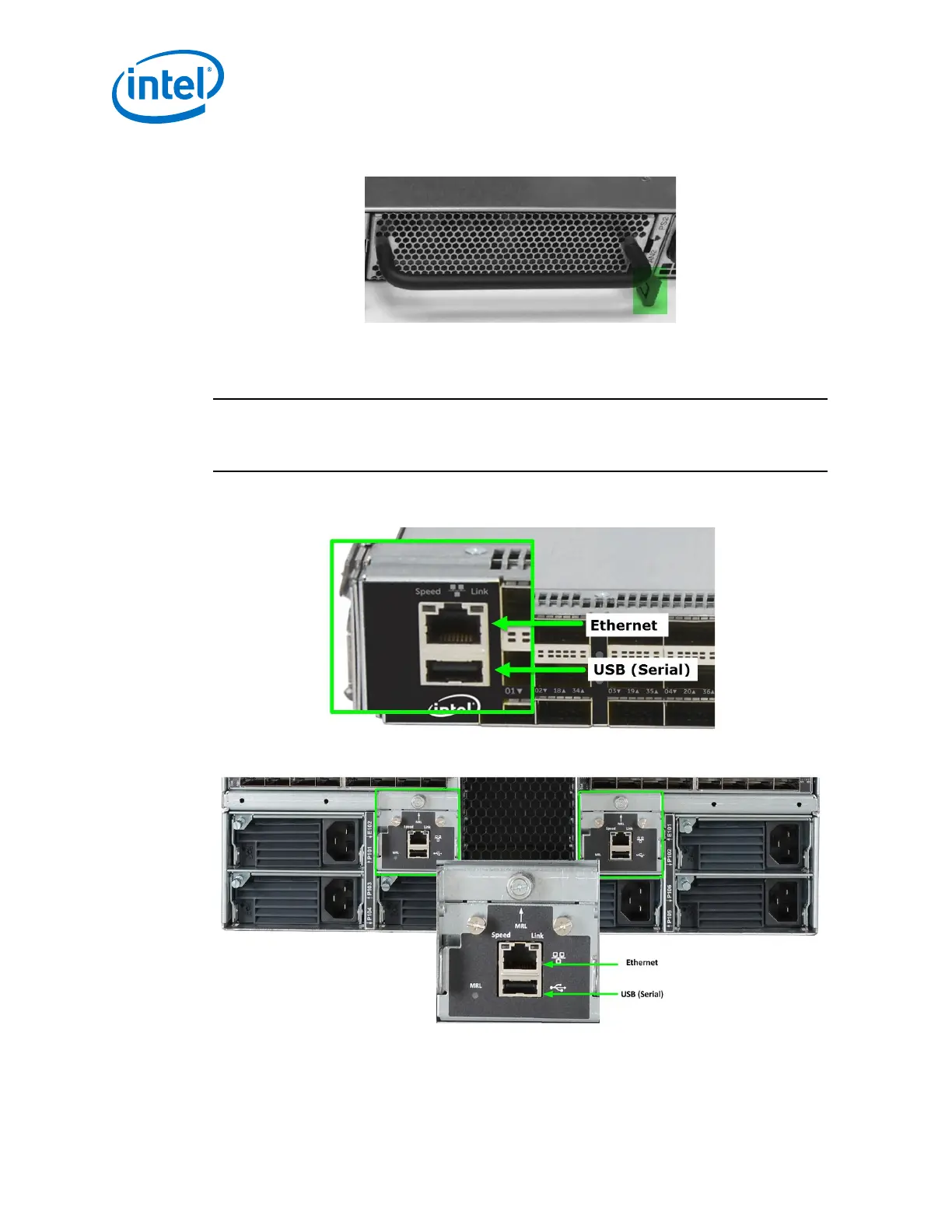
Before connecting equipment, it is important to understand the locations of the serial
and Ethernet ports on the Intel
®
Omni-Path Fabric series switches. For the edge
switch, these are located on the switch port side.
Figure 53. Edge Switch Serial and Ethernet Ports
Figure 54. Director Switch Serial and Ethernet Ports
2.5
Intel
®
Omni-Path Fabric—Installation
Intel
®
Omni-Path Fabric Switches Hardware
Installation Guide June 2019
68 Doc. No.: H76456, Rev.: 10.0



 To Next Page