6700SR Refrigerated Sampler
65
Grab Samples
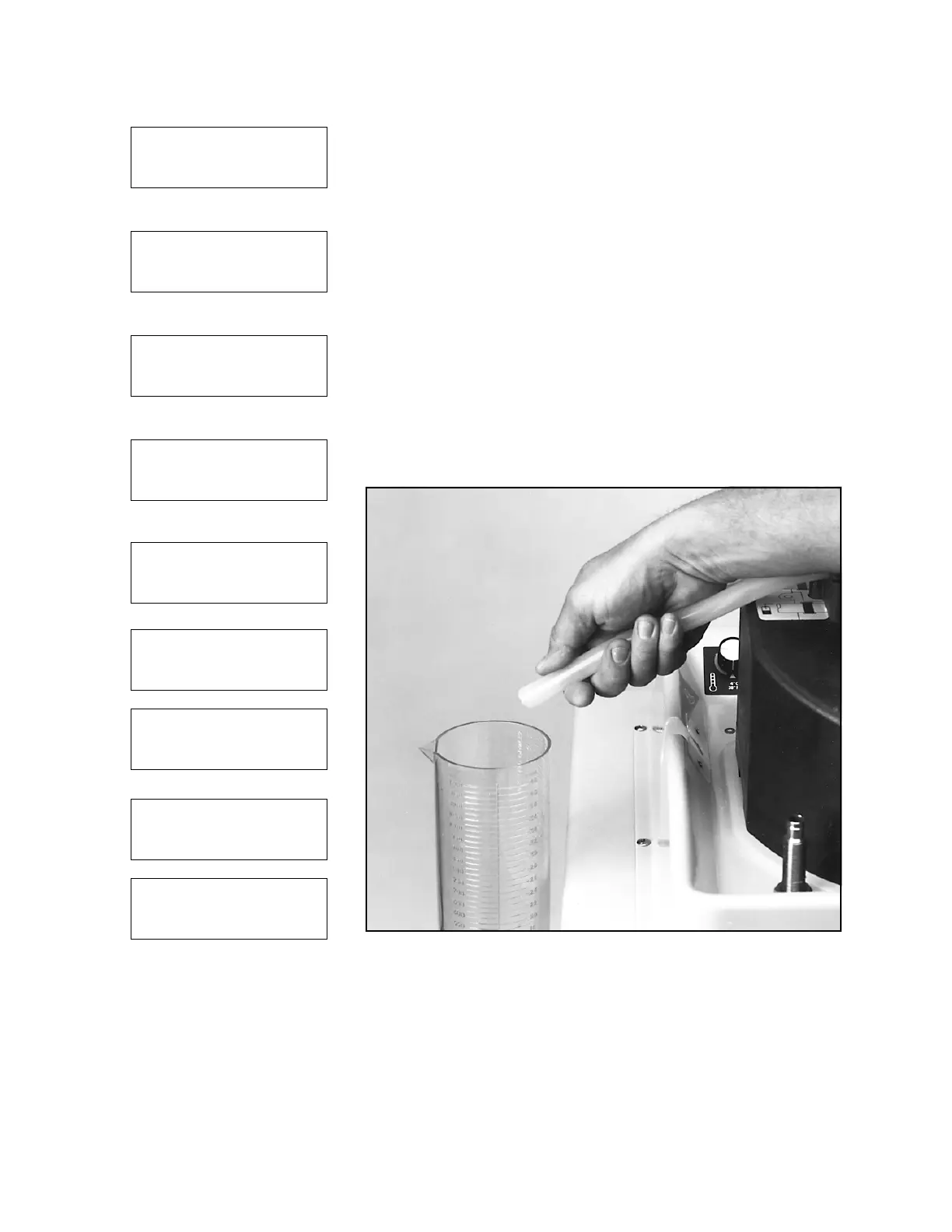
Grab samples let you take a single sample on demand, collecting
the sample in an external container (
Figure 12
). It is a simple pro-
cedure, but there are two things to keep in mind:
• When the sampler delivers a grab sample, it runs through a
complete sampling cycle, using the current settings for line
rinses or retries.
• To take a grab sample while the sampler is running a program,
you must interrupt the program. (See Interrupting a Running
Program on page 51.)
To take a grab sample:
1. Disconnect the pump tube from the bulkhead fitting.
2. Place the end of the tube over a collection container.
3. Follow the steps in Taking a Grab Sample in the margin.
4. Reconnect the pump tube to the bulkhead fitting.
Figure 12 Taking a grab sample
Taking a Grab Sample
1
RUN
PROGRAM
VIEW REPORT
OTHER FUNCTIONS
• Select OTHER FUNCTIONS
2
MAINTENANCE
MANUAL FUNCTIONS
MODULE
HARDWARE
• Select MANUAL FUNCTIONS
3
GRAB SAMPLE
CALIBRATE VOLUME
OPERATE PUMP
MOVE DISTRIBUTOR
• Select GRAB SAMPLE
4
SAMPLE VOLUME:
___ ml (10-9990)
• Enter the desired volume
5
GRAB SAMPLE
PRESS
↵
WHEN READY!
6
PURGING
SUCTION LINE
7
PUMPING 200 ml
8
PURGING
SUCTION LINE
9
GRAB SAMPLE
CALIBRATE VOLUME
OPERATE PUMP
MOVE DISTRIBUTOR
• Press stop to return to main
menu



 To Next Page