PAMSPAN501x G.SHDSL.bis EFM Gateway
-52
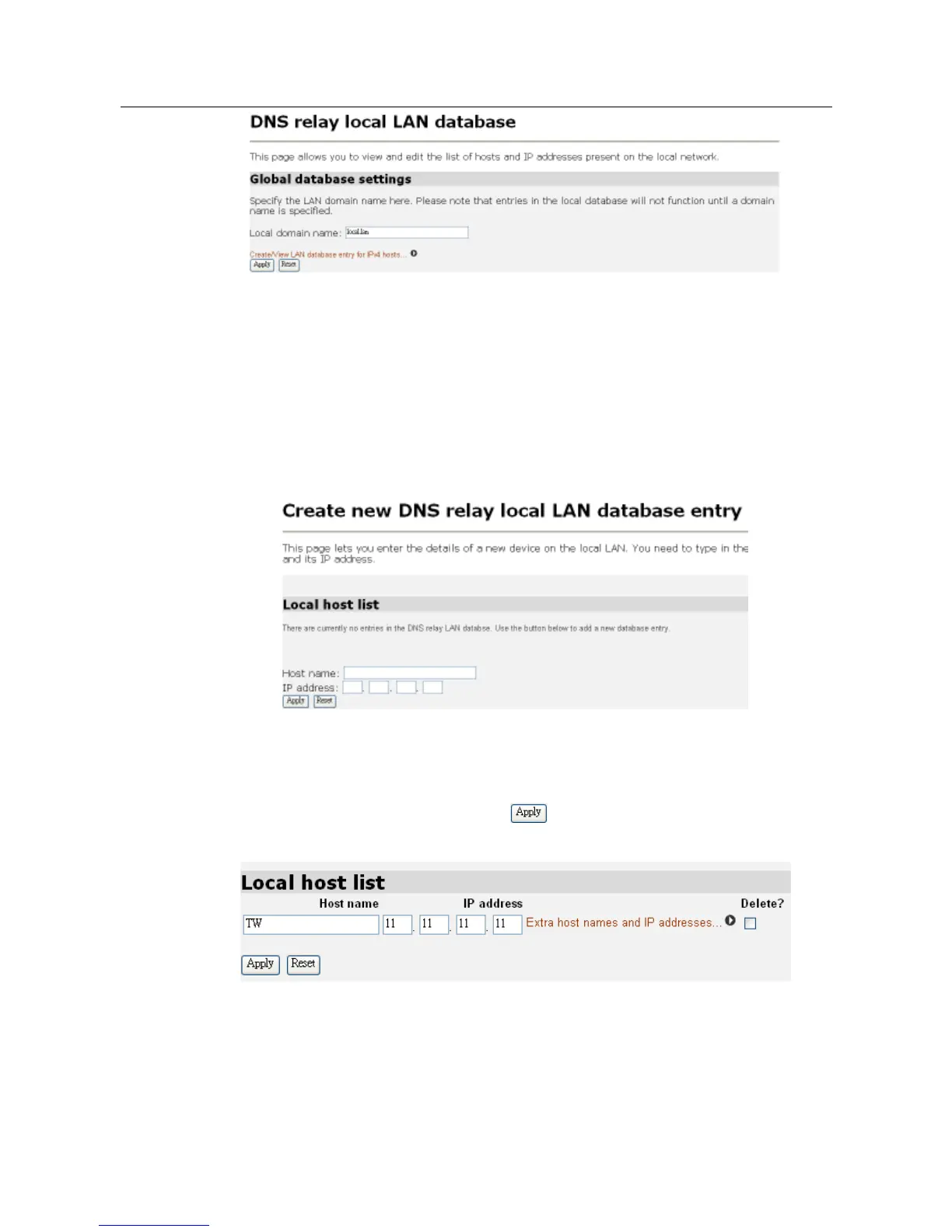
This page allows you to view and edit the list of hosts and IP addresses present on
the local network. User has to specify the LAN domain name here since the entries in
the local database will not function until a domain name is specified.
Clicking the Create/View LAN database entry for IPv4 link at the bottom of the DNS
relay local LAN database page to display the Create new DNS relay local LAN
database entry page as shown below:
This page lets you enter the details of a new device on the local LAN. You need to
type in the name of the device and its IP address. Once you type in the name and IP
address in the appropriate fields, click to save your settings. Then the new
host name and IP address will be added in the Local host list as shown below:
Click the Edit host names and IP addresses link to rename or modify the IP address.



 To Next Page