Operation DVR Integration Option
3-4 24-10515-13 Rev. –
This document contains confidential and proprietary information of Johnson Controls, Inc.
© 2010 Johnson Controls, Inc.
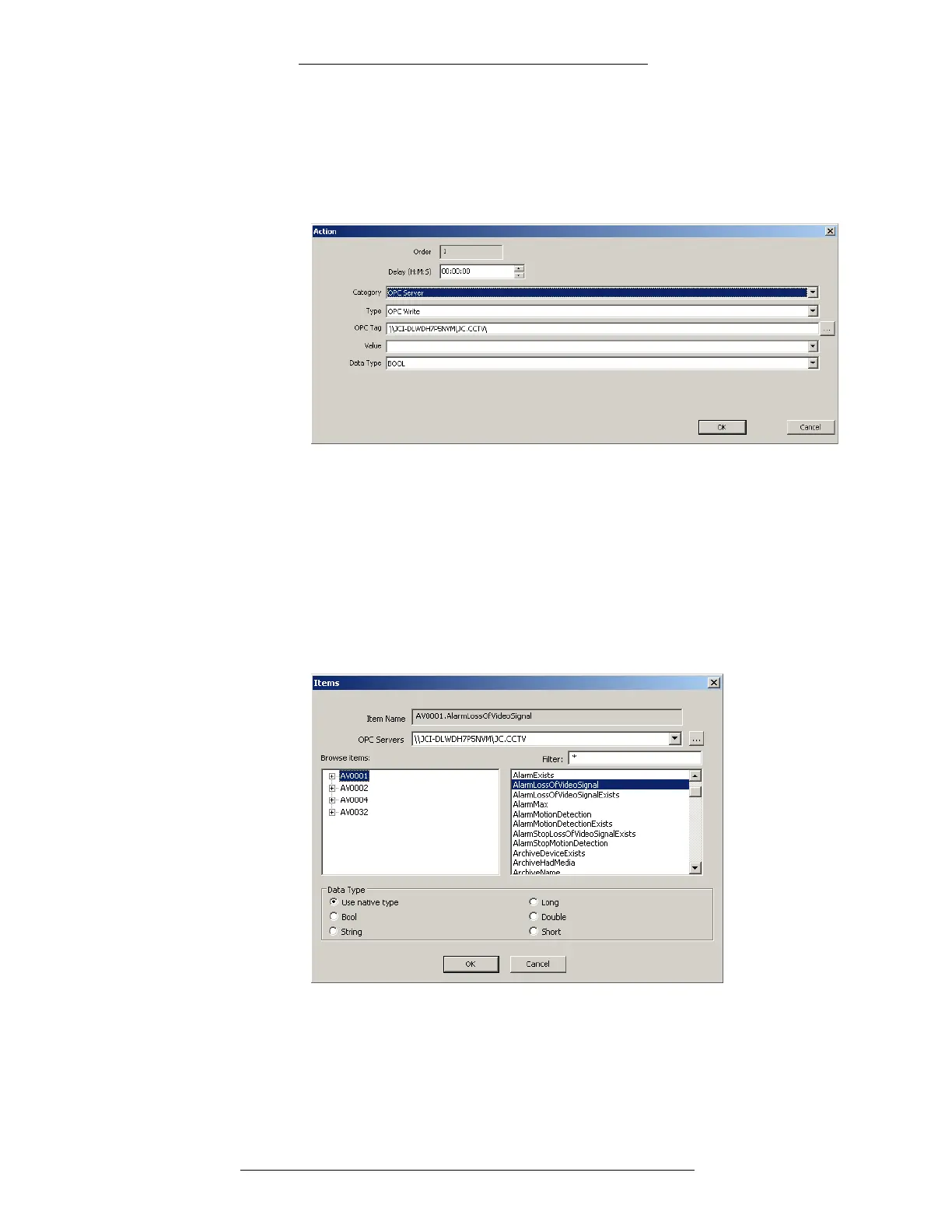
To configure an OPC Server event action using the OPC Server
category:
1. In the Action dialog box, select the OP
C Server from the Category
drop-down list. The the OPCWrite type will be selected by default.
2. To select an OPC Tag click the browse button.
3. In the Items dialog box:
Select or browse for the OPC Server.
Select the Data Type (Use native type, which is the default selection,
displays all tags)
In the Browse items box, select the item and the tag for the event action.
The selected item will appear in the Item Name field.
Click OK.





 To Next Page