– 8 –
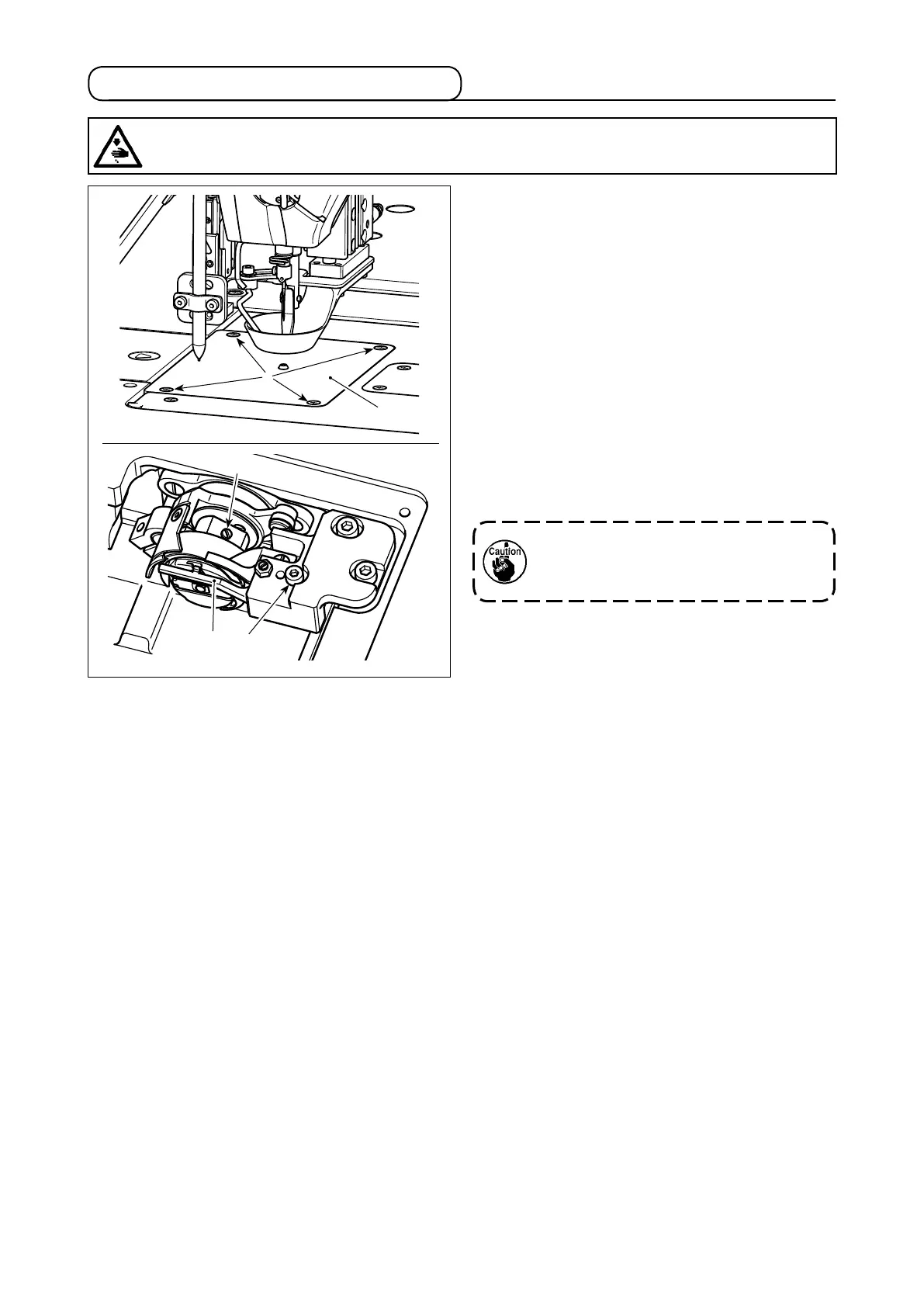
3-6. Attaching and removing the hook
Replacement of the hook should be carried out fol-
lowing the procedure described below when neces-
sary.
1) Turn the hand pulley to lift the needle bar to its
upper dead point.
2) Lift the intermediate presser and the disc presser.
3) Loosen setscrews
❷
(4 pieces). Remove throat
plate
❶
.
4) Loosen setscrews
❺
(3 pieces). (Turn the hand
pulley until the setscrew locations can be ob-
served.) Loosen setscrew
❹
. Detach inner hook
holder
❸
. Take out the hook.
5) To attach the hook, reverse the removal proce-
dure.
❶
❷
❸
❹
❺
Nut is located under setscrew
❹
. Take
care not to drop it when loosening the
setscrew.
WARNING :
Turn OFF the power before starting the work so as to prevent accidents caused by abrupt start of the
sewing machine.



 To Next Page