– 41 –
2-2. Explanation of the operation panel
The operation screen of the operation panel is as described below.
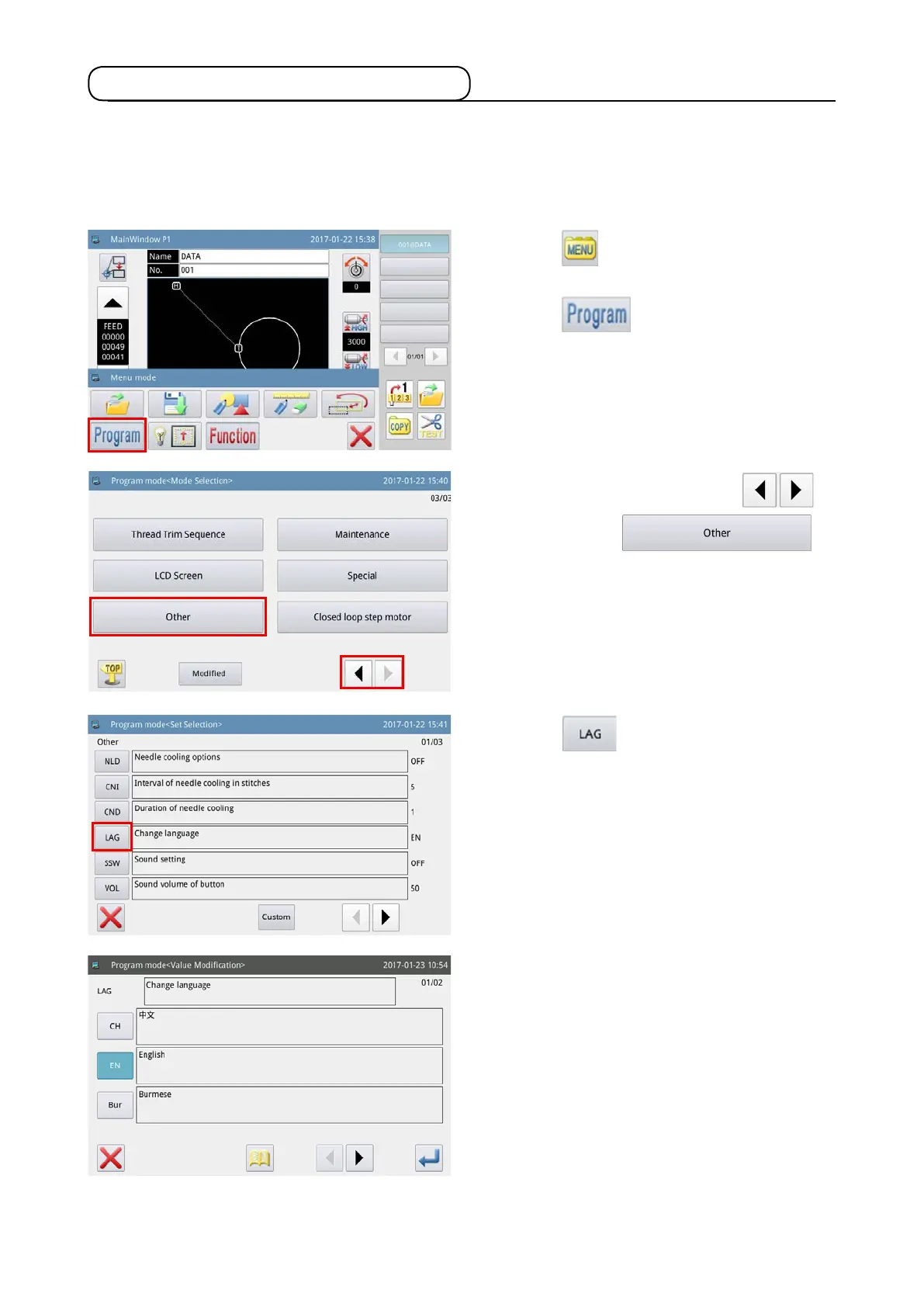
2-2-1. Changing over the display language
The following describes how to change over the language displayed on the operation panel.
1) Press the key on the main screen P1 to
display the "Menu screen".
2) Press the key to enter the "Operation
setup mode".
3) Change over pages by pressing the
key, and press the
key.
4) Press the key to select the language you
use.
5) One of the ve languages, i.e., Chinese, English,
Burmese, Korea and Turkish can be selected.



 To Next Page