– 48 –
①
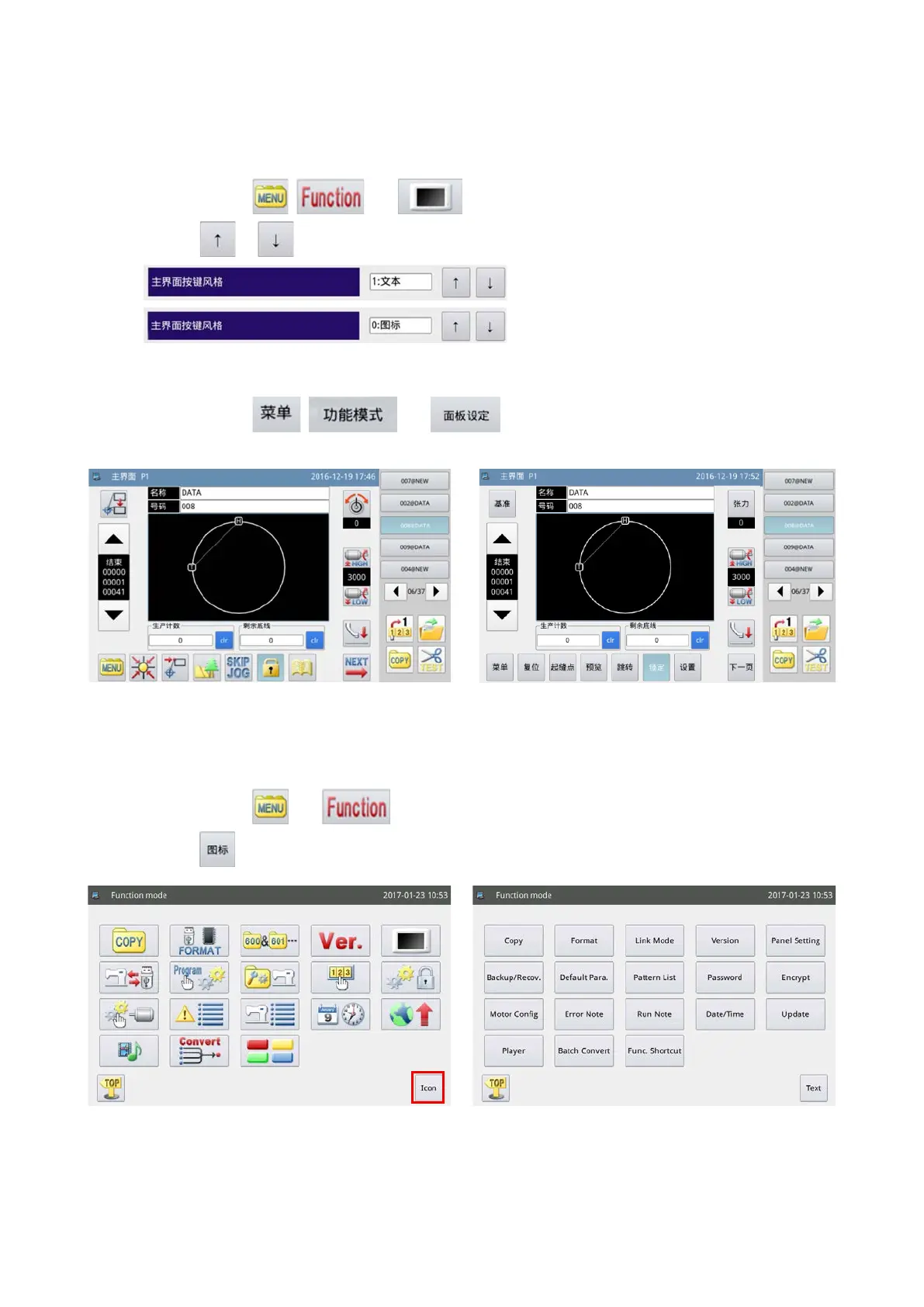
Main screen (only in the case Chinese is selected as the display language)
(1) Changing over the icon display to the text display
Press the function keys
, and in the written order.
Then, press the
or to change over the display style.
(2) Changing over the text display to the icon display
Press the function keys , and in the written order.
The steps of procedure to be followed thereafter are as described above.
②
Menu screen (common to all languages available)
(1) Changing over the icon display to the text display
Press the function keys
and in the written order.
Then, press the
to change over the display style.
2-2-8. Changing over the screen display style
Method to change over the screen display between the icon display and the text display is described below.
<Screen display style : Icon display> <Screen display style : text display>



 To Next Page