– 39 –
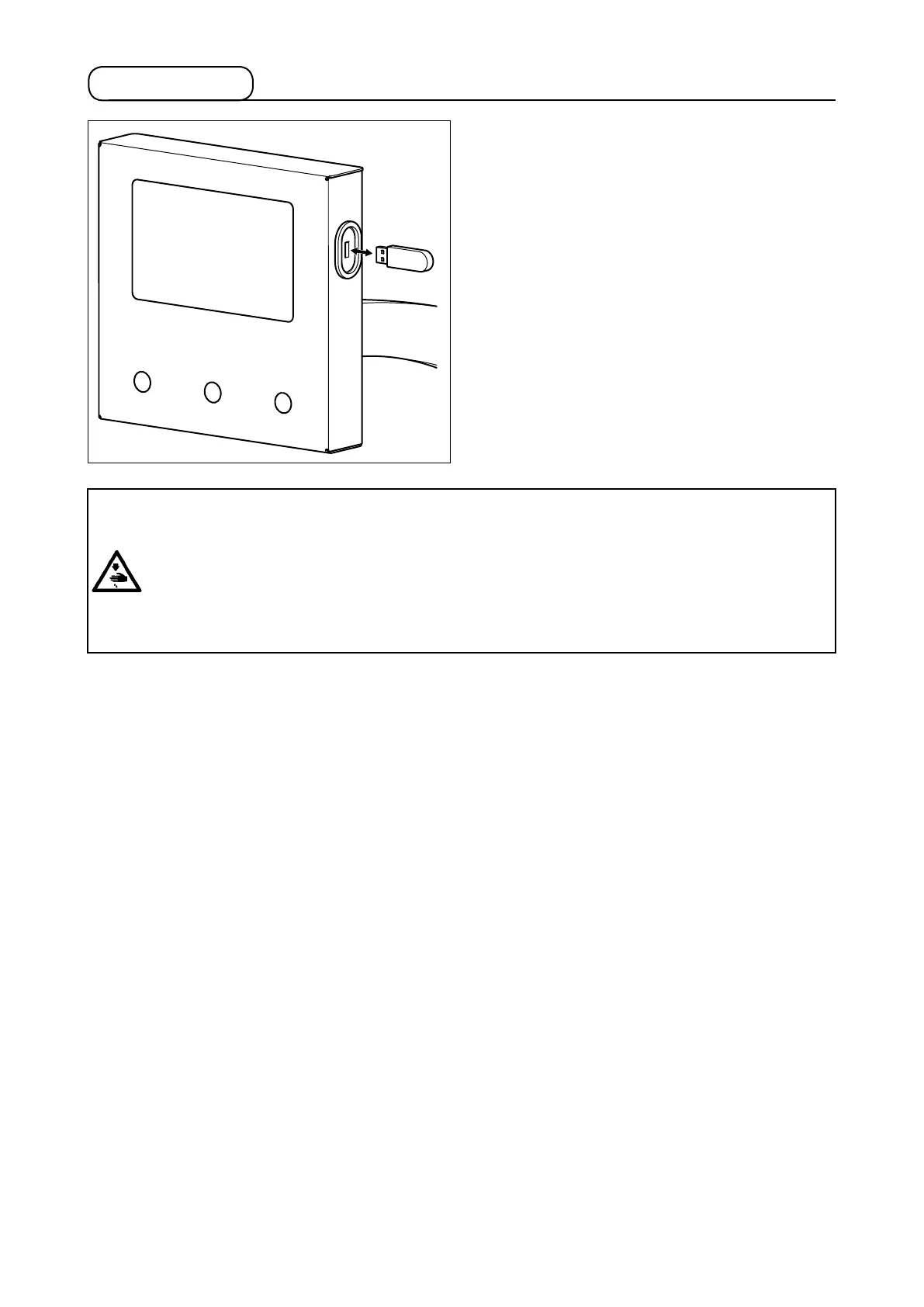
1-4. USB port
Insert the USB thumb drive into the USB port. Copy
the data to be used to the directory of main body.
After the completion of copy process, remove the
USB thumb drive from the USB port.
①
Precautions to be taken when handling USB devices
• Do not leave the USB device or USB cable connected to the USB port while the sewing machine is in
operation. The machine vibration can damage the port section resulting in loss of data stored on the USB
device or breakage of the USB device or sewing machine.
• Do not insert/remove a USB device during reading/writing a program or sewing data. It may cause data
breakage or malfunction.
• When the storage space of a USB device is partitioned, only one partition is accessible.
• Some type of the USB device may not be properly recognized by this sewing machine.
• JUKI does not compensate for loss of data stored on the USB device caused by using it with this sewing
machine.
②
USB specications
• Conform to USB 2.0 standard
• Applicable devices ��������� Storage devices such as USB memory
• Format supported ���������� FAT 32
• Consumption current ������� The rated consumption current of the applicable USB devices is 500 mA at
the maximum.
Cautions when using the media :
1. Do not wet or touch it with wet hands. Fire or electric shock will be caused.
2. Do not bend, or apply strong force or shock to it.
3. Never perform disassembling or remodeling of it.
4. Do not put the metal to the contact part of it. Data may be disappeared.
5. Avoid storing or using it in the places below.
• Place of high temperature or humidity
• Place of dew condensation
• Place with much dust
• Place where static electricity or electrical noise is likely to occur



 To Next Page