– 56 –
(3) Initialization and backup of parameters
Ⓐ
Method to initialize and back up parameters
Ⓑ
Backing up parameters
Ⓒ
Initializing the parameters
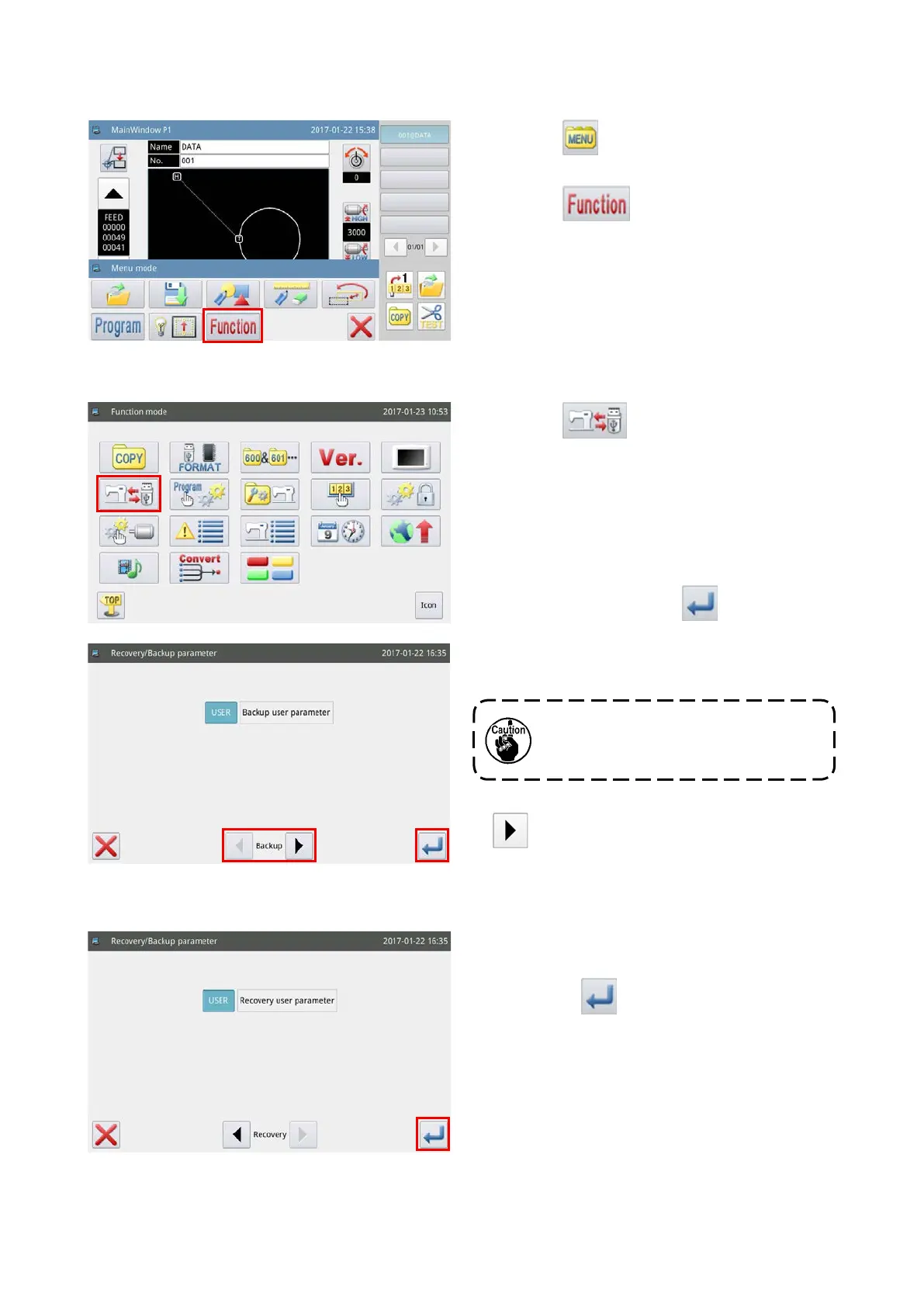
1) Press the key on the main screen P1 to
display the "Menu screen".
2) Press the key to display the "Operation
setup mode".
1) Press the key on the function setting
screen.
You can access the parameter initialization back-
up screen by pressing the aforementioned key. In
the initial setting state, the user parameters are
backed up.
2) Insert a USB thumb drive into the USB slot of
sewing machine. Press the key. Once the
operation is completed, a "bakParam" folder will
be created. "back up.param" le in this folder will
be the parameter backup le.
3) When you initialize the parameters, press the
key to change over the current mode to the
"Initialization mode".
If data with the same le name already
exists, the new data will be overwritten
by the old data.
1) After changing over to the "Initialization mode",
initialization of the parameters is executed by
pressing the
key.
When the operation completes, the screen returns
to the previous screen.



 To Next Page