– 54 –
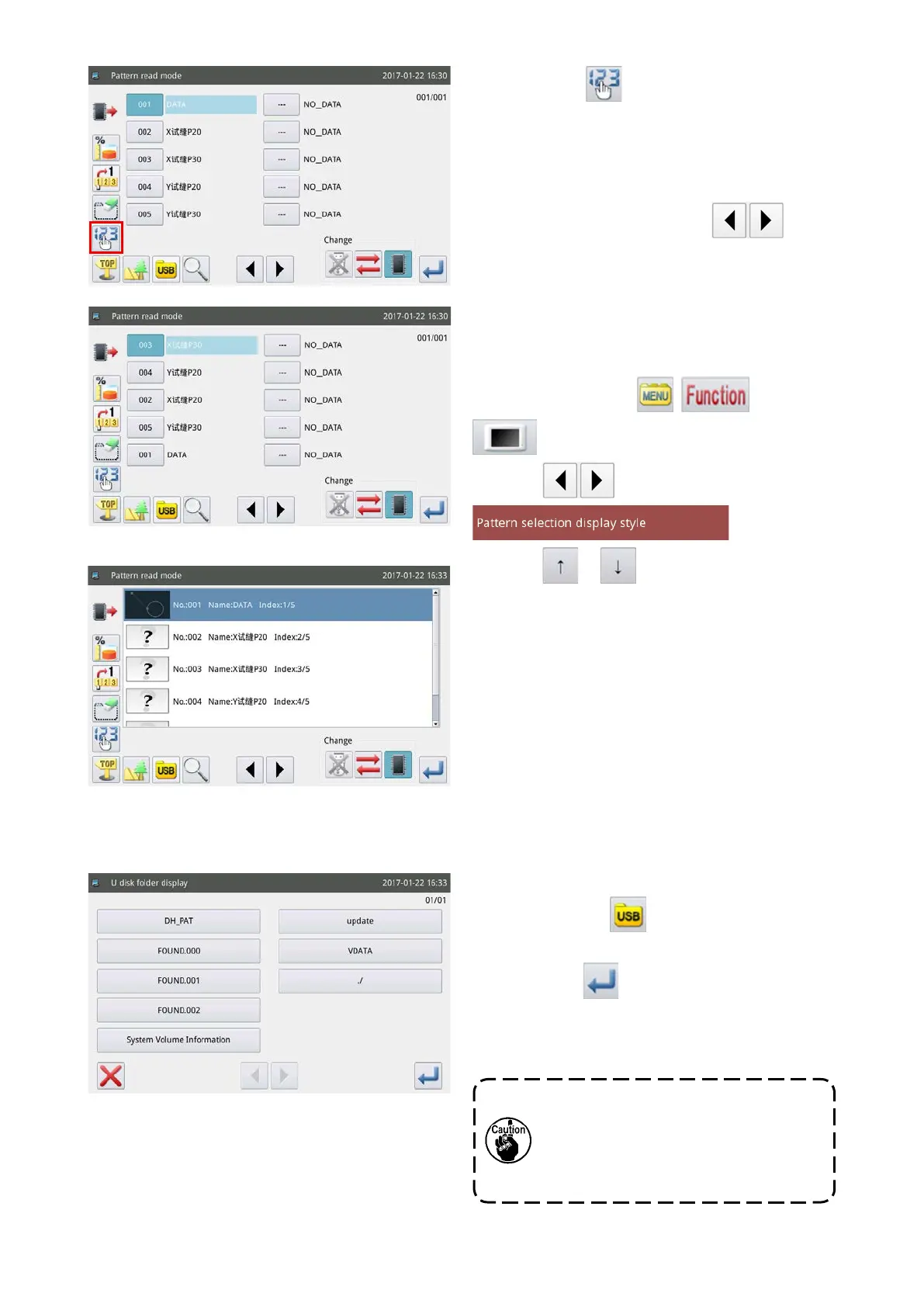
If you select the
key at this time, the sewing
pattern display method is changed so as to rear-
range sewing patterns in ascending order of the
pattern number. In the case the number of sewing
patterns is so large as to extend over several pages,
the pages can be scrolled with the
key.
The sewing pattern list display styles are classied
into two, i.e., the sewing pattern number display and
the sewing pattern shape display.
Press the function keys
, and
in the written order.
Press the
key to retrieve
.
Press the or to change the sewing pat-
tern list screen display style.
<Sewing pattern number display>
<Sewing pattern shape display>
(4) Displaying the folders in the USB thumb drive
Insert a USB thumb drive into the USB slot of sewing
machine. Press the
key. Then, the folders
stored in the USB thumb drive are displayed.
If you press the
key in the folder hierarchy in
which no sewing pattern data is stored, the message
M-034 "No sewing pattern data is found in the USB
thumb drive" will be displayed.
Sewing patterns cannot be stored in any
folder other than the DH-PAT folders.
Even if a sewing pattern is stored in
a folder other than the DH-PAT folder,
however, it can only be read.



 To Next Page