– 53 –
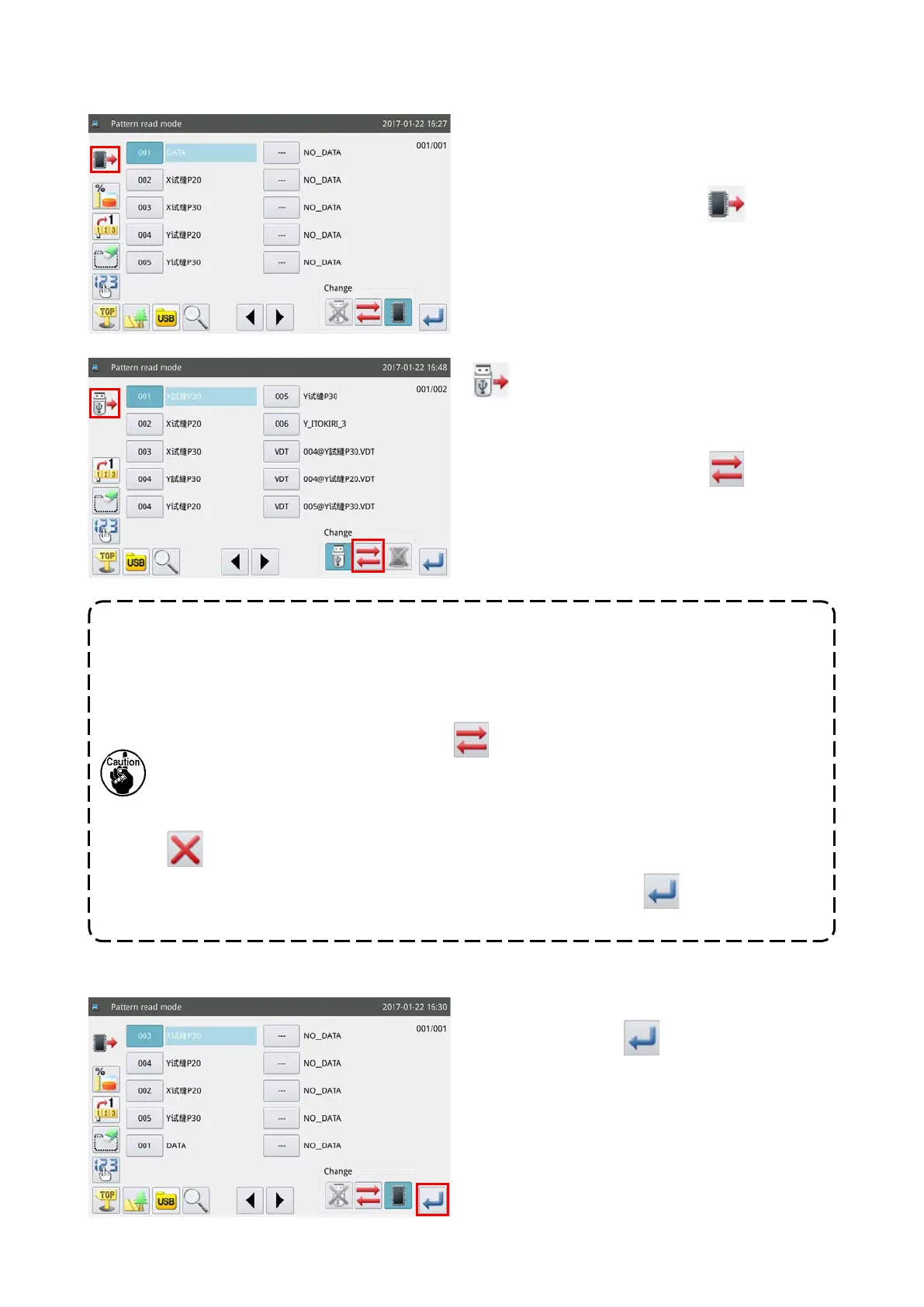
(2) Selecting the data storage area from which a sewing pattern is read (Internal memory or the USB
thumb drive)
In the initial setting, the list of sewing patterns stored
in the internal memory is displayed to show the sew-
ing patterns in order of time when a change is made
to the respective sewing patterns.
is displayed
at the upper left of the operation screen.
is displayed at the upper left of the operation
screen by changing over the read mode from the "in-
ternal memory mode read mode" to the "USB thumb
drive read mode" by means of the
key.
1. If the aforementioned operation is carried out while no USB thumb drive is connected to the
USB port of sewing machine, M-033 "USB thumb drive is not connected" will be displayed.
2. When the USB thumb drive is newly inserted into the USB port of sewing machine,
approximately ve seconds are required to read the data stored in the USB thumb drive. After
the completion of reading, the "internal memory read mode" can be changed over to the "USB
thumb drive read mode" by pressing the
key.
3. When you have read a sewing pattern from the USB thumb drive, and if the number you have
selected also exists in the internal memory, the message M-012 "Do you want to replace the
sewing pattern data stored in the internal memory with this data?" will be displayed. Press the
key when you do not want to overwrite the sewing pattern data in the internal memory
with the data you have read from the USB thumb drive, or press the key to overwrite the
former with the latter.
(3) Selecting and displaying a sewing pattern
Select the sewing pattern number to be used for
sewing and press the
key. When the selection
procedure is completed, the screen returns to the
main screen.



 To Next Page