– 52 –
Explanation of functions :
No. Function Description
A Page display This function is used for displaying the current page number / total num-
ber of pages.
B Pattern list This function is used for displaying the list of sewing patterns stored in
memory. (Number and name of the sewing pattern are displayed.)
(Note) 1. If you select any other sewing pattern displayed on the
screen, the relevant message will be displayed and the
current sewing pattern will be changed to the newly-
selected one.
2. If the number of stitches in a sewing pattern exceeds the
specied range or the data are broken, the relevant message
will be displayed and selection of that sewing pattern will be
disabled.
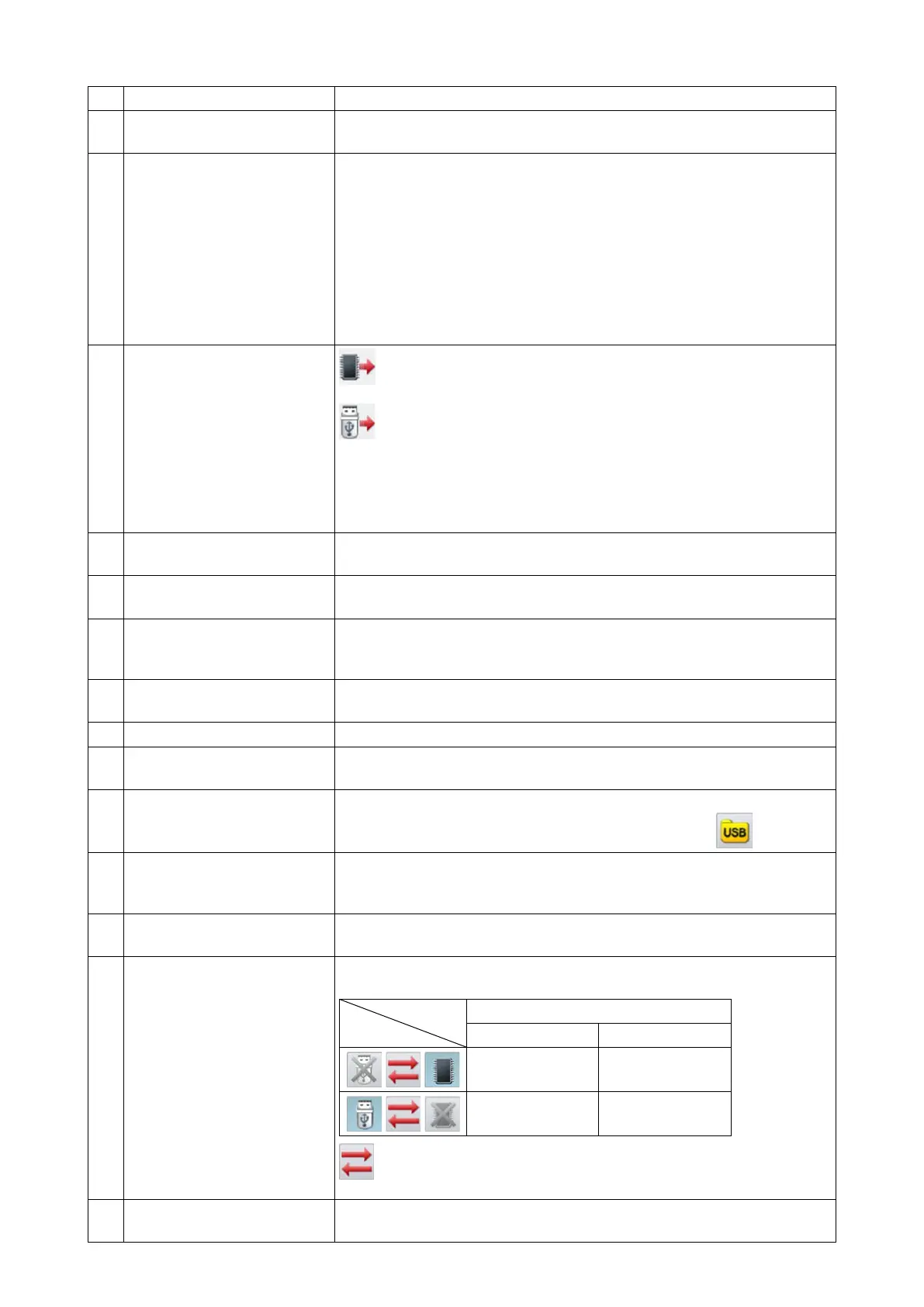
C Display of the internal memo-
ry / USB thumb drive
: Icon appearing on the screen when the list of sewing patterns
stored in the internal memory is displayed
: Icon appearing on the screen when the list of sewing patterns
stored in the USB thumb drive is displayed
(Note) In the initial setting, sewing patterns are read from the internal
memory every time this screen is invoked. The display is
changed over by carrying out the operation described in the
No. M column of this table.
D Display of remaining memory
capacity
This function is used for displaying the total number of sewing patterns
stored in the internal memory.
E Direct-read key This key is used for accessing directly to the read mode by means of
the specied sewing pattern number.
F Delete key This key is used for deleting the specied sewing pattern.
(Note) The sewing pattern that is being used for sewing cannot be
deleted.
G Sort key This key is used for rearranging sewing patterns in order of time when a
change is made to the respective sewing patterns or in numerical order.
H Return to main screen This function is used for returning the current screen to the main screen.
I Sewing pattern graphic dis-
play key
With this key, the sewing pattern can be previewed.
J Selection of a folder in the
USB thumb drive
To read a sewing pattern from the USB thumb drive, all folders stored in
the USB thumb drive can be displayed by pressing the
key.
K Skip to a sewing pattern
other than service sewing
patterns
This function is used for skipping to the leading sewing pattern of vector
form among the sorted sewing patterns.
L Page scroll key This key is used for moving the current page to the previous or next
page.
M Selection of the USB thumb
drive / internal memory
This function is used for reading a sewing pattern from the USB thumb
drive or from the internal memory.
Read mode
USB thumb drive Internal memory
Disable Enable
Enable Disable
: This key is used for changing over the selection of data storage
area between the USB thumb drive and the internal memory.
N Enter key After executing the operation of this key, the current sewing pattern will
be changed over to the newly-selected one.



 To Next Page