– 55 –
2-4-2. Storing sewing patterns
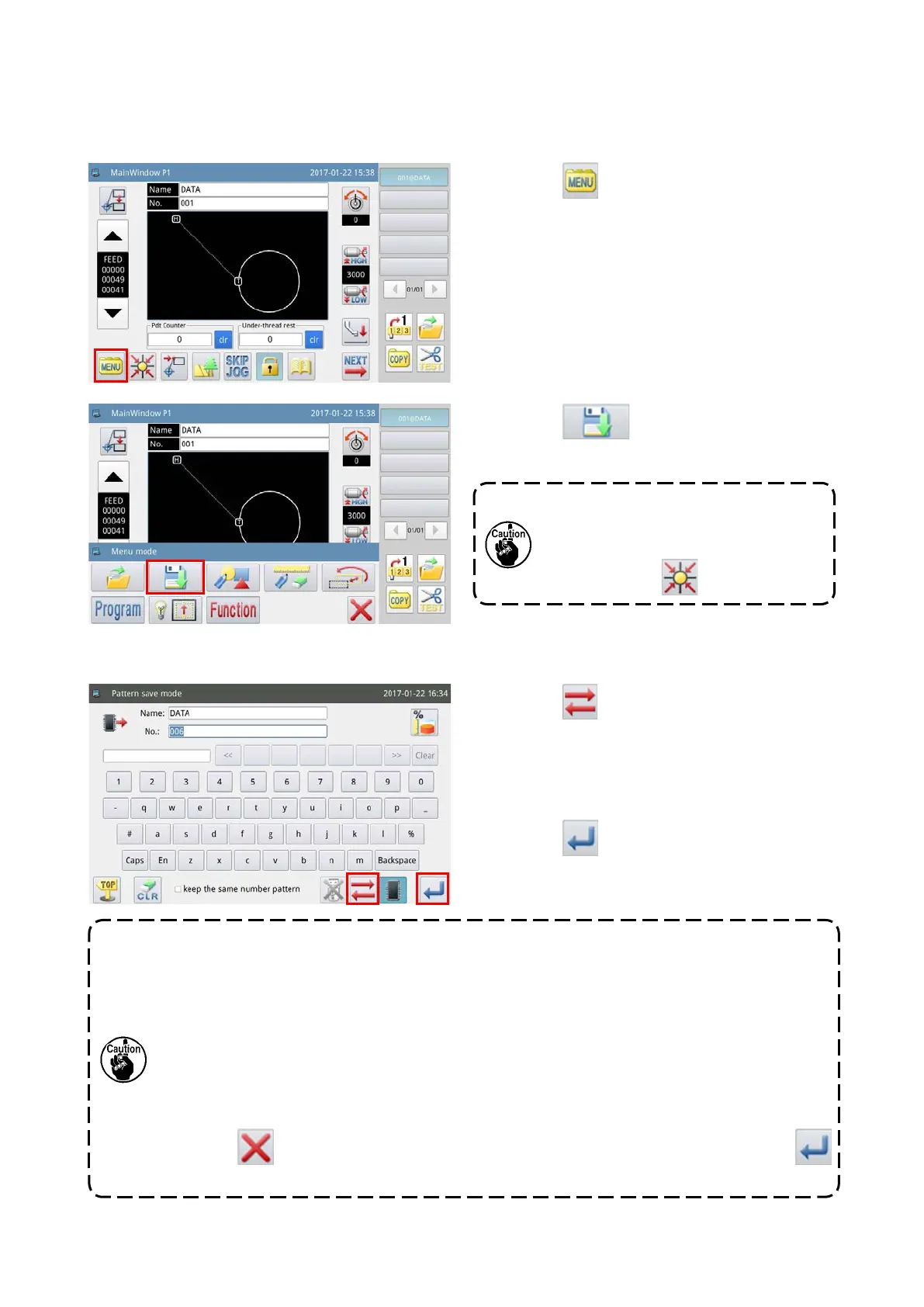
A sewing pattern displayed on the main screen P1 is stored in the internal memory or in the USB thumb drive.
(1) Displaying the sewing pattern storage mode
(2) Setting the name and number of a sewing pattern
1) Press the key on the main screen P1 to
display the "Menu screen".
2) Press the key to enter the "Sewing pat-
tern storage mode".
In the case the template does not rest at
its point of origin, no graphic data can
be read. Return the template to its point
of origin with the
key.
1) Press the key to select the destination of
storage.
2) Enter a name and number, on the operation
panel, to be assigned to the sewing pattern to be
stored.
3) Press the key to store the sewing pattern
name. When the operation is completed, the
screen returns to the main screen.
1. It is possible to select any desired number for a sewing pattern to be stored. In the sewing
pattern le, two pieces of data, i.e., ["pattern number" + "@pattern name" + "extension .NSP"]
and ["pattern number" + "@pattern name" + "extension .VDT"] are stored.
2. If the number assigned to the sewing pattern to be stored is same as the number of an already-
stored sewing pattern in the internal memory, storage process will not be executed.
If the number assigned to the sewing pattern to be stored is same as the number of an already-
stored sewing pattern in the USB thumb drive, the message M-106 "Do you want to overwrite
the sewing pattern assigned with the same name in the USB thumb drive?" will be displayed
on the operation panel screen during operation.
Press the key when you do not want to overwrite the existing sewing pattern, or the
key when you want to overwrite it.
Refer to the Engineer's Manual for the method to set parameters of sewing patterns.



 To Next Page