– 51 –
2-4. Explanation of operation functions
"Reading of sewing patterns" and "storage of sewing patterns" by using the operation panel are described
below.
2-4-1. Reading sewing patterns
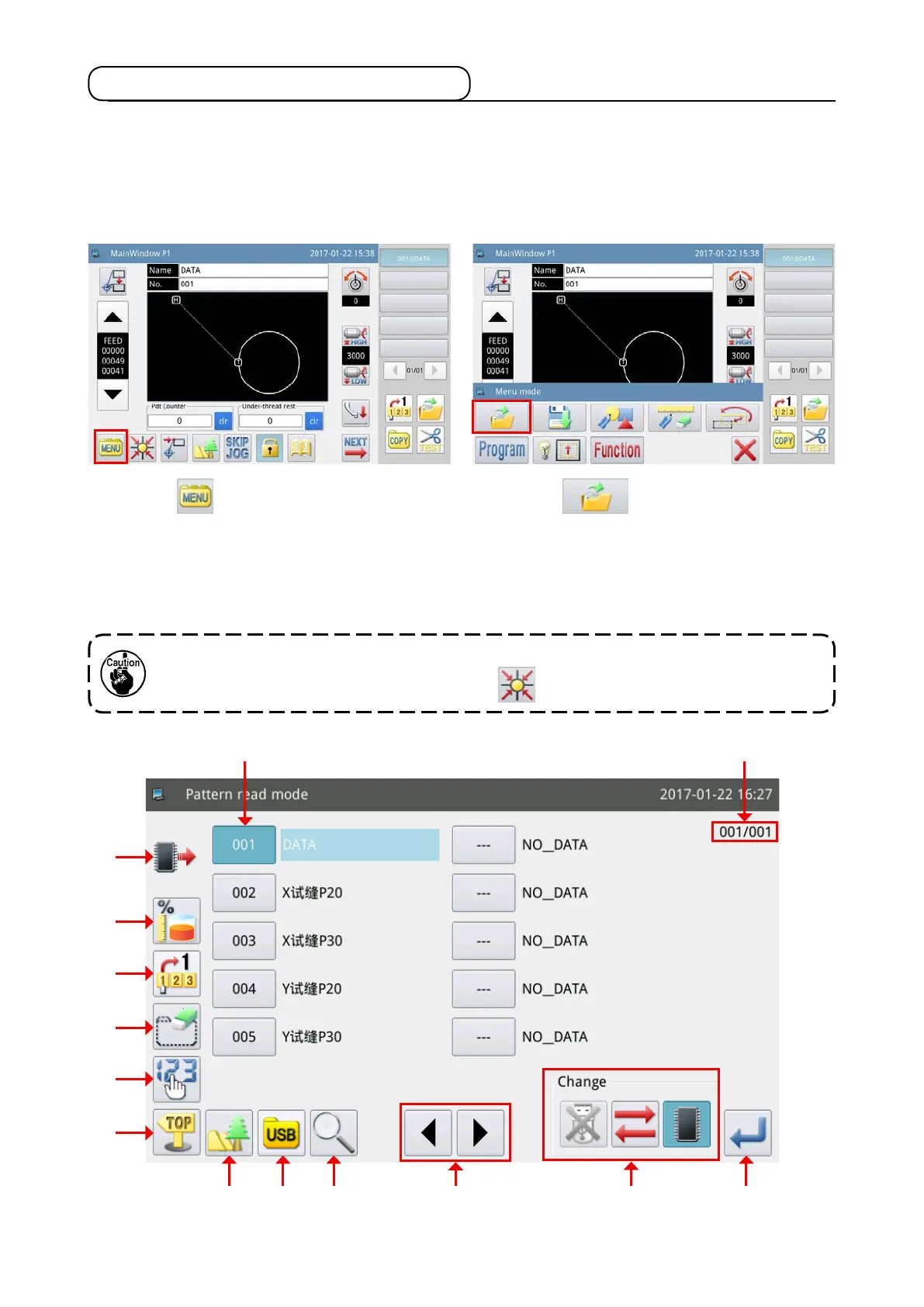
(1) Displaying the sewing pattern read mode screen
In the case the template does not rest at its point of origin, no sewing pattern data can be read.
Return the template to its point of origin with the key.
1) Press the key on the main screen P1 to
display the "Menu screen".
2) Press the key to enter the "Sewing pat-
tern read mode screen".
The gure given below shows the screen displayed under the sewing pattern read mode.
E
D
C
F
G
H
I J K NL M
AB



 To Next Page