– 36 –
7-3. Setting the bobbin thread remaining amount detecting device
Part number of complete set : 40173537
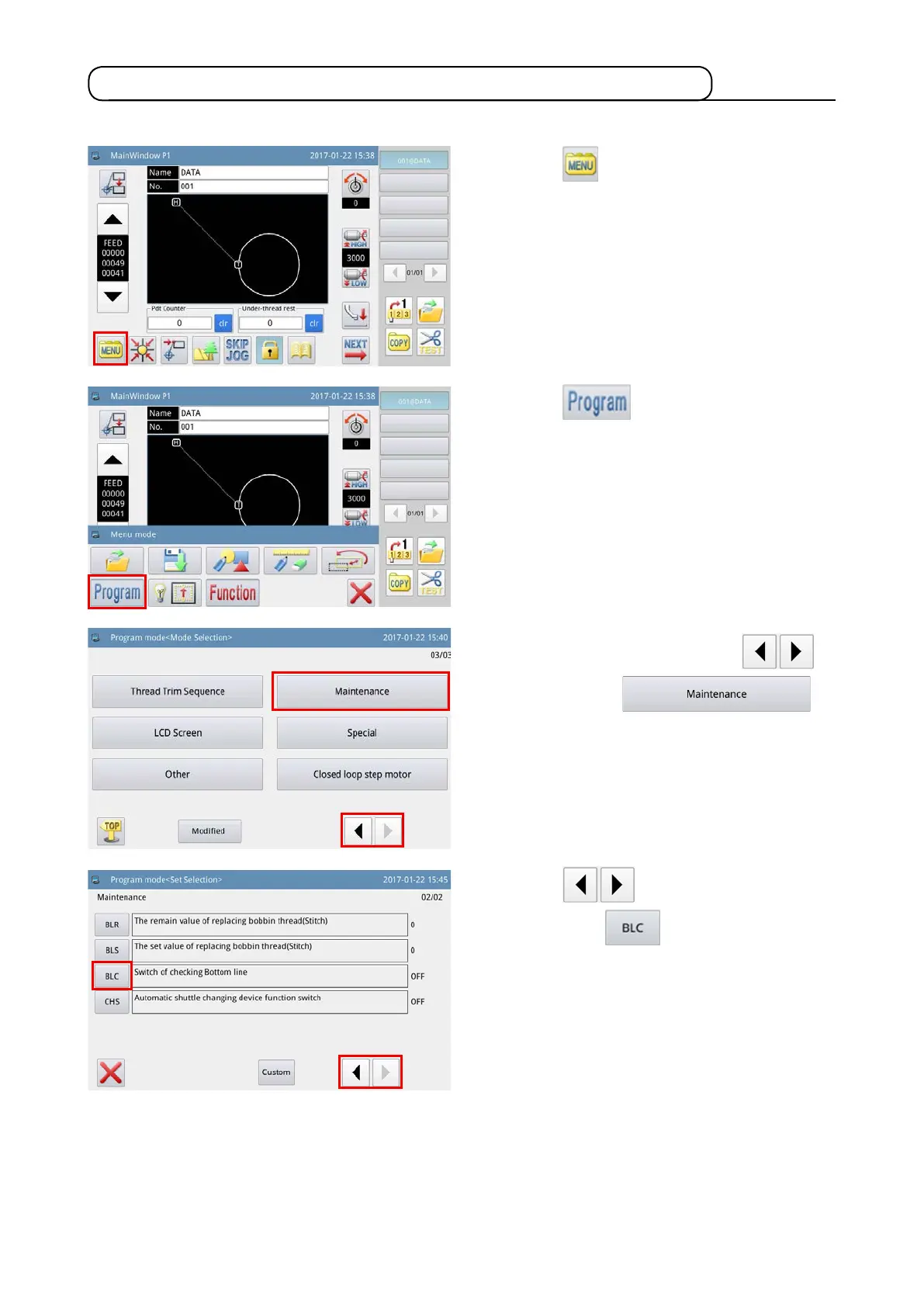
1) Press the key on the main screen P1 to
display the "Menu screen".
2) Press the key to enter the "Operation
setup mode".
3) Change over pages by pressing the
key, and press the
key.
4) Press the key to change over the
page. Press the
key to select ON/OFF
of the bobbin thread remaining amount detecting
device.
When it is set to ON, the bobbin thread remain-
ing amount detecting device operates every time
thread trimming is performed.
In the case the bobbin thread remains on the bob-
bin, sewing machine travels to the next sewing
starting point. If no bobbin thread remains on the
bobbin, bobbin-thread shortage error is displayed
on the screen.



 To Next Page