– 35 –
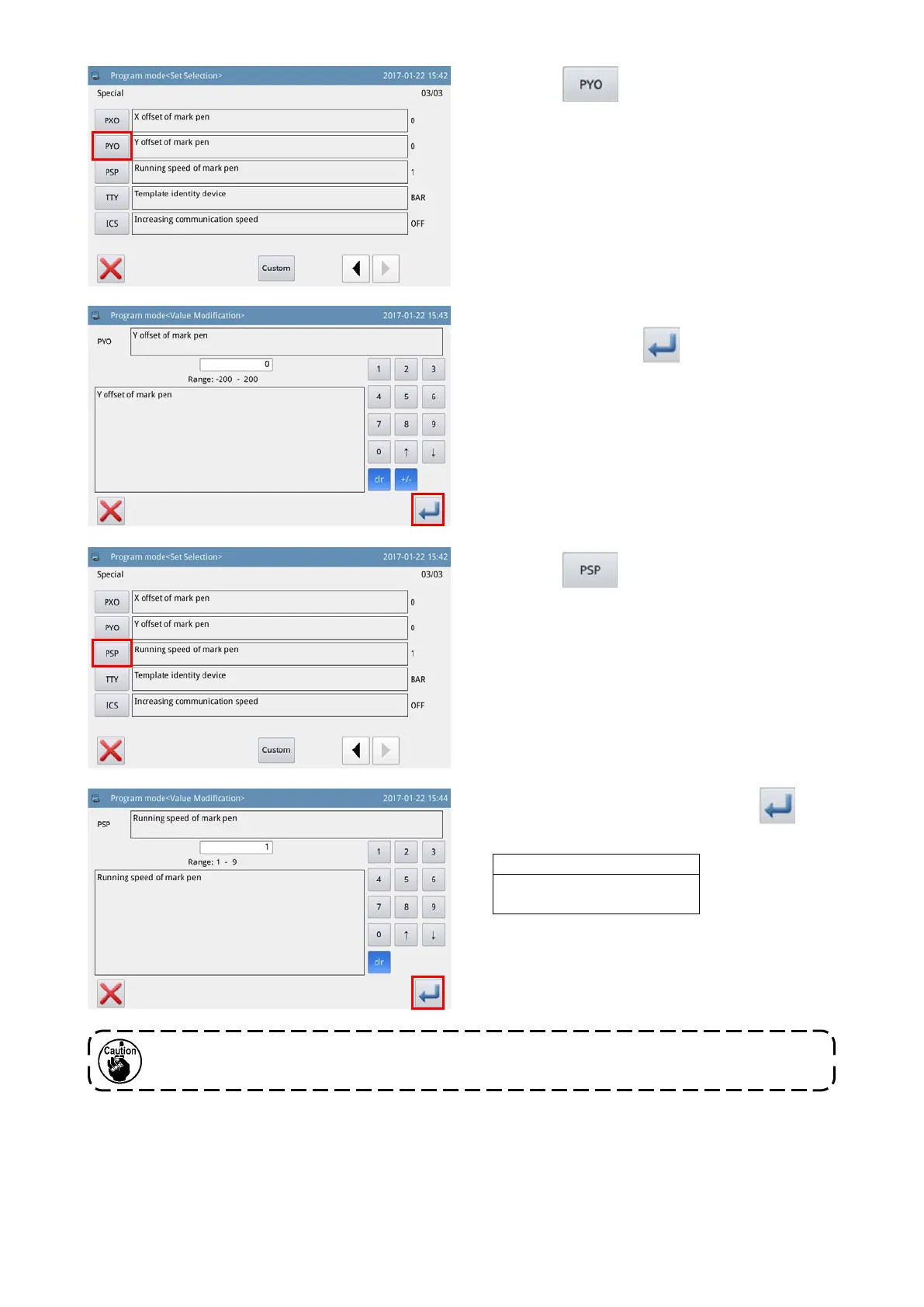
7) Enter the measured deviation amount in the
Y-direction. Press the key. Then, the screen
returns to the previous screen.
9) Enter the desired speed and press the key.
Then, the screen returns to the previous screen.
Pen speed input value
1 2
・・・
8 9
Slow ←
・・・
→ Fast
6) Press the key to display the "Y-direction
deviation amount edit screen" for the pen.
8) Press the key to display the "Speed set-
ting screen" for the pen.
If the pen is changed with another one, the position of the pen tip will change. The deviation
amount of pen, therefore, must to set again.



 To Next Page