– 34 –
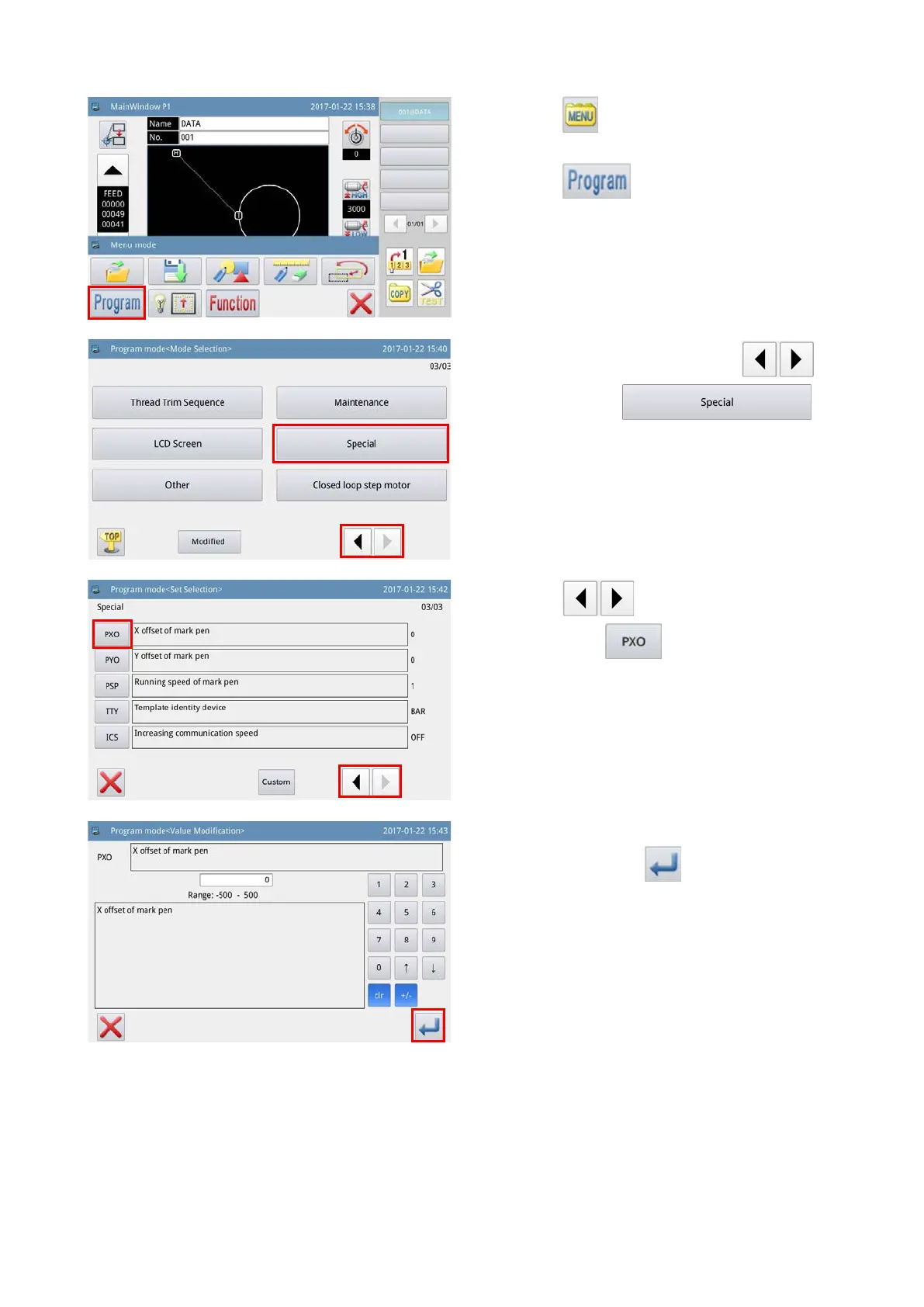
1) Press the key on the main screen P1 to
display the "Menu screen".
2) Press the key to enter the "Operation
setup mode".
3) Change over pages by pressing the
key, and press the
key.
4) Press the key to change over the
page. Press the key to display the "X-di-
rection deviation amount edit screen" for the pen.
(2) Setting the deviation amount of pen
5) Enter the measured deviation amount in the
X-direction. Press the key. Then, the screen
returns to the previous screen.



 To Next Page