– 46 –
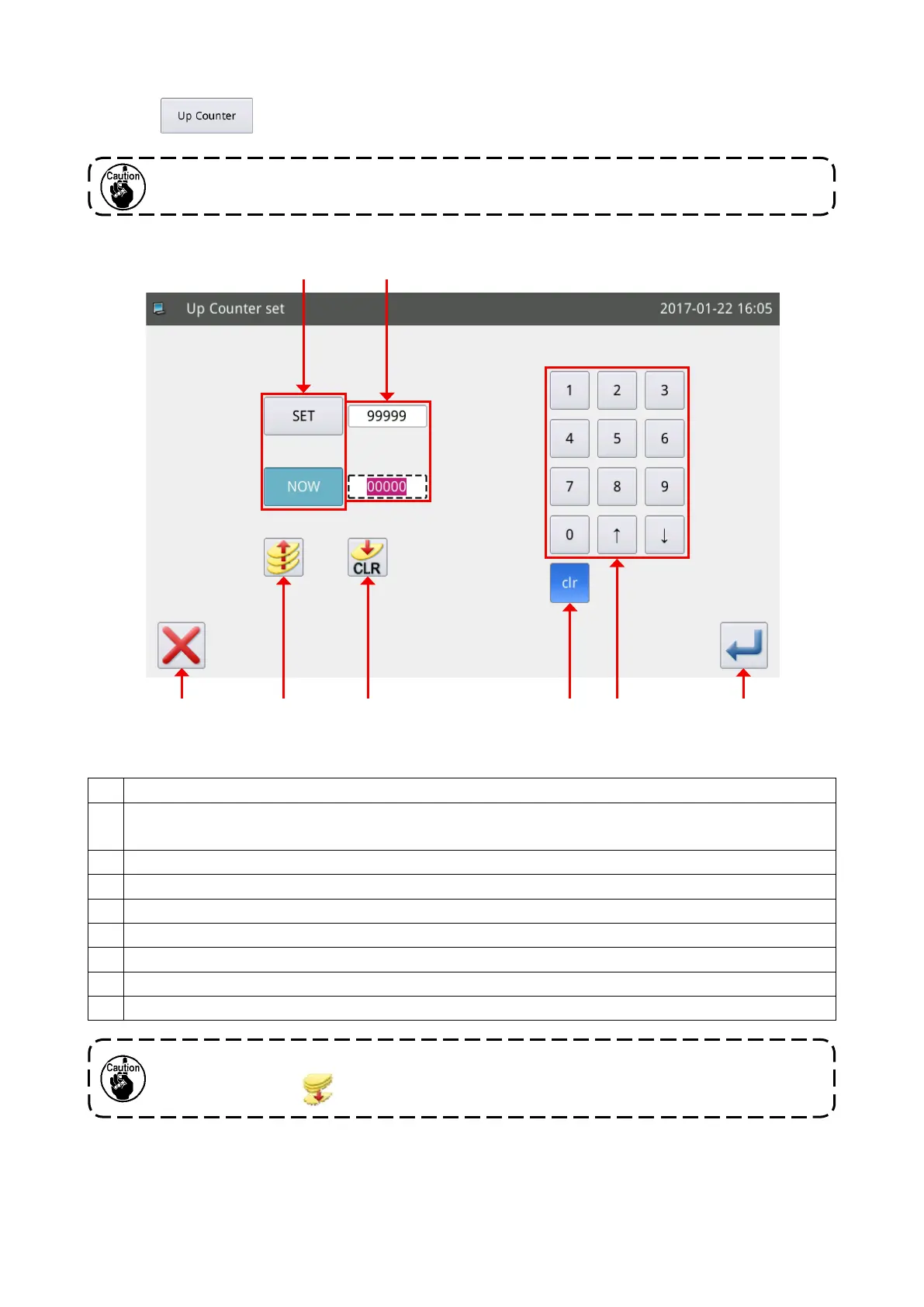
[Explanation of the Counter function]
Select the
key on the main screen P2 to display the “UP counter setting screen”.
Explanation of functions :
No. Description
A Changeover of the input set value and the current value (white letters against a blue background
means the state "being selected")
B UP counter enable / disable key (blue background means the state "enable")
C Exit from the counter setting mode and return to the previous screen
D Clear of the current value
E Display of the set value and current value (input state is displayed in dashed-line frame).
F Clear of the currently input value
G Numerical keypad used for inputting the set value and current value
H Conrmation of the setting
The counting method of the UP/DOWN counter is determined by the “counter” parameter under
the operation setting mode. (Refer to "II-3-(4) Counter" p. 61.)
The DOWN counter setting operation is same as the UP counter setting operation except for the
enable / disable key (
).
C B D F HG
A E



 To Next Page