– 58 –
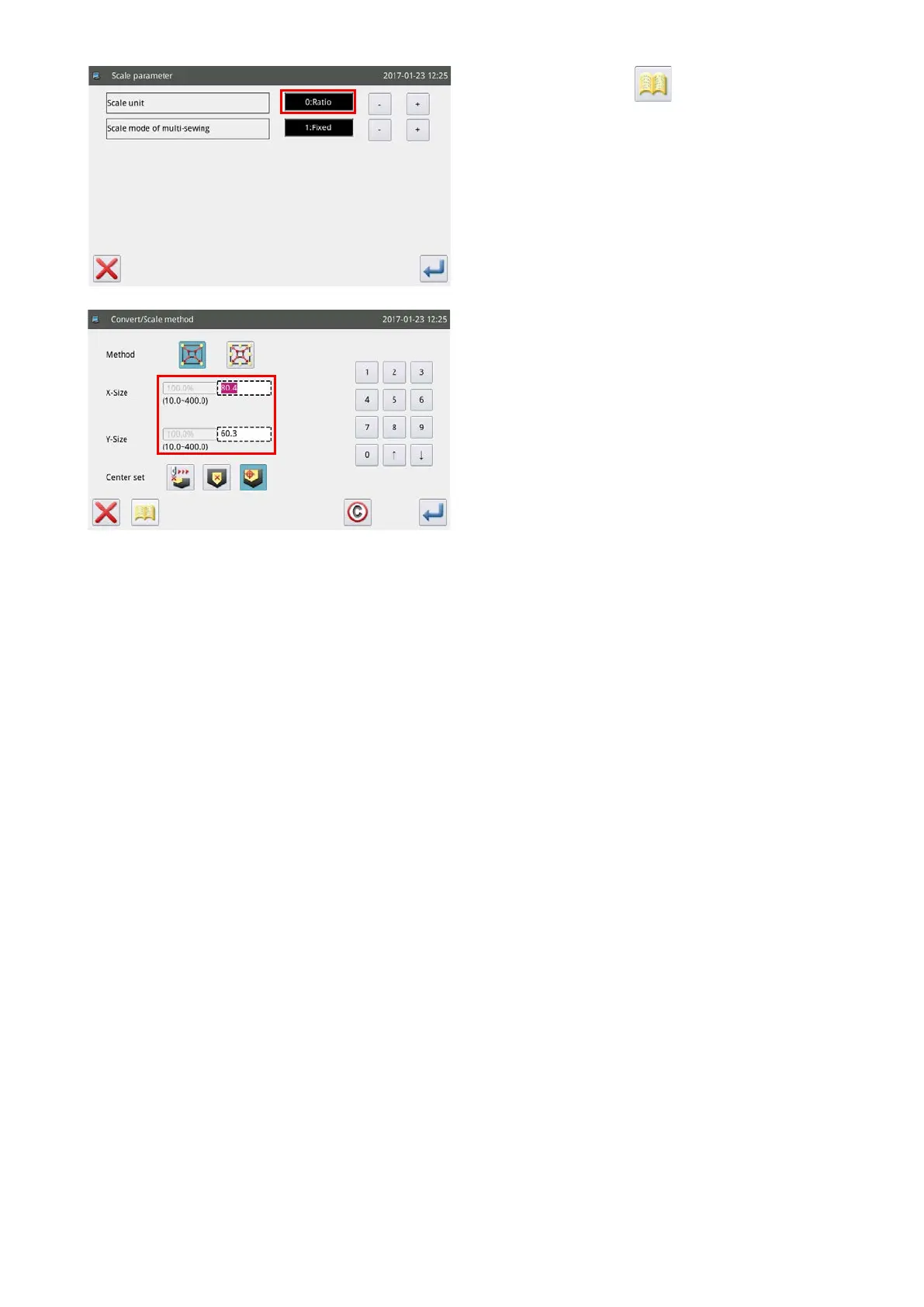
5) When you press the key on the screen
shown in the step 4), you can change the setting
of enlargement / reduction.
• First step : Changeover between ratio and di-
mensions at the time of enlargement
/ reduction
• Second step : Change of the reverse feed stitch-
ing at the time of enlargement /
reduction
6) In the case the setting of enlargement / reduction
is changed to the dimension, the dotted line frame
will be changed to dimensions to allow the sewing
pattern to be enlarged / reduced by specifying
dimensions.



 To Next Page