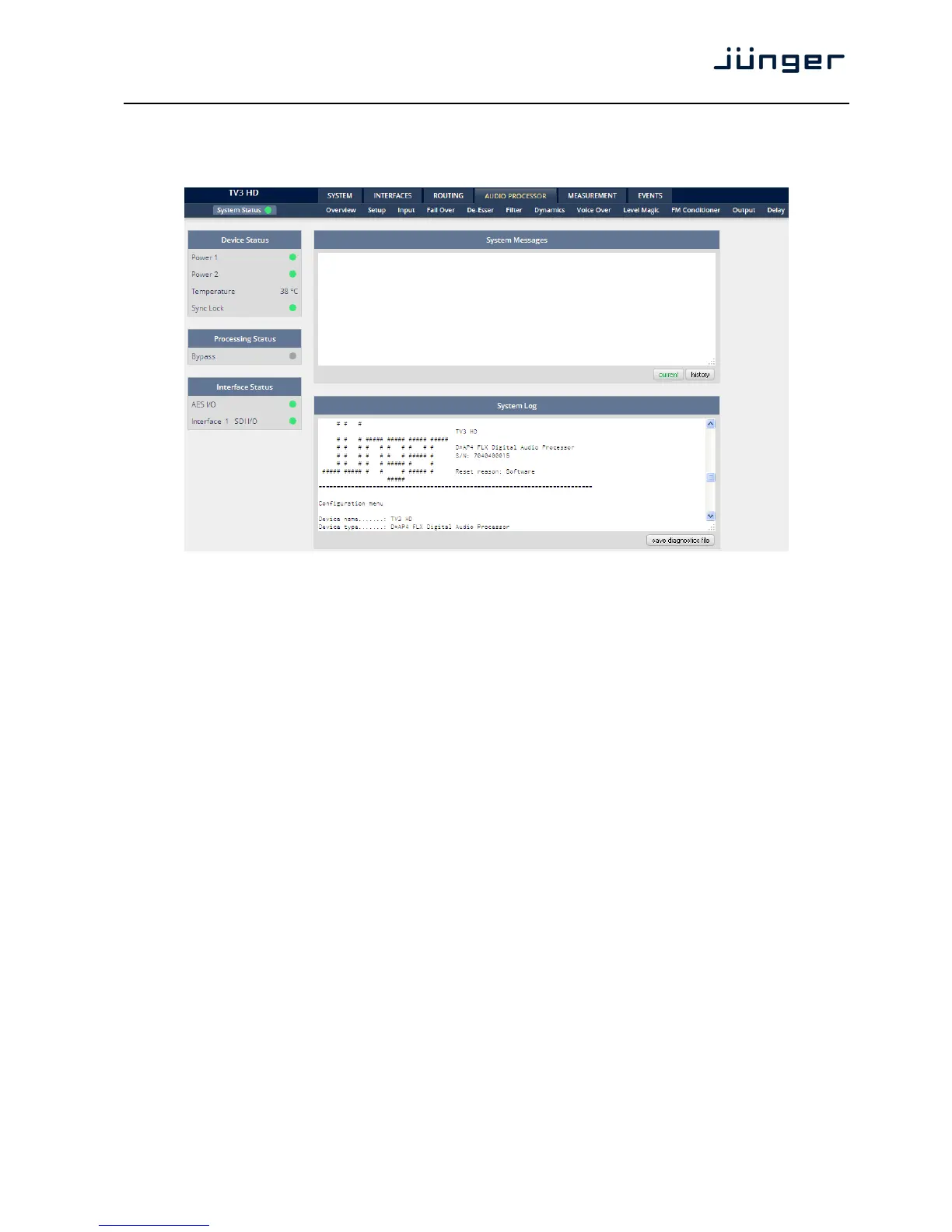
Setup GUI – SYSTEM – System Status
The system status is a special link you can reach independently from where you are:
The System Status page provides a top level view of the various status information available for the device.
Device Status Provides the hardware status of the D*AP4.
Power 1 Status of the first power supply (left hand side of rear).
Power 2 Status of second power supply (to the right of the first power supply)
Temperature measured on the surface of the main PCB.
Sync Lock Turns red if the external sync source is lost or unstable.
Processing Status
Bypass Turns red if Bypass is activated.
Interface Status
AES I/O Turns red if an AES input that is internally in use (i.e you have routed it to
an input of a function block) has detected an error.
Interface 1 SDI I/O Turns red if a problem with the optional SD interface board has been
detected.
System Messages [current / history]
Displays a list of messages produced by the system controller.
System Log The system controller activities will be logged. This log information may be
downloaded from the device and sent to Junger Audio in case of a
problem: SYSTEM > Admin > Diagnostics > get diagnostics file



 To Next Page