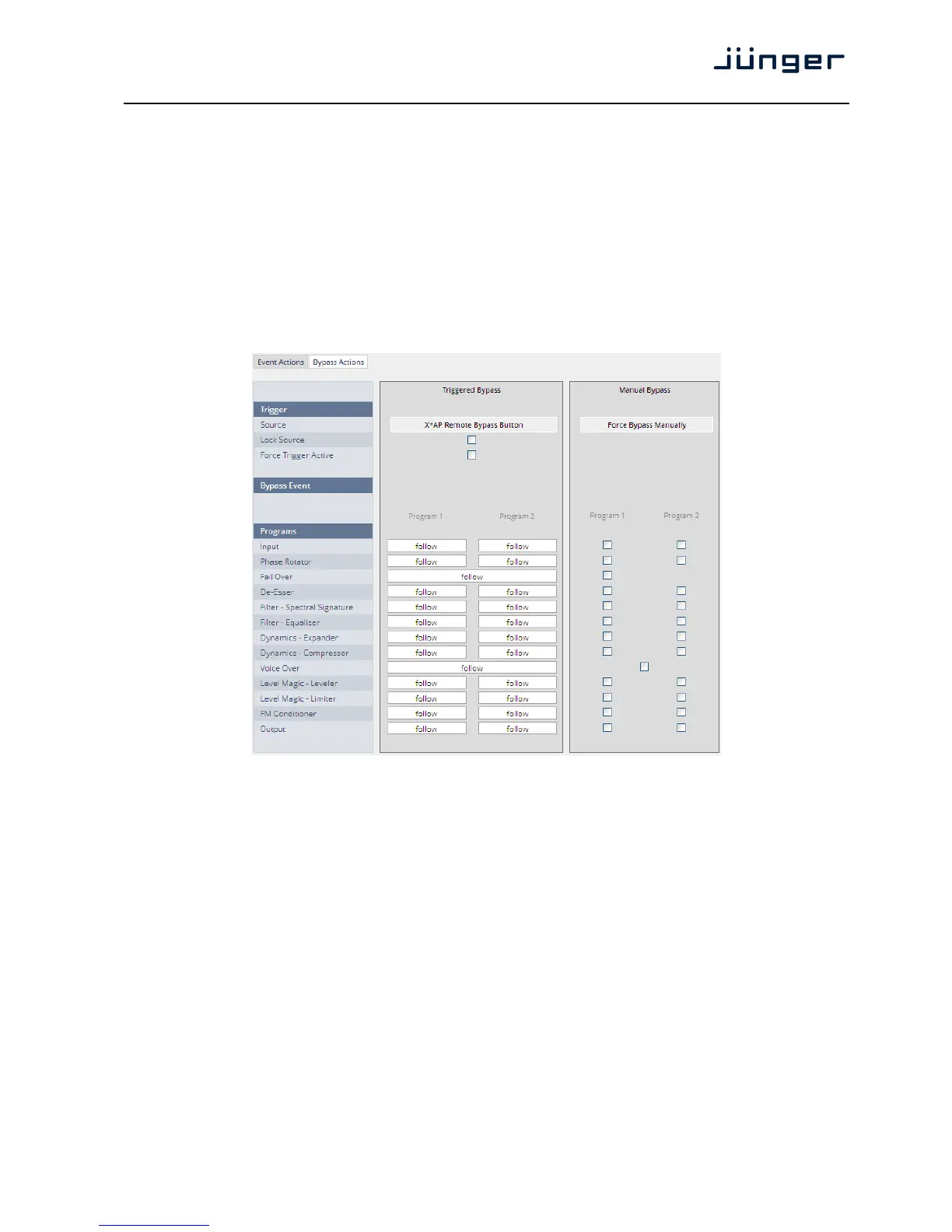
Here you create the action!
You must give the action a name, select a trigger (from the Trigger Equation) and select the respective
Preset - Measurement - I/O and/or Bypass event.
Done …
Setup GUI – EVENTS – Actions – Bypass Actions
The bypass action is bound to the <BYPASS> button of the X*AP RM
1
remote panel.
You must simply select "follow" or "-" for the setup field.
But it also allows you to turn the bypass of one, some or all function blocks on. You must simply tick the
check boxes in the right hand panel:
Trigger
Source The X*AP and / or manual selection
Lock Source [ON / OFF]
The X*AP RM
1
remote panel <BYPASS> button may be
disabled / enabled here.
Force Trigger Active [ON / OFF]
Force the bypass function from the GUI instead of the
X*AP RM
1
remote panel <BYPASS> button.
Bypass Event
Programs Audio processing blocks of the respective program path.
Input … Output [follow / -]



 To Next Page