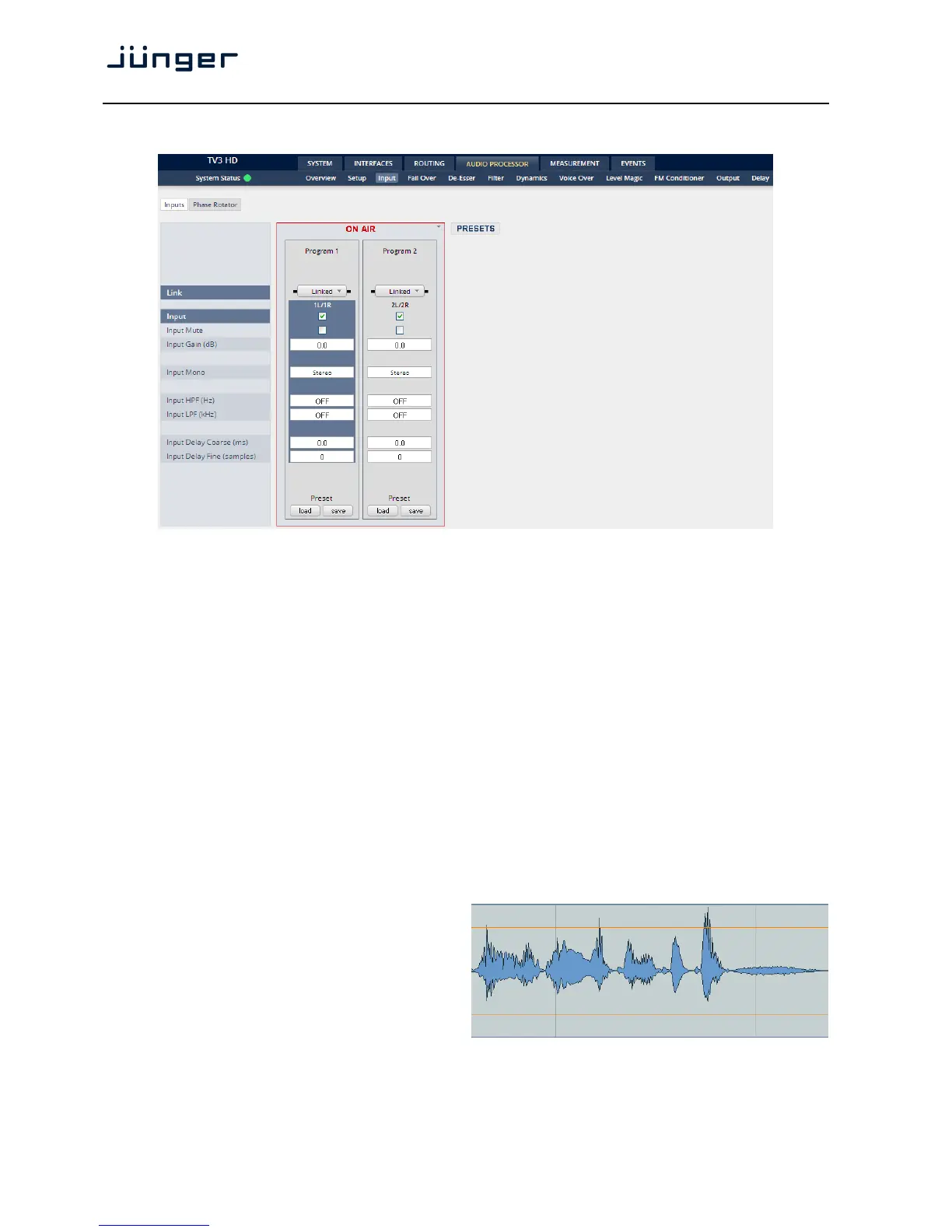
Setup GUI – AUDIO PROCESSOR – Input – Inputs
You may set the input conditions for both program channels (1L/1R) and (2L/2R) here:
Link [Unlinked, Linked]
For stereo operation you may link the setup parameters
Input [Enable / Disable]
Enables or disables the input section
Mute [ON / OFF]
Input Gain (dB) [-80.0 … 0.0 … 20.0]
Mono [L/R Stereo / L+R Mono / L/L Mono / R/R Mono]
Input HPF (Hz) [OFF / 20 / 40 / 80 / 120]
Input LPF (kHz) [OFF / 15 / 20 / 22]
Input Delay Coarse(ms) [0.0 … 2000.0]
Input Delay Fine (samples) [0 … 2000]
Setup GUI – AUDIO PROCESSOR – Input – Phase Rotator
When working with human voice, one regularly
experiences issues with imbalanced waveforms.
Imbalanced in this context means that the
positive or negative half of the alternating signal
carries more power than the other.
The problematic result of this type of imbalance
is unnecessarily applied dynamics processing
(e.g. signal limiting) or loss of headroom.



 To Next Page