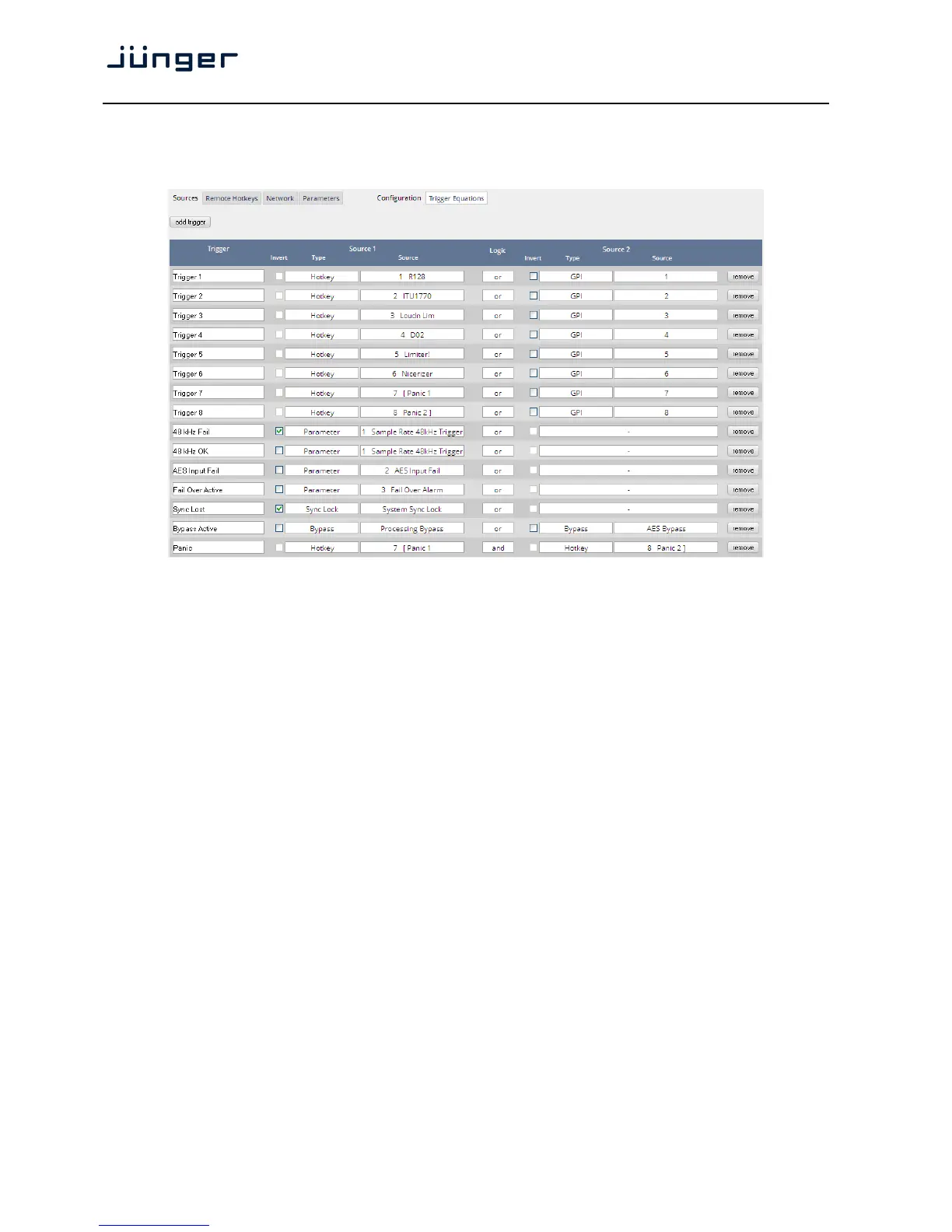
Setup GUI – EVENTS – Triggers – Configuration – Trigger Equation
To form a Trigger you may logically combine two trigger sources below.
Trigger Here you define a label for the trigger (e.g. "48kHz fail").
Source 1 The first source of a logical combination of two trigger sources.
Invert [ON / OFF]
If the type of trigger allows an inverted operation it can be defined here.
Type [GPI / Hot Key, Network / Parameter / Event active / Trigger effective/
Bypass / Sync Lock]
Source [e.g. for GPIs it will be 1 … 8]
It acts like an index for the respective trigger type (in case of GPIs
it is the physical GPI number or in case of X*AP Hotkeys the key
number (1 of 8).
Logic Kind of logical operation [and, or, xor].
Source 2 Second source for the logical combination of two trigger sources.
If only one source exists, you may leave it unassigned [-].
Now since we have prepared the ignition, we must load the bombs …
I.e. we define what will happen if … so we must define the events.



 To Next Page