Transmit Metering Data [OFF / ON]
metering data will be streamed via UDP protocol. In order not to receive
such data by external applications you may disable it.
Service Options
Maintenance Interface [OFF / ON]
via RPC For administrative use to enable communication with factory tools.
Telnet Server [ON / OFF]
Enables a telnet server to connect to the consol interface via
Telnet (IP port 21).
Diagnostics
<get diagnostics file> Pressing this soft button will start the assembly of a diagnostics file.
The file will be presented in XML format for download.
If you experience unexpected behavior of the device you may be asked by
the Junger service team to send such file by e-mail for analysis.
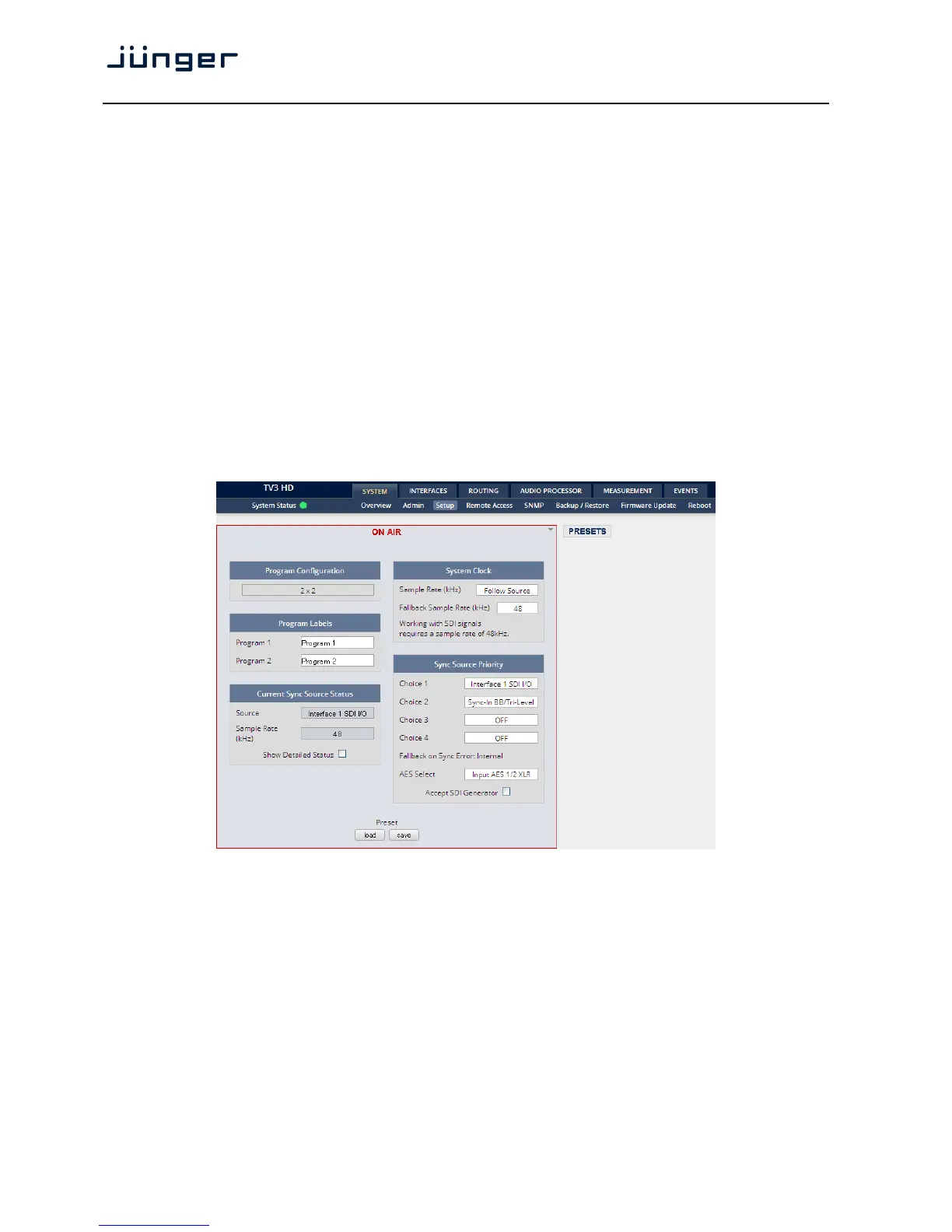
Setup GUI – SYSTEM – Setup
Program Configuration [2 x 2]
Shows the program configuration (2 times 2 channel). This is also
the default configuration of the audio processing blocks.
Program Labels Each of the two possible programs has a name that will be used
Program 1 as a reference for the display of parameters and their setup.
Program 2 You may edit the default names.
Current Sync Source Status shows the status of the 5 tier sync priority circuit
Source active sync source
Sample Rate measured sample rate
Show detailed status [ON / OFF]
If you enable the checkbox you will get this information:



 To Next Page