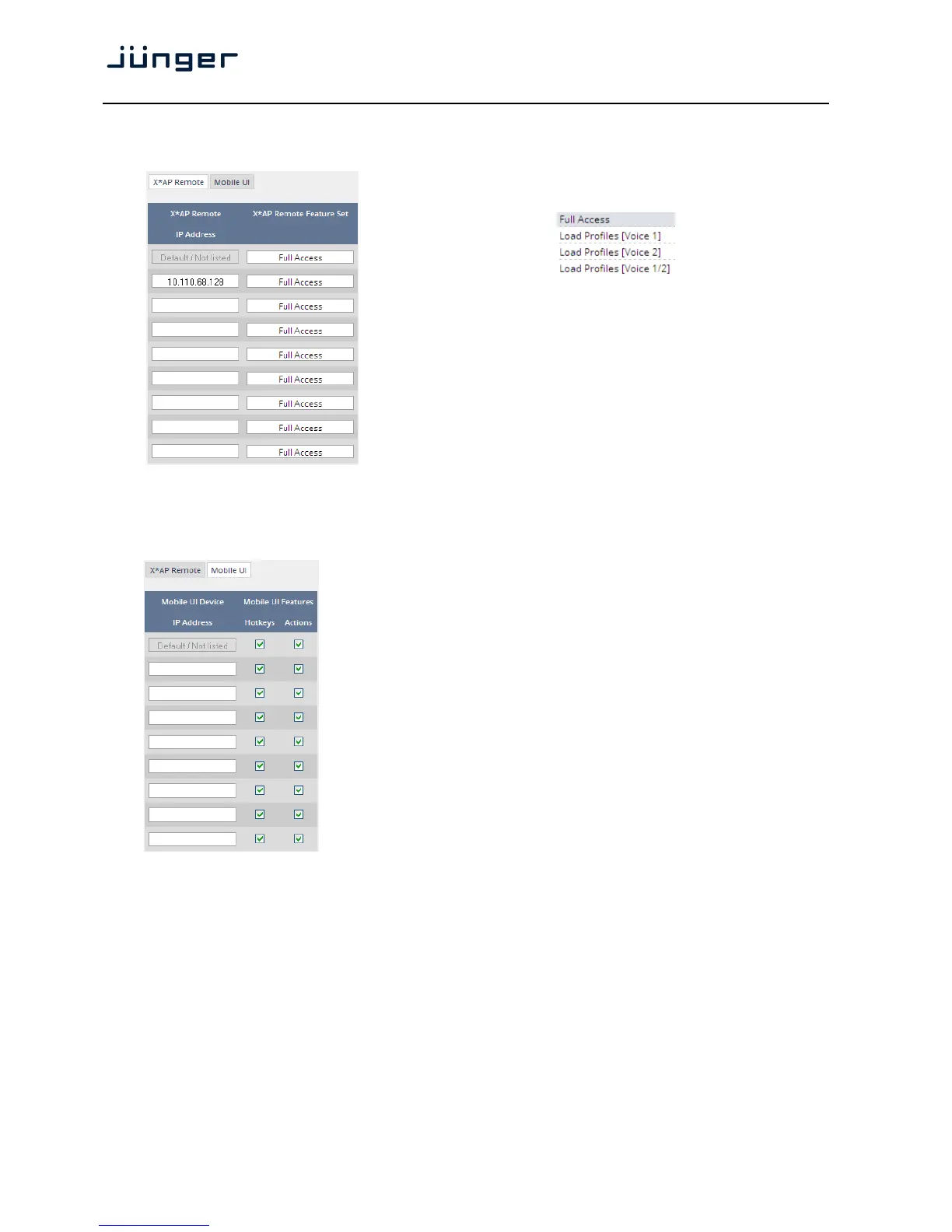
Here you can define feature sets for an X*AP. At the moment it allows you to limit the access of a specific
X*AP to load profiles only or to gain full access.
Multiple X*AP remote panels may gain access to the D*AP4.
For each X*AP you may pre-set general functions:
Profiles will be set up in the EVENTS > Preset Events (Profiles) area.
They combine a number of presets of several processing blocks.
IP Address In the first line you define the access
policy for an "unknown" X*AP that
connects with this D*AP4 for the first
time. The other lines are used to pre-
define features for known X*APs. When
connecting from an unknown X*AP, the
respective IP address will be inserted
automatically into the next empty line.
Setup GUI – SYSTEM – Remote Access – Mobile UI
For mobile UIs on tablets, smart phones or PCs you can select the features via its IP address:
IP Address When connecting from a mobile device
that is not pre-set, the respective IP
address will be automatically inserted.
Hotkeys [ON / OFF]
Turn it on if the UI should display the
hotkeys of the X*AP that is connected
with this D*AP4.
Actions [ON / OFF]
Turn it on if the UI should show actions to
trigger from the UI.



 To Next Page