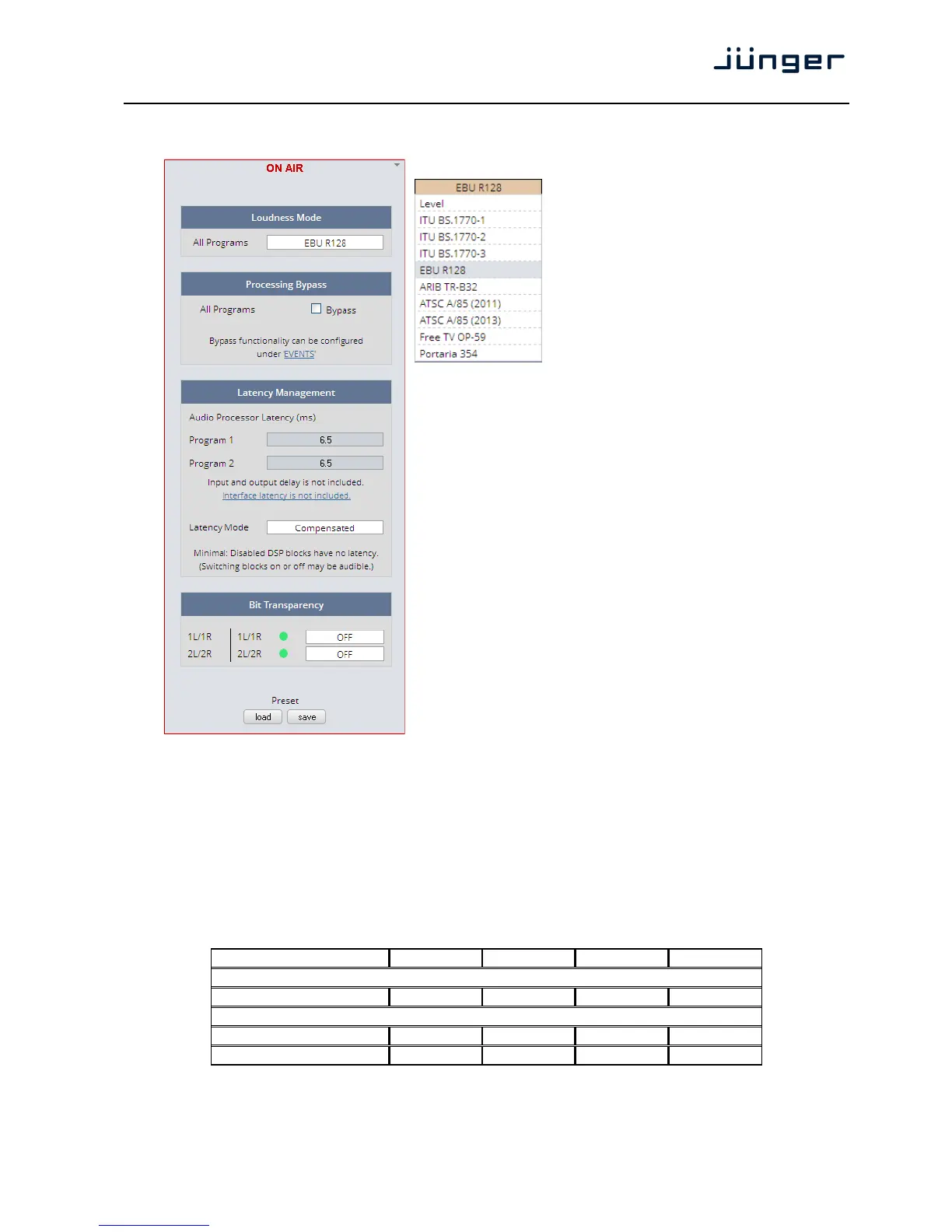
Setup GUI – AUDIO PROCESSOR - Setup
Loudness Mode
In order to meet the regulations of
regions or countries you must select the
loudness control mode here.
Beside of the weighing curves several
measurement duration and loudness
ranges have bee defined. Some
regulations are based on the same
measurement (e.g. ITU BS.1770-2) but
defined in a different regional norm.
You must check with your local authority
for correct settings if you must comply
with regulations.
Processing Bypass [ON / OFF]
You may turn the bypass ON/OFF from
here by activating the check box.
The bypass functionality may be
configured at the EVENTS >Actions
pane where the link will direct you to.
Latency Management In a latency critical environment it might
be desirable to have the lowest possible
latency. So it is useful to actually bypass
a process that is not in use. In normal
operation, switching audio processing
modules on and off does not result in a
change of latency and thus does not
cause audible glitches or clicks.
Program 1 Display of the actual latency
Program 2 Display of the actual latency
Latency Mode [Minimal / Compensated]
"horizontal" compensation for one
program. Disabled audio processing
blocks are taken out of the processing
chain and are no longer causing a delay. However switching blocks on or off can cause clicks and
glitches, even in unaffected channels, as the latency compensation is recalculated.
Bit Transparency For non audio signals which may be appear at the input of a program
chain permanently or time by time you can select the behavior here.
1L/1R | 1L/1R [OFF / ON / AUTO]
2L72R | 2L/2R [OFF / ON / AUTO]
You may force the DSP to pass through the audio stream untouched
in case there is encoded audio present. The AUTO mode is triggered
by the AES channel status.
System Latency [ms]:
44.100kHz 48.000kHz 88.200kHz 96.000kHz
Base Latency
AES IN to AES OUT 4.26



 To Next Page